

Requesting a new account
Updated · 2 min read
To get an AWS account, you choose an account template and accept the terms of service. Some templates give you an account straight away; others need a manager's approval first.
To request an account:
Choose Request an account at the top of the side menu (or Request a new account on the My AWS accounts page).
Browse the account templates. Each card tells you what you get:
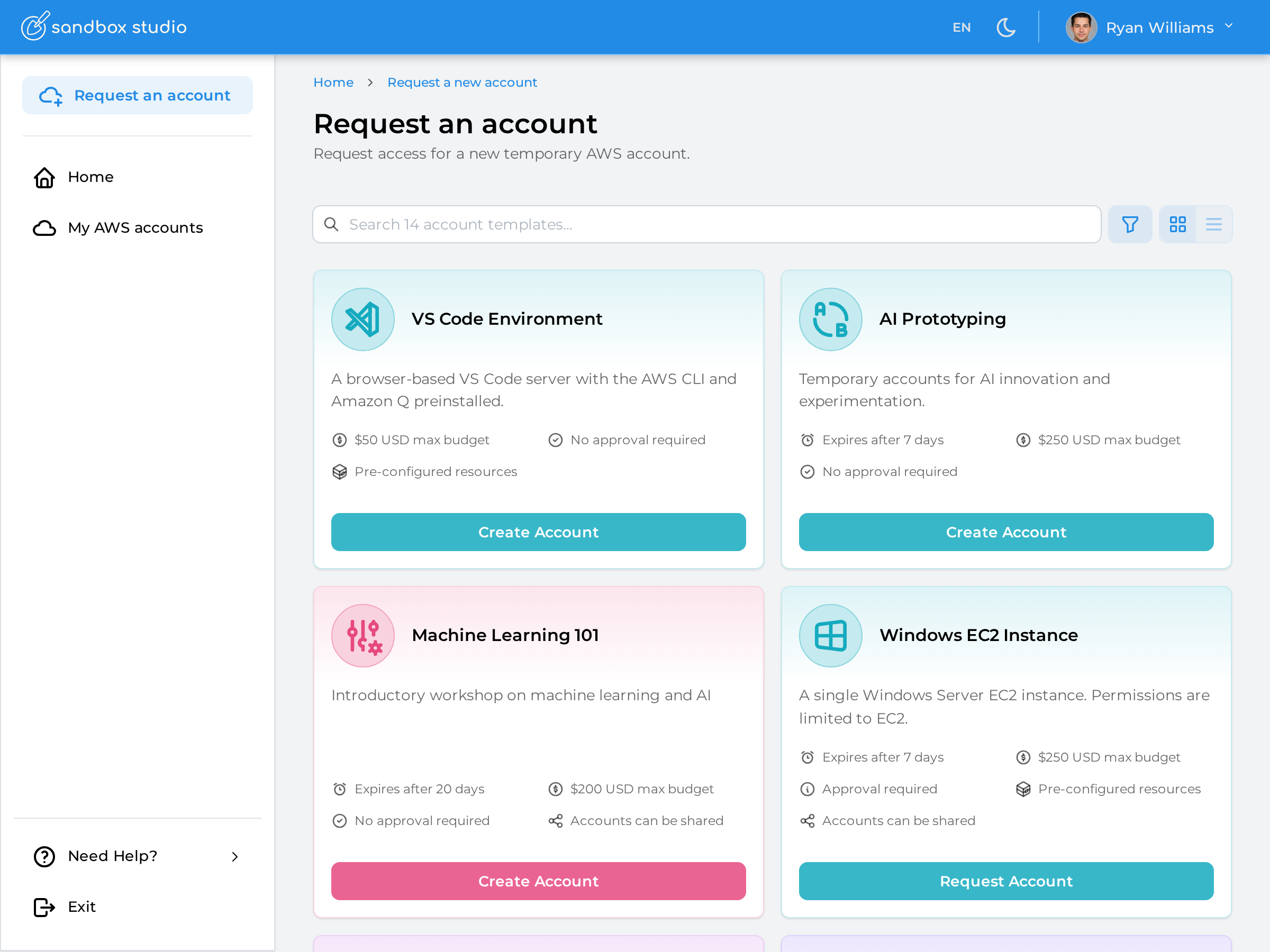
Expires after…: how long the account lasts. No line means no time limit.
… USD max budget: how much can be spent in the account.
Approval required or No approval required.
Pre-configured resources: Sandbox Studio sets things up in the account for you, which makes setup take longer.
Accounts can be shared: you can add team members.
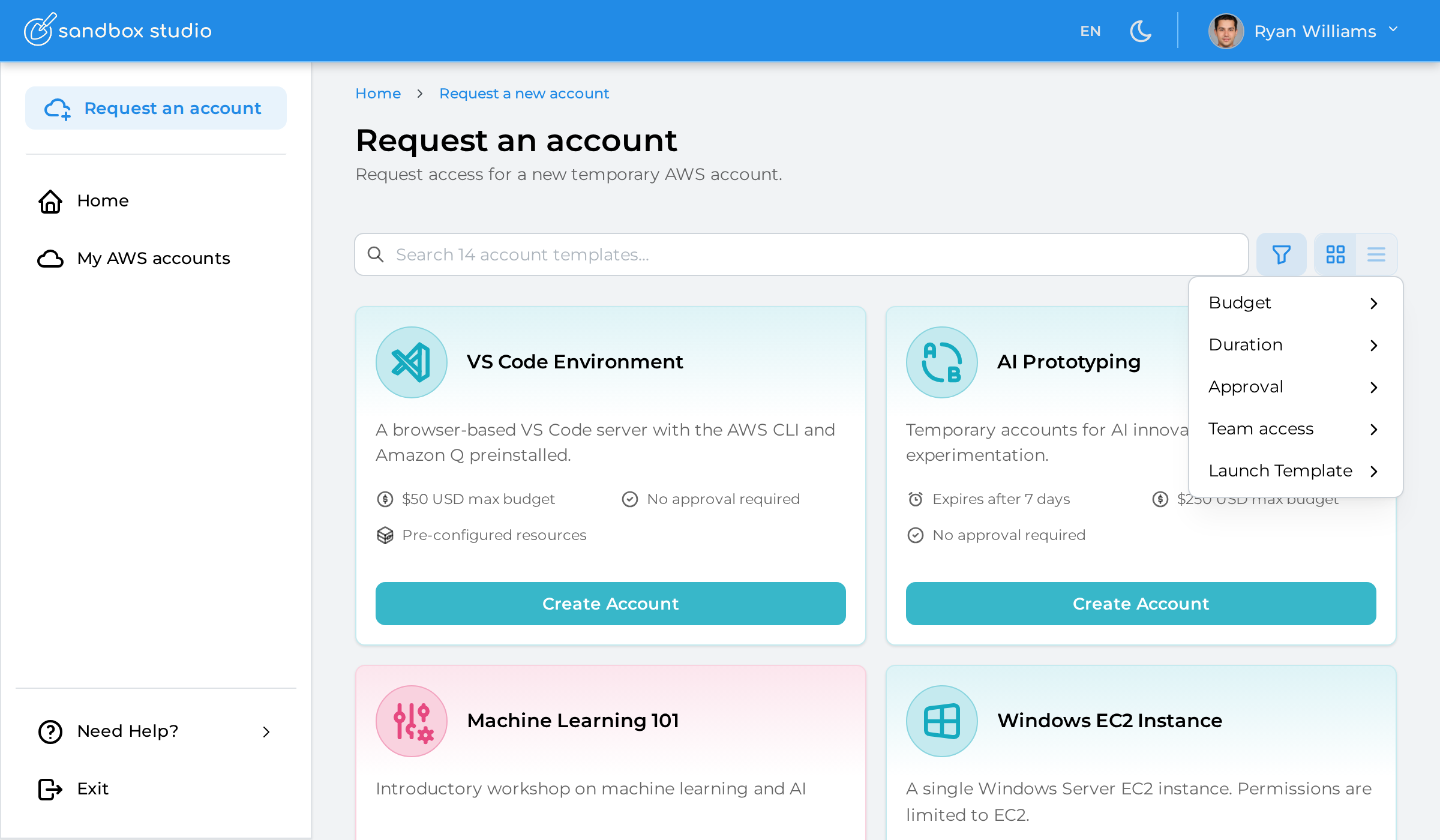
To narrow the list, type in the search box, or choose the filter button to filter by Budget, Duration, Approval, Team access or Launch Template. The buttons next to it switch between grid and list view.
On the template you want, choose Create Account (no approval needed) or Request Account (approval needed).
Read the Terms of Service and select I accept the above terms of service.
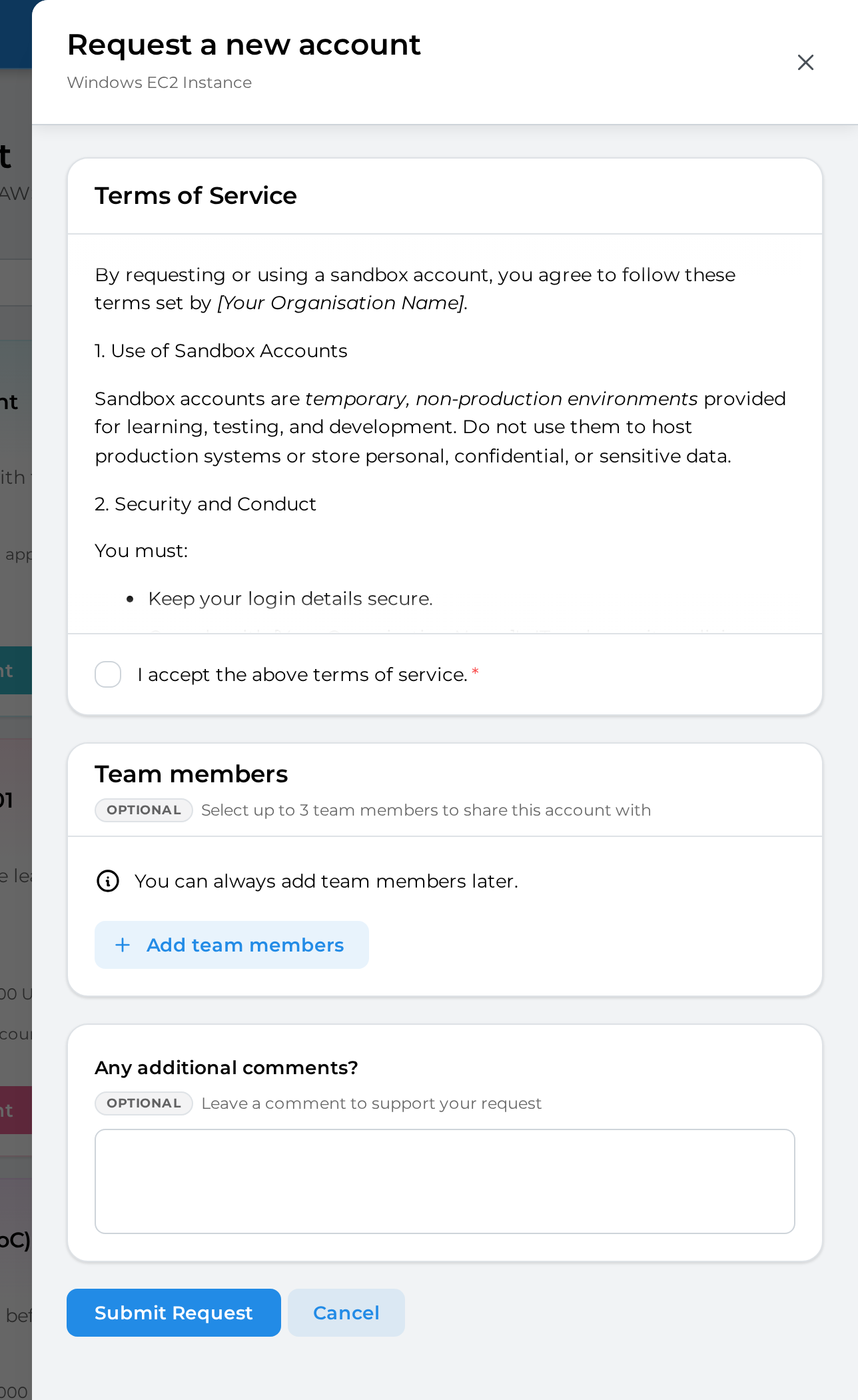
If the template allows sharing, you can choose Add team members to share the account straight away. You can also do this later. See Share my account.
Optionally, add a comment under Any additional comments?. If approval is needed, this is your chance to explain what the account is for: the approver sees it.
Choose Create Account or Submit Request.
What happens next#
You are taken to My AWS accounts, where your new account appears as one of:
Active: ready to use. Choose Open AWS Console.
Setting up...: Sandbox Studio is preparing the account or creating its resources. You get an email when it's ready.
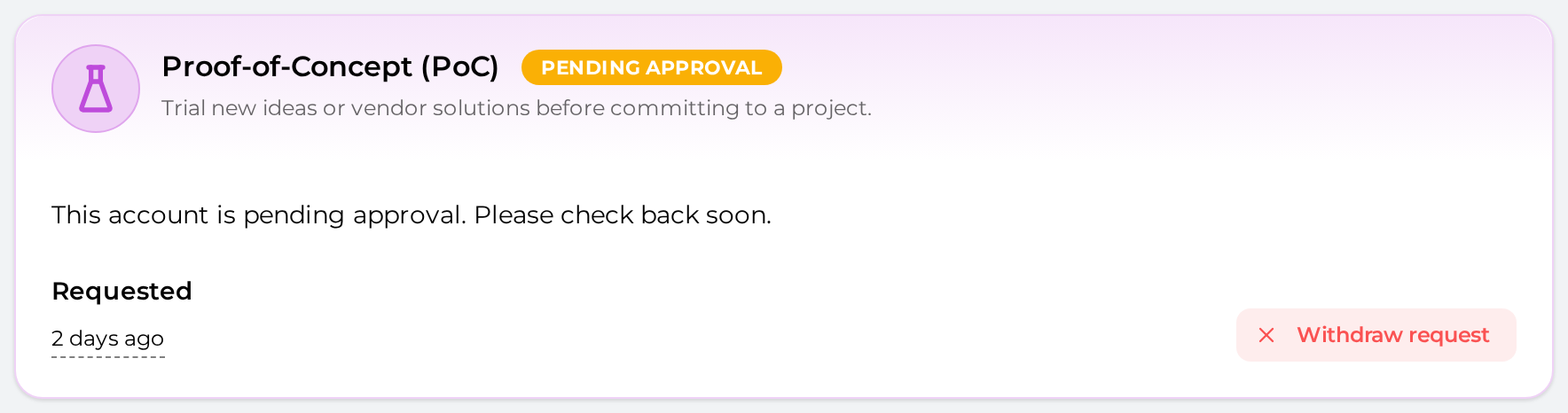
Pending Approval: the approvers get an email. You get an email when they approve or deny your request.
Choose the refresh button to update the page.
Withdraw a request#
Changed your mind before your request was approved? On My AWS accounts, choose Withdraw request on the pending account.
Why don't I see the account template I need?#
You see the account templates your managers and administrators have made available. If the one you need isn't there, or you see No account templates available., ask your manager or administrator. They can create a template or turn an existing one back on. There may also be a limit on how many accounts you can have at once.