

Home page
Updated · 1 min read
The home page is where you land after signing in. It shows what needs your attention, the accounts you can use right now, and shortcuts to the things you do most.
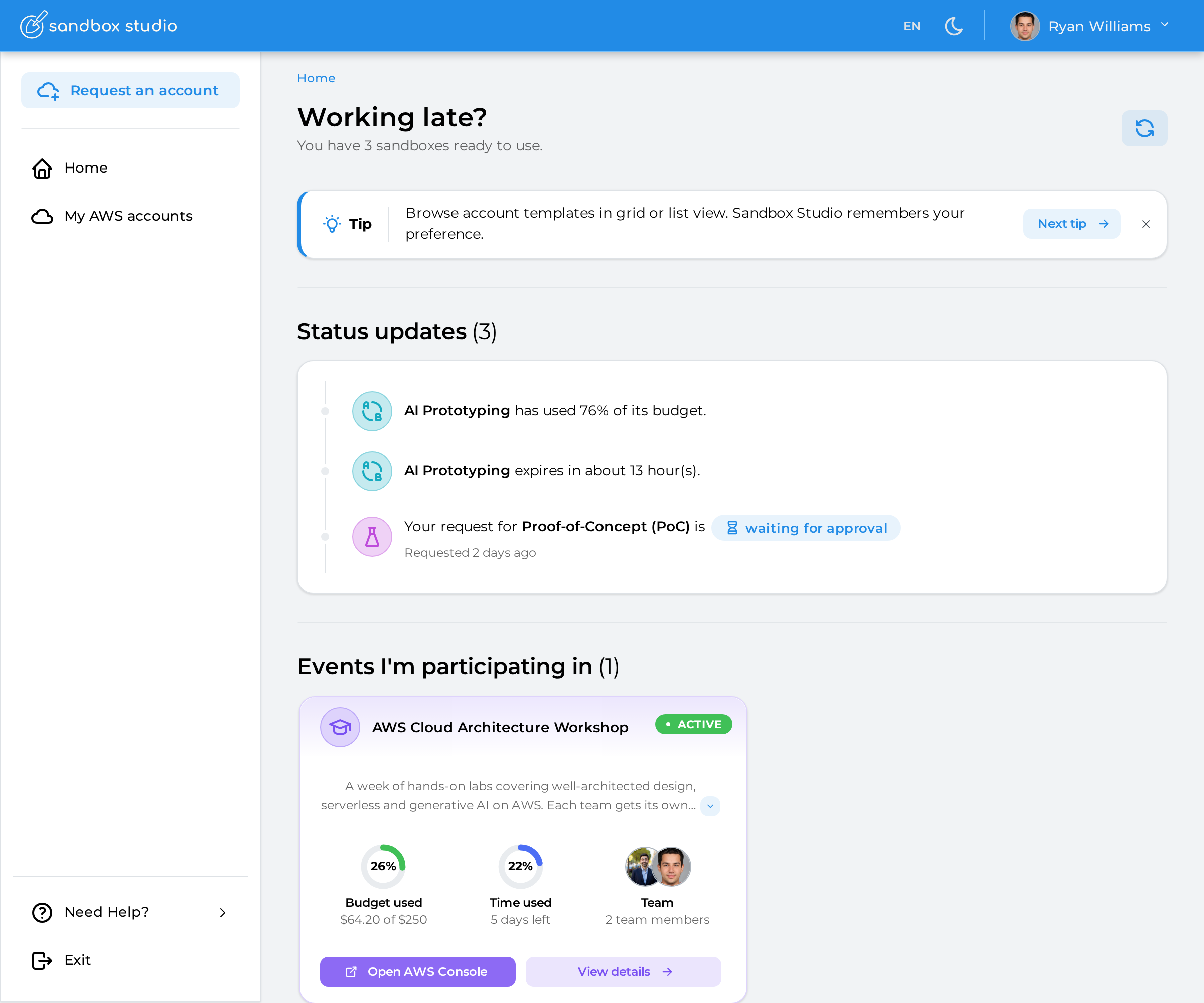
What's on the home page#
Section | What it shows |
|---|---|
Greeting | How many of your sandboxes are ready to use. |
Tip | A short tip about Sandbox Studio. Choose Next tip for another, or close it. |
Status updates | Things worth knowing about your accounts: an account that has used most of its budget, expires in the next few hours, is being set up, is locked, or a request still waiting for approval. |
Events I'm participating in | Accounts you have through a workshop or class. See Taking part in an event. |
My current sandboxes | A card for each of your active accounts, including accounts shared with you. Scroll sideways if you have several. |
Quick Links | My Accounts and Request Account. |
If you have no active account, the home page invites you to Request an account.
Account cards#
Each card gives you the essentials at a glance:
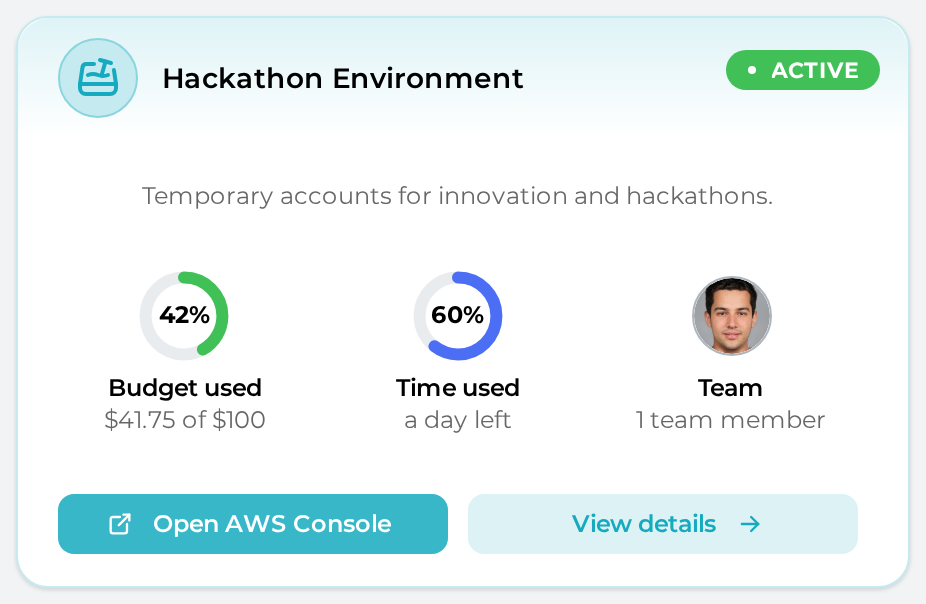
Budget used: the share of the budget spent so far, and the amount.
Time used: how much of the account's time has passed, and the time left.
Team: who has access to the account.
Open AWS Console: signs you in to the account's AWS console. See Opening the AWS console.
View details: opens the account's details page. See Account details and history.
Choose the refresh button at the top right to update the page. Costs come from AWS and can take a while to appear.