

Managing user roles
Updated · 2 min read
Every user has one role: User, Manager or Administrator. You can let Sandbox Studio assign the role automatically, or set it yourself with a manual override.
Where a role comes from#
How the role is set | What you see | What happens at the next sign-in |
|---|---|---|
By an identity provider | Managed by Okta (or the provider's name) under the role. | The role is recalculated from the provider's role assignment each time the user signs in through that provider. See Identity providers. |
Default role | Automatic role on the user's page. Used for people who joined with email sign-in. | The user keeps the default role. If they later sign in through an identity provider that assigns roles, that provider's role replaces the default. |
Manual override | Manually assigned or Managed in Sandbox Studio. If the user also signs in with an identity provider, the role the provider would give is shown alongside. | Nothing changes. Identity provider sign-ins never replace a manual override. |
Give someone manager or administrator rights#
Choose Users & Groups in the side menu, then choose the person's name.
On the Profile details card, choose Update. The Change user role drawer opens.
Under Role assignment, choose Manual override.
Under Select a role, choose User, Manager or Administrator.
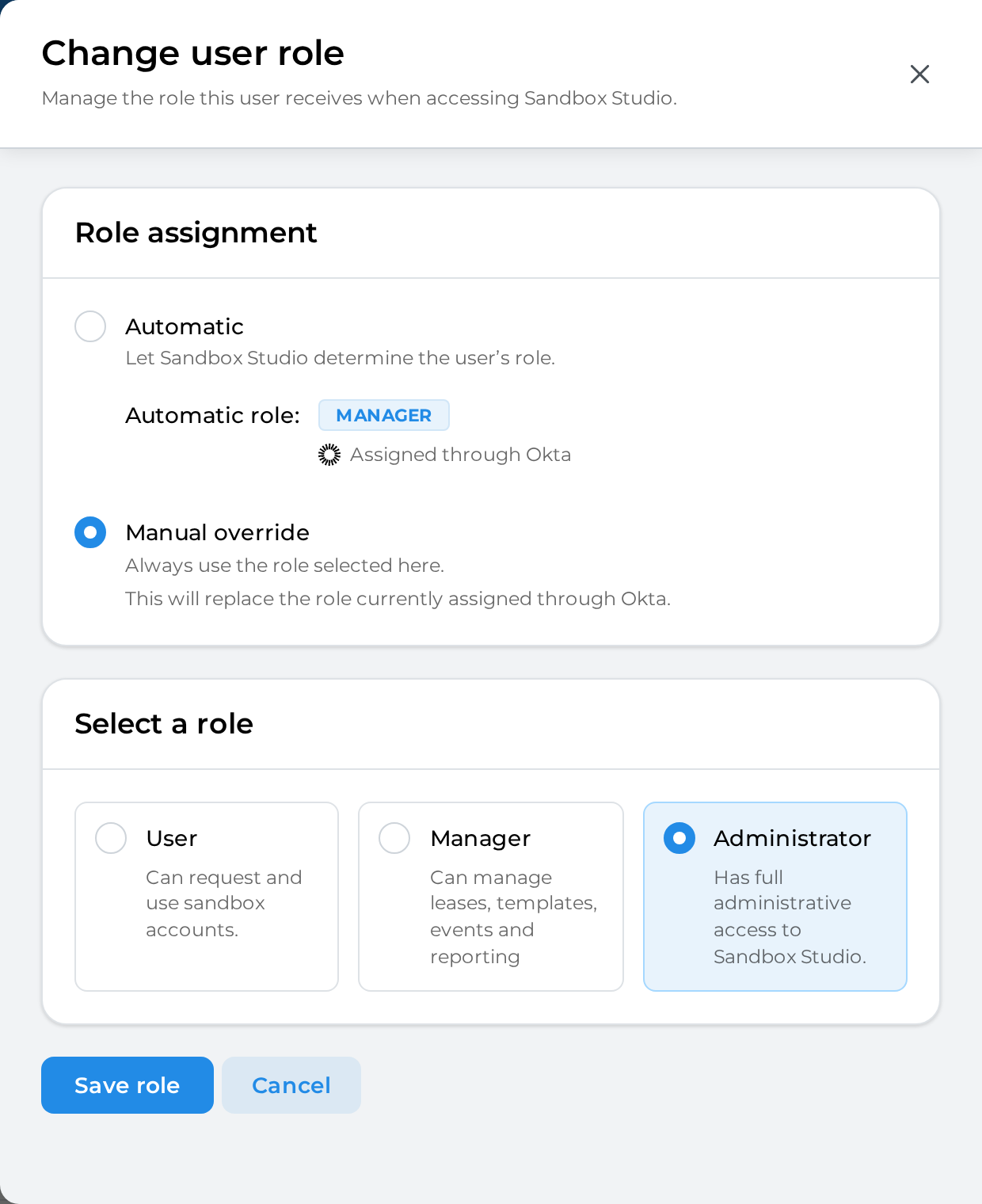
Choose Save role, tick I understand how this changes the user's role assignment and choose Save role again.
The new role takes effect without the user having to sign out. The change is recorded in the activity feed.
Hand a role back to automatic assignment#
Open the user's page and choose Update on the Profile details card.
Choose Automatic. The drawer shows the role the user will get, for example Automatic role: Manager, Assigned through Okta.
Choose Save role, confirm, and choose Save role again.
The user gets the latest role their identity provider assigned. If they have never signed in through an identity provider, they get the default role. From then on, identity provider sign-ins keep the role up to date.
Why did a user's role change back?#
If a user's role is Managed by an identity provider, every sign-in through that provider sets the role again from the provider's role assignment. Changing the user's groups in Okta or Entra ID, or changing the mapping rules in Sandbox Studio, changes their role at their next sign-in.
To keep a role regardless of the identity provider, use Manual override. To change the role for everyone in a provider group, change the provider's role assignment instead. See Identity providers.