

Quarantined accounts and clean-up failures
Updated · 2 min read
When Sandbox Studio can't clean an account at the end of a lease, it moves the account to Quarantined and emails administrators (the Account Resource Cleanup Failure notification). A quarantined account isn't leased to anyone until you deal with it.
Find out what went wrong#
Choose AWS Accounts in the side menu. Quarantined accounts show Quarantined with Clean-up error underneath.
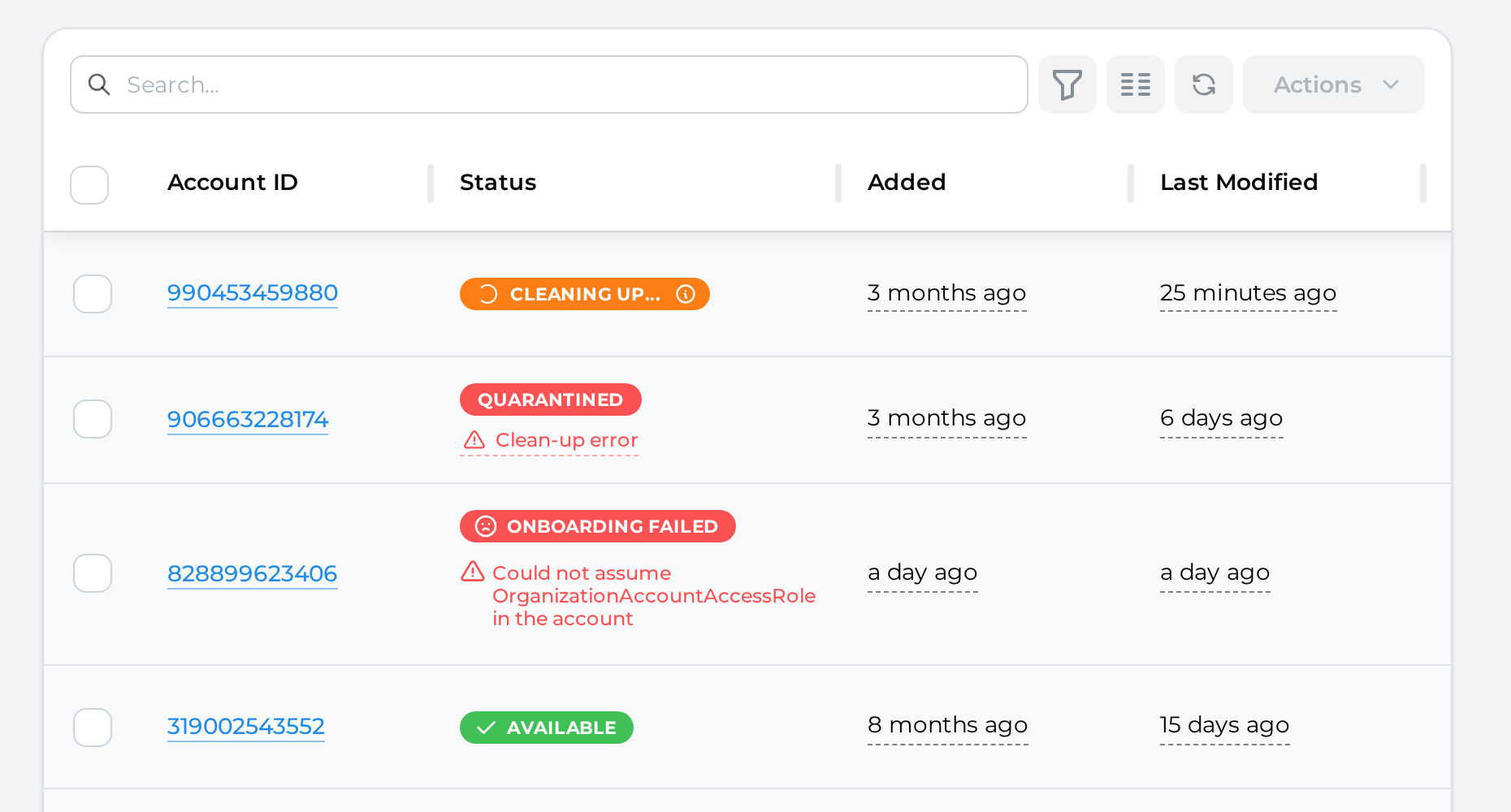
Choose Clean-up error, or open the account and choose Click to view details on the red banner.
The Failed Resources window shows the cleanup workflow, which step failed, each failed attempt and its error, and the resources that could not be deleted.
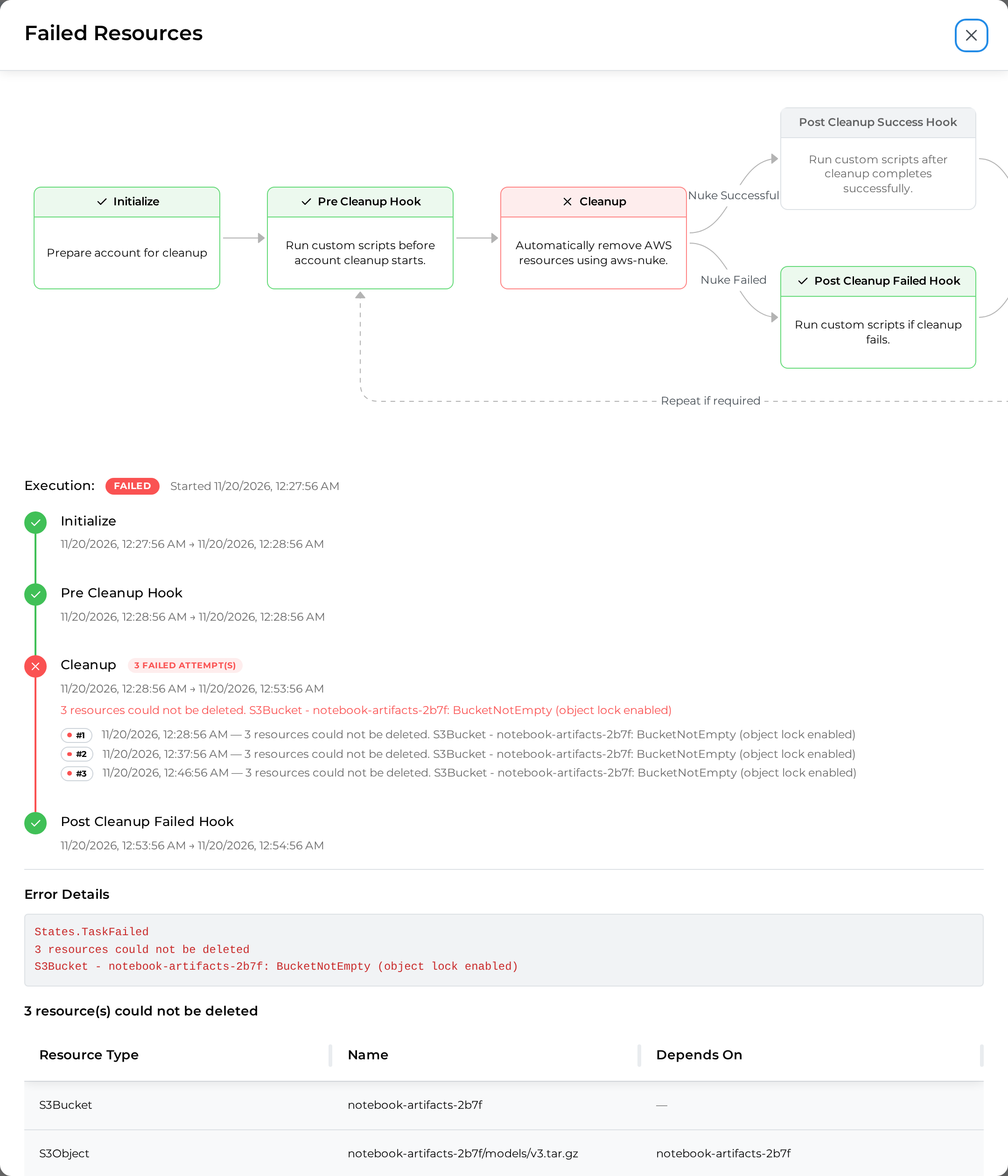
Common causes are resources with deletion protection or object lock (such as an S3 bucket with object lock), resources AWS doesn't allow to be deleted, and AWS service limits or temporary errors.
Fix the account#
Choose one:
Clean up again: if the error looks temporary, or after you've removed the blocking resource yourself. Choose Login to account on the account's page to open the AWS console, delete or unprotect the resource, then choose Clean up account on the AWS Accounts page. When cleanup succeeds, the account returns to Available.
Keep the resource: if a resource should never be deleted, add a filter for it in Cleanup settings, then clean up again.
Eject the account: if you can't fix it, or the account should leave Sandbox Studio. The account moves to the Exit OU and its resources are kept. See AWS accounts.
Read the cleanup logs#
For the full AWS Nuke output, use the cleanup logs in the hub account:
On the account's page, choose See details in AWS console under the status to open the cleanup workflow run in the AWS console.
Or, in CloudWatch, choose Logs Insights, open Saved and sample queries, and run AccountCleanupLogs from the
SS-{Namespace}folder. Set the time range to when the cleanup ran.
Look for lines that say failed or an error code next to a resource name.
Why accounts are quarantined#
Cleanup failed more times than Max Failed Cleanup Attempts allows. See Cleanup settings.
A sandbox account was found outside its expected place in AWS Organizations and couldn't be fixed automatically (drift).
Any lease still using an account that is quarantined is terminated.