

Manager home page
Updated · 2 min read
When you sign in with the Manager role, your home page shows your own sandboxes and a Management Overview of everything you look after: requests waiting for you, leases that need attention, spending and events.
As a manager you can also request and use AWS accounts yourself, exactly as other users do. The top of the home page (My current sandboxes, and Events I'm participating in if you take part in an event) works the same as for any user. See the User Guide home page for those sections. This guide covers the features only managers and administrators have.
What managers look after#
You don't automatically see every lease in Sandbox Studio. You manage:
Leases created from account templates you own (you created them) or where you are listed as a Manager, directly or through a group.
Requests for templates you own or where you are listed as an Approver.
Leases in events you created or where you are listed as an event manager.
Administrators can see and manage everything.
Management Overview#
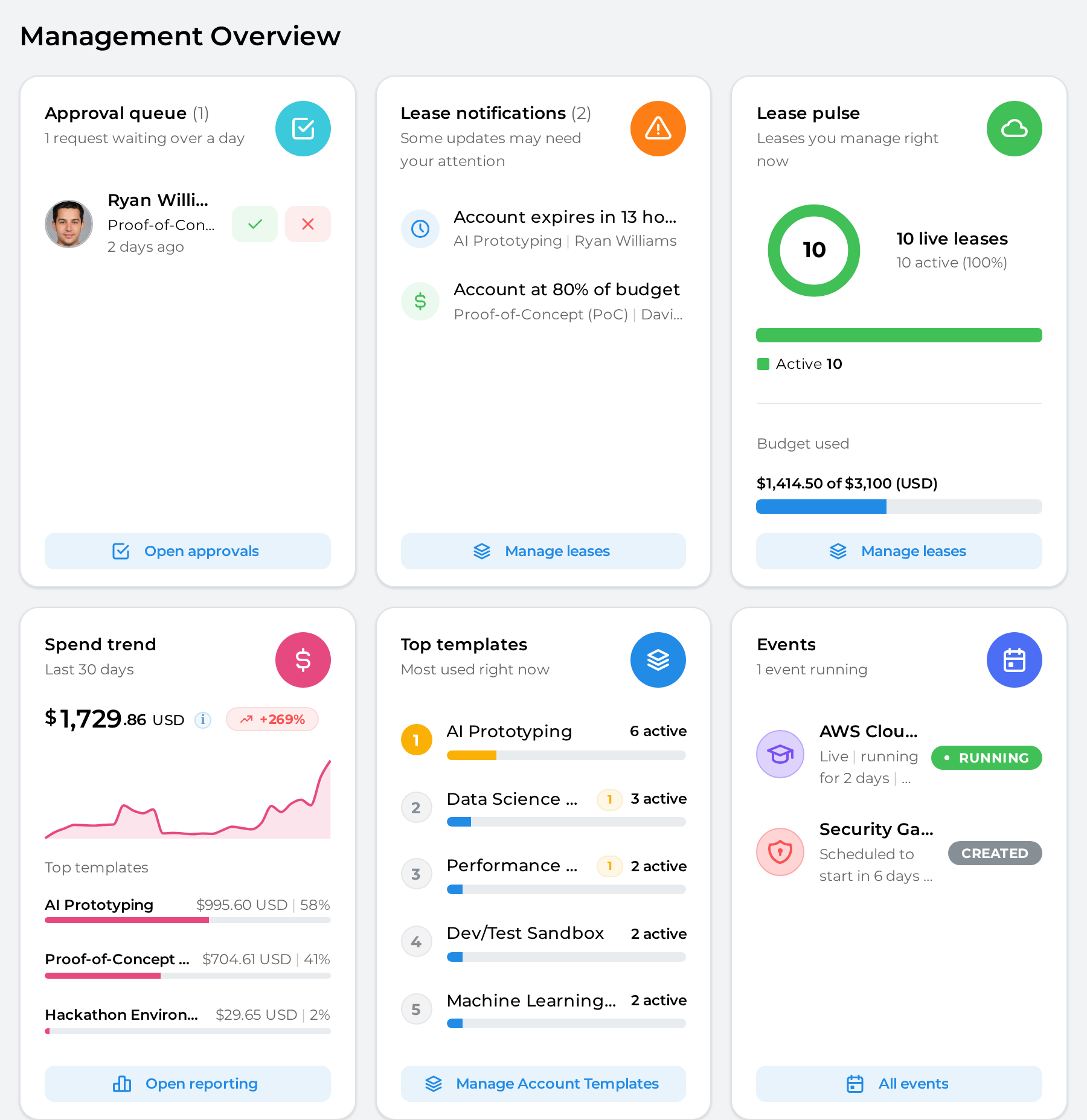
Card | What it shows |
|---|---|
Approval queue | Up to five requests waiting for you, oldest first. Use the tick or cross to approve or deny a request straight from the home page (you are asked to confirm). Open approvals goes to the full list. |
Lease notifications | Leases that may need attention: setup failures, accounts close to their budget, locked accounts and accounts about to expire. |
Lease pulse | How many live leases you manage, broken down by status, and how much of their combined budget has been used. |
Spend trend | Spend over the last 30 days compared with the previous 30 days, and the templates that cost the most. |
Top templates | Your most-used templates right now, with active leases and waiting requests. |
Events | Running, preparing and scheduled events, and any that need attention because setup failed. |
Use the refresh button at the top right of the page to update the figures. Costs are refreshed from AWS about once an hour (see Reporting).
The Management menu#
Managers see a Management section in the side menu:
Menu item | Use it to |
|---|---|
Approvals | Approve or deny account requests. A badge shows how many are waiting. See Approving and denying requests. |
Leases | Find, lock, unlock, extend and terminate the leases you manage. See Leases. |
Events | Give a group of people accounts for a workshop, class or hackathon. See Events. |
Account Templates | Create and manage the types of account users can request. See Account templates. |
Reporting | Analyse costs by template, event or tag. See Reporting. |