

Account details and history
Updated · 1 min read
Each account has a details page with everything about it in one place, and your account history keeps a record of all your past accounts and requests.
Account details#
To open an account's details, choose View details on its card on the home page.
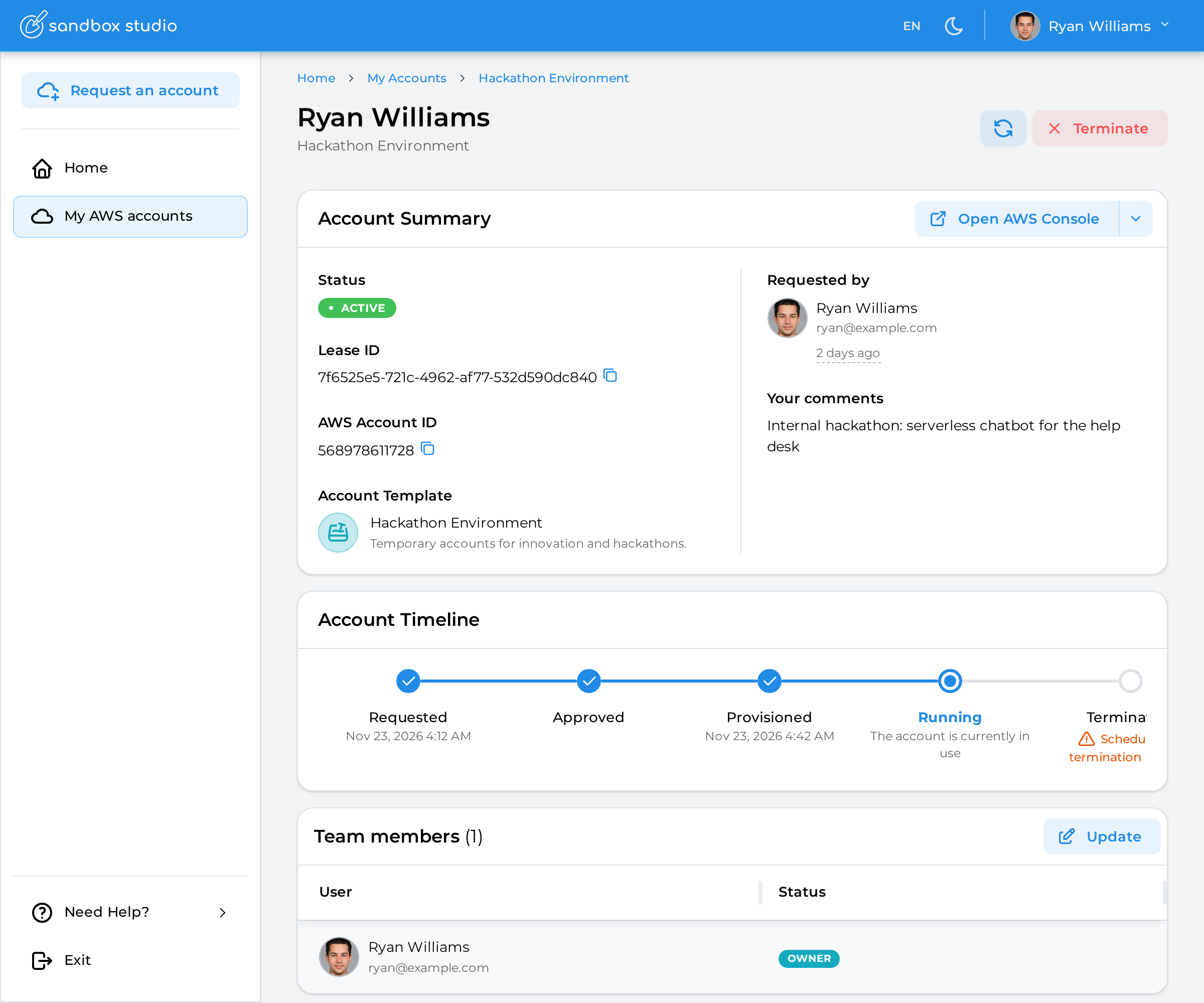
Section | What it shows |
|---|---|
Account Summary | The status, Lease ID, AWS Account ID and account template; who requested it and when; your comments; and the event, if the account is part of one. Open AWS Console is here too. |
Account Timeline | Where the account is in its life: Requested, Approved, Provisioned, Running and when it is scheduled to end. |
Team members | Everyone with access. If you own the account and it can be shared, choose Update to add or remove people. See Share my account. |
Budget | The amount spent so far against the budget, and what happens when the budget is reached. |
Expiry | How long the account has been running, a countdown to when it expires, and what happens then. |
If you own the account, Terminate at the top right ends it early. See Terminate my account.
Account history#
To see all your accounts, including ones that have ended, go to My AWS accounts and choose Show account history.
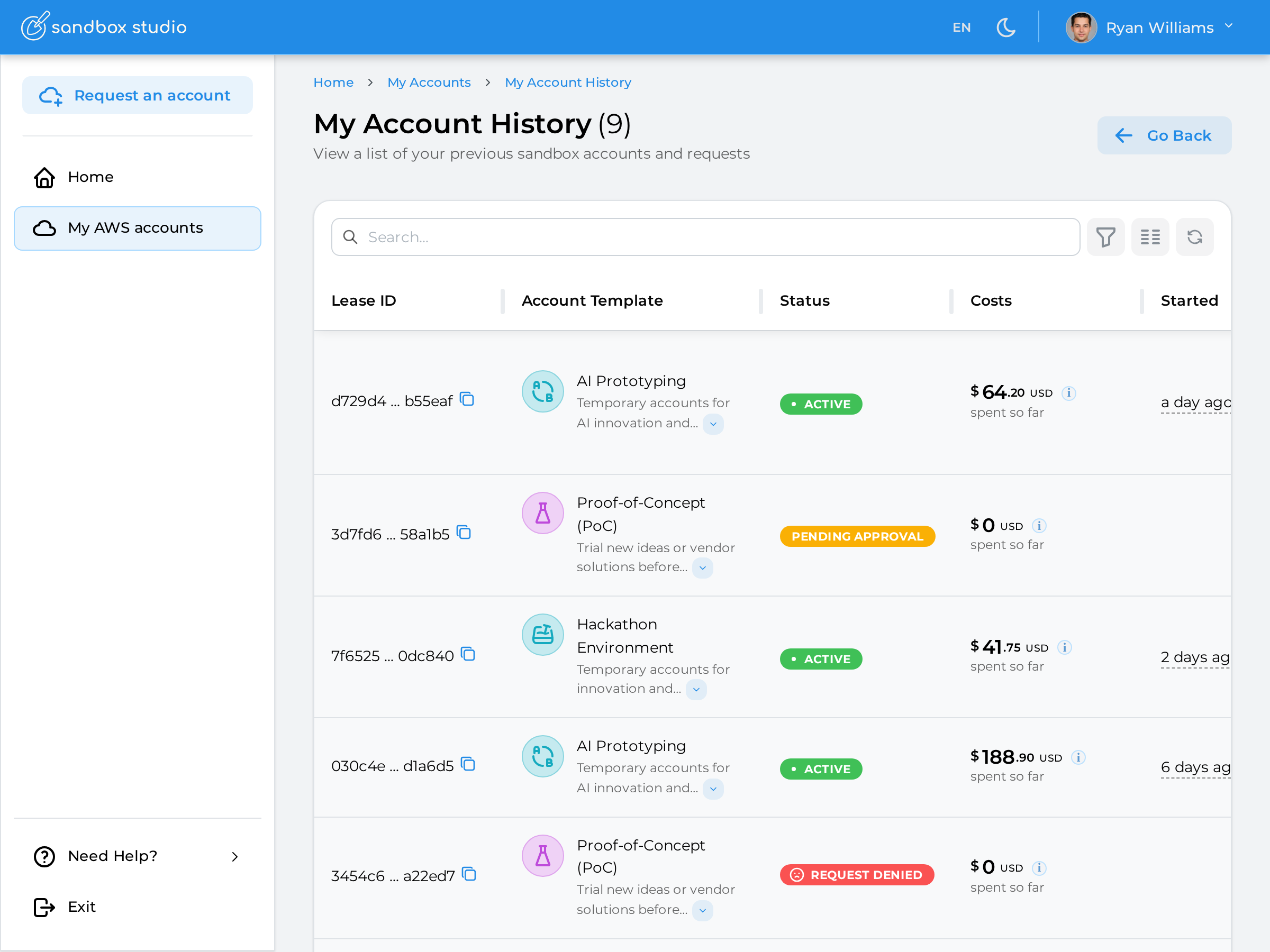
For each account you see the Lease ID, the Account Template, the Status, the Costs (spent so far, or in total once it has ended) and when it started. Use the search box and filter to find an account, and choose a Lease ID to open its details.
Account history is useful to check what an old account cost, to find the Lease ID of an account that failed, or to plan your next project.