Skip to content
Sandbox StudioSandbox Studio
Website
Sandbox StudioSandbox Studio
Administrator Guide
  • Home Page
  • AWS Accounts
  • Settings
    • System Settings
    • Display Settings
    • Email Settings
    • Cleaner Settings
    • Subscription
  • Monitoring the solution
  • Troubleshooting & Support
    • Investigating accounts in Quarantine state
    • Resolving clean-up failures
    • Clean-up failure: Elasticache default.iam-user / default.iam-user-group
  • Backup of the solution
  • Monitor for updates
  • UI Customisation
    • Display user profile pictures
    • Change default language
    • Change header logo
    • Change theme colour
Installation Guide
  • Solution overview
    • Overview
    • Core Capabilities
    • Concepts and definitions
  • Architecture overview
    • Security & Compliance
    • Roles deployed by the solution
    • Secrets & Encryption keys
    • Data stored (and where)
  • Plan your deployment
    • Prerequisite Skills and Specialised Knowledge
    • Installation Prerequisites
    • Choosing your region(s)
    • Understand running costs
    • Creating sandbox accounts
    • External identity provider setup (Optional)
  • Deploy the Solution
    • Running the Installation Wizard
    • Update Sandbox Studio
    • Non-interactive installation (Configuration file)
  • Deploy the Solution Manually
    • Before you start...
    • Overview of what you'll do
    • Step 1: Deploy the AccountPool stack
    • Step 2: Deploy the IDC stack
    • Step 3: Deploy the Network stack
    • Step 4: Deploy the Data stack
    • Step 5: Deploy the Compute stack
    • Step 6: Deploy the API stack
  • Post-deployment configuration tasks
    • Create an IAM Identity Center application
    • Add initial users
    • Update AWS AppConfig
    • Update AWS Secrets Manager
    • Logging into the web UI
    • Setup a custom domain (Optional)
  • Manage your subscription
    • Free Tier and Upgrading
    • End User Licence Agreement (EULA)
  • Uninstall Sandbox Studio
Manager Guide
  • Leases
    • What are leases?
    • Listing leases
    • Filtering leases
    • Lease details
    • Approving & rejecting leases
    • Locking & unlocking an account
    • Extend budget or duration
  • Events
    • What are events?
    • Event creation - Overview
    • Event creation - Basic details
    • Event creation - Account template
    • Event creation - Managers
    • Event creation - Schedule
    • Event creation - Participants
    • Event creation - Review
    • Terminate events
    • Start events and provision accounts
  • Account Templates
    • What are account templates?
    • Account template creation - Overview
    • Account template creation - Launch Settings
    • Account template creation - Review
    • Update Account templates
    • Duplicate Account Templates
  • Reporting
  • Reference : Lease States
User Guide
  • What is Sandbox Studio?
  • My AWS accounts
  • Terminate my account
  • Share my account
  • Accessing environment details
  • Account Setup Failed
  • Using your account from the AWS CLI
Website
Administrator Guide
  • Home Page
  • AWS Accounts
  • Settings
    • System Settings
    • Display Settings
    • Email Settings
    • Cleaner Settings
    • Subscription
  • Monitoring the solution
  • Troubleshooting & Support
    • Investigating accounts in Quarantine state
    • Resolving clean-up failures
    • Clean-up failure: Elasticache default.iam-user / default.iam-user-group
  • Backup of the solution
  • Monitor for updates
  • UI Customisation
    • Display user profile pictures
    • Change default language
    • Change header logo
    • Change theme colour
Installation Guide
  • Solution overview
    • Overview
    • Core Capabilities
    • Concepts and definitions
  • Architecture overview
    • Security & Compliance
    • Roles deployed by the solution
    • Secrets & Encryption keys
    • Data stored (and where)
  • Plan your deployment
    • Prerequisite Skills and Specialised Knowledge
    • Installation Prerequisites
    • Choosing your region(s)
    • Understand running costs
    • Creating sandbox accounts
    • External identity provider setup (Optional)
  • Deploy the Solution
    • Running the Installation Wizard
    • Update Sandbox Studio
    • Non-interactive installation (Configuration file)
  • Deploy the Solution Manually
    • Before you start...
    • Overview of what you'll do
    • Step 1: Deploy the AccountPool stack
    • Step 2: Deploy the IDC stack
    • Step 3: Deploy the Network stack
    • Step 4: Deploy the Data stack
    • Step 5: Deploy the Compute stack
    • Step 6: Deploy the API stack
  • Post-deployment configuration tasks
    • Create an IAM Identity Center application
    • Add initial users
    • Update AWS AppConfig
    • Update AWS Secrets Manager
    • Logging into the web UI
    • Setup a custom domain (Optional)
  • Manage your subscription
    • Free Tier and Upgrading
    • End User Licence Agreement (EULA)
  • Uninstall Sandbox Studio
Manager Guide
  • Leases
    • What are leases?
    • Listing leases
    • Filtering leases
    • Lease details
    • Approving & rejecting leases
    • Locking & unlocking an account
    • Extend budget or duration
  • Events
    • What are events?
    • Event creation - Overview
    • Event creation - Basic details
    • Event creation - Account template
    • Event creation - Managers
    • Event creation - Schedule
    • Event creation - Participants
    • Event creation - Review
    • Terminate events
    • Start events and provision accounts
  • Account Templates
    • What are account templates?
    • Account template creation - Overview
    • Account template creation - Launch Settings
    • Account template creation - Review
    • Update Account templates
    • Duplicate Account Templates
  • Reporting
  • Reference : Lease States
User Guide
  • What is Sandbox Studio?
  • My AWS accounts
  • Terminate my account
  • Share my account
  • Accessing environment details
  • Account Setup Failed
  • Using your account from the AWS CLI
  1. Installation Guide
  2. Deploy the Solution Manually

Before you start...

Updated November 7, 2026 · 1 min read

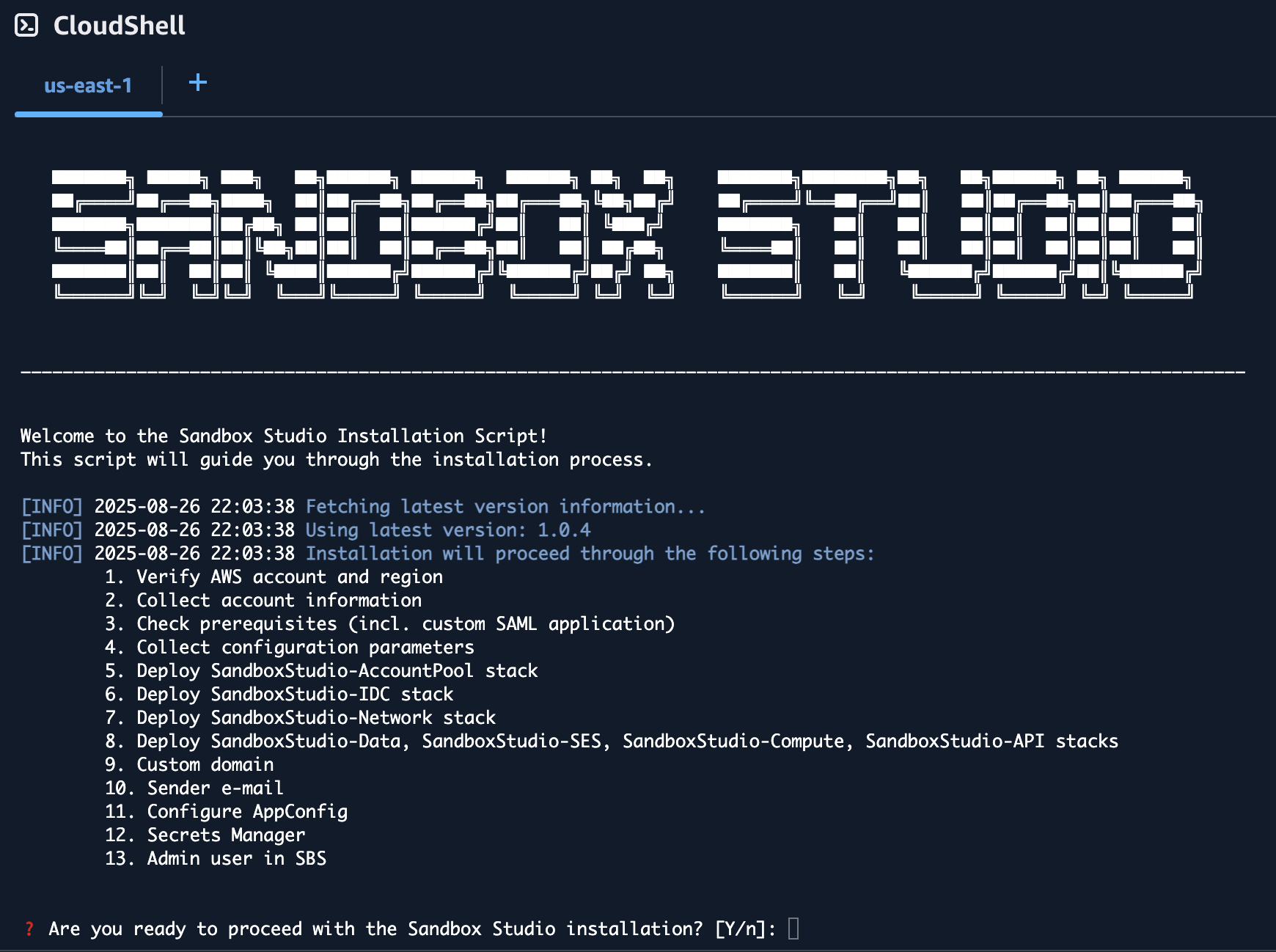
Before you embark on this manual AWS CloudFormation adventure, let us remind you that we've poured countless hours (and several pots of coffee) into creating a beautiful, automated deployment wizard that handles all the CloudFormation templates, Identity Center custom SAML application setup, and custom application configurations for you. It's tested, reliable, and significantly less likely to result in you going back and forth between the AWS console, CloudFormation stacks, and custom application logs at 2 AM trying to figure out why your deployment failed. If you're here because you enjoy the thrill of manually configuring SAML attributes, debugging CloudFormation syntax errors, and the unique satisfaction of troubleshooting custom application integrations that could have been automated entirely, then welcome—you're in the right place!

But seriously, unless you have a very specific reason for going manual, please consider using our automated script. Your future self will thank you, and so will our support team.

Click here to see how to run the Installation Wizard instead

PreviousDeploy the Solution ManuallyNextOverview of what you'll do
Sandbox StudioSandbox Studio

Privacy | Support | support@sandboxstudiosoftware.com | GitHub

© 2026 Sandbox Studio Software Ltd. All rights reserved.

↑↓ to move · Enter to open · / to search from anywhere
