Change theme colour
Updated · 1 min read
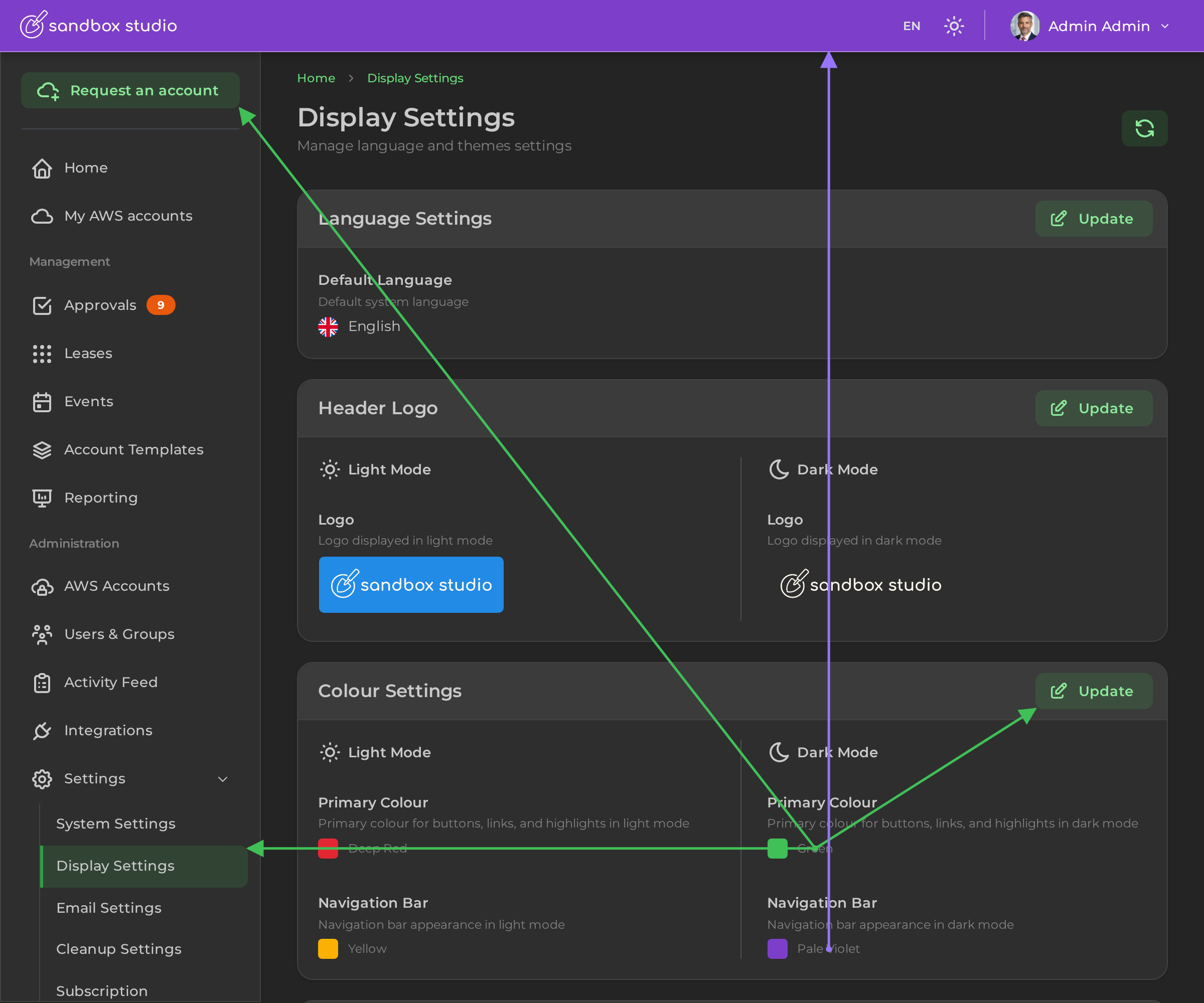
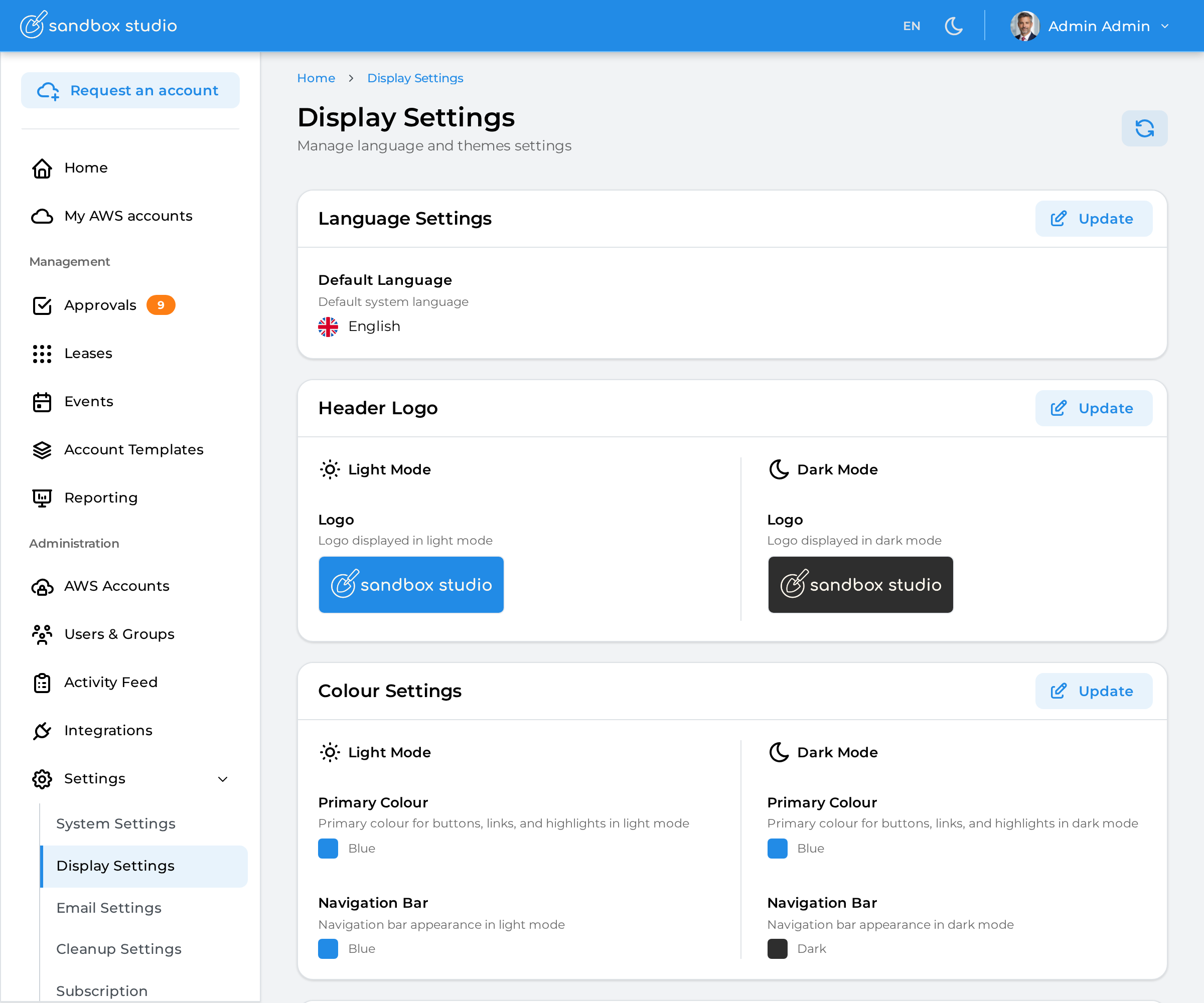
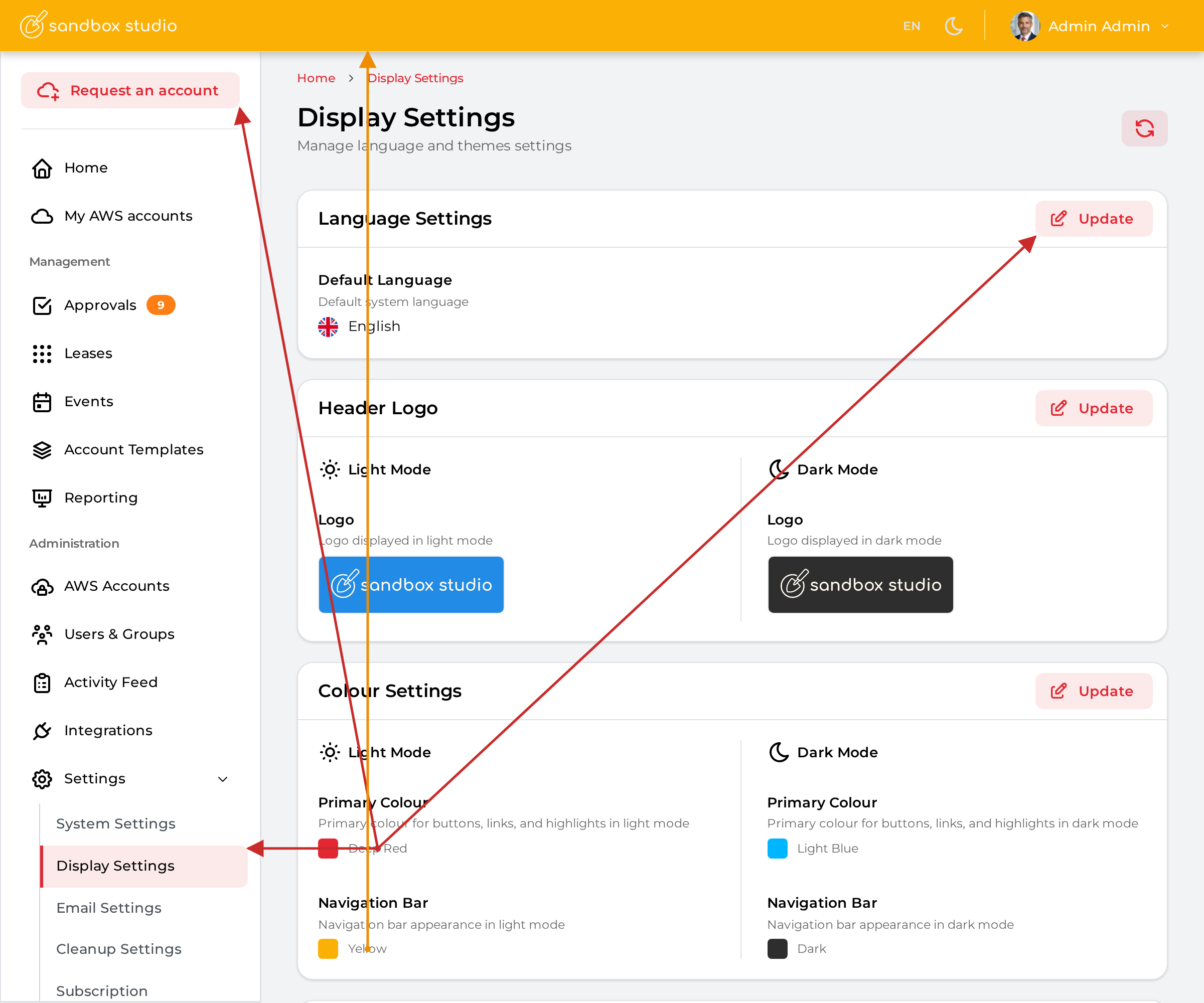
To change the theme colour of your Sandbox Studio installation, go to "Settings" > "Display Settings" (1) and click on "Update" in the "Colour Settings" section (2):
You can now select your custom colours:
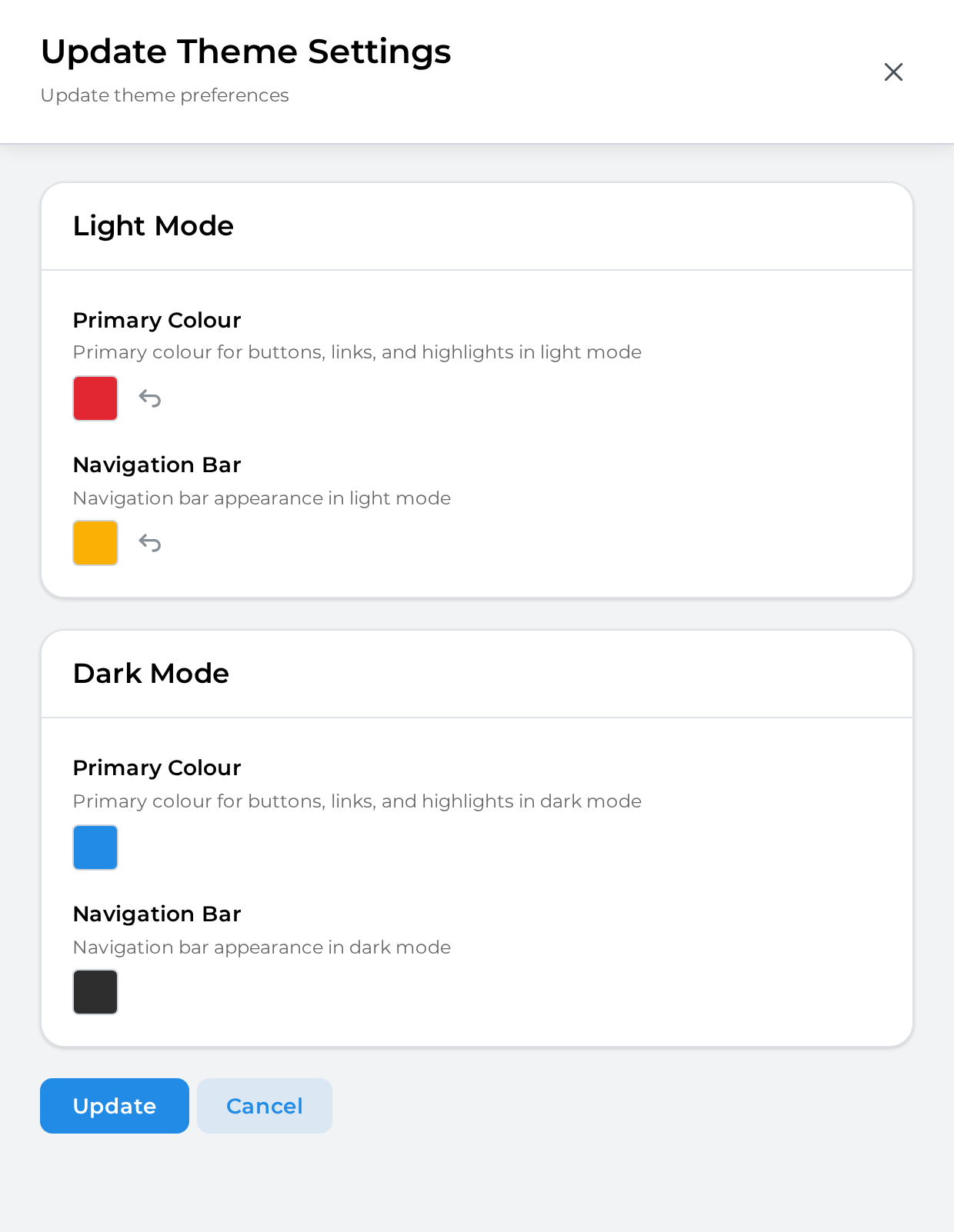
Primary Colour. This colour is used for buttons, menu items, etc.
Navigation Bar. This colour is used for the top bar of Sandbox Studio
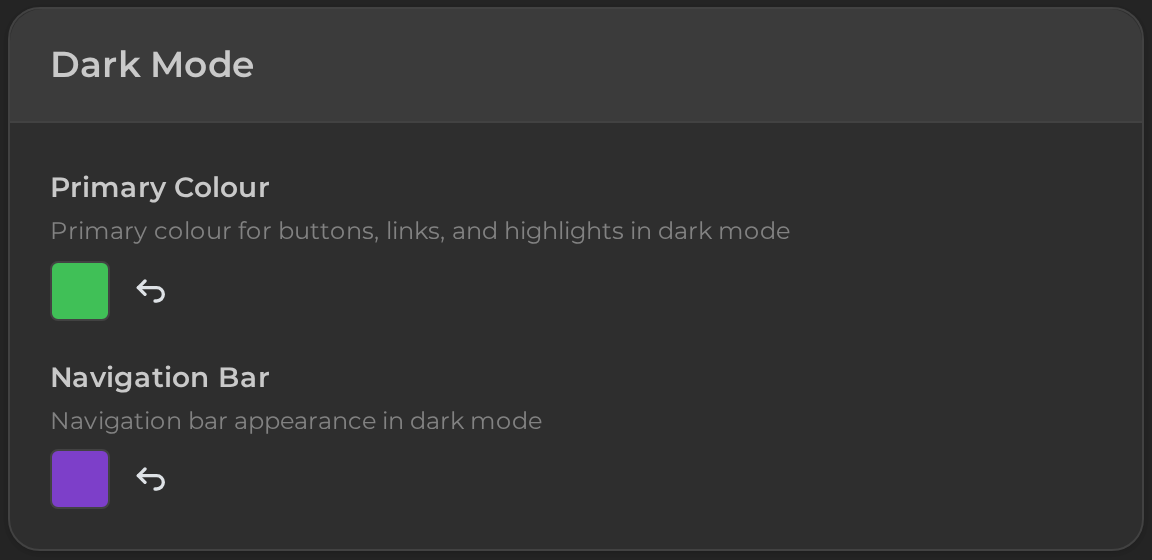
You can also change the colours that display for the dark mode. For instance: