
Account template creation - Budget
This step defines the budget limits for leases using this template.
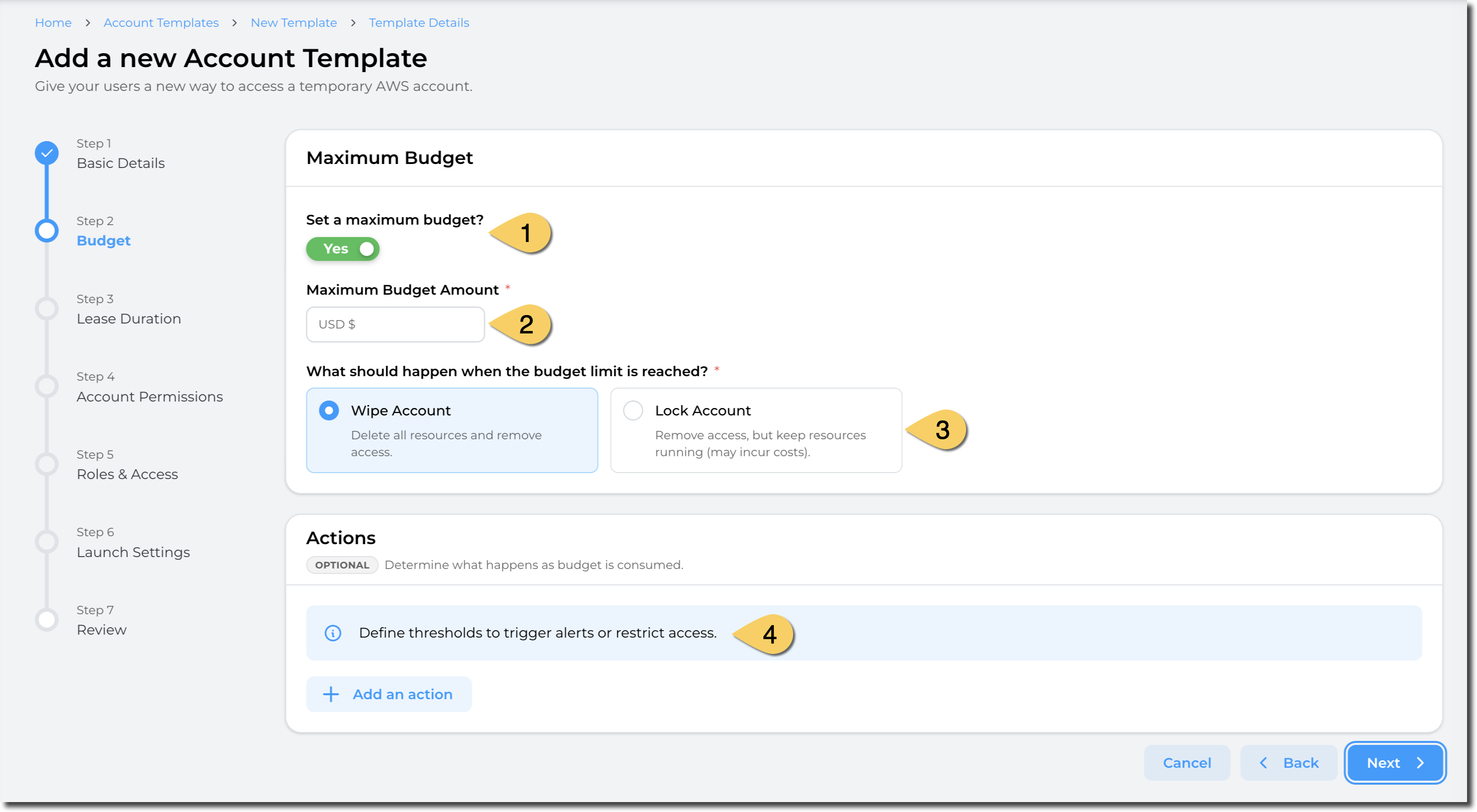
- Define if you want a maximum budget to be enforced for the leases. By default, this flag is optional (You can define templates with no budget limits), but platform administrators can enforce this flag to be set to "Yes". (e.g: Enforce maximum budget)
- Define the maximum budget amount. This value is in USD.
- Define the action when the budget is reached. You can either:
- Wipe the account: This delete all resources and remove access to the users.
- Pros: Stop incurring cost
- Cons: Some data may be lost as the resources will be deleted.
- Lock account: Remove access to end users but keep the resources and data
- Pros: Data and resources remain. Administrators and managers can access the account.
- Cons: Resources still incur cost in the AWS account.
- Wipe the account: This delete all resources and remove access to the users.
- Define the actions to take based on the thresholds you define.
Note: The maximum budget you can set is limited by the maximum budget set in the Global configuration set by the administrator of your Sandbox Studio environment.
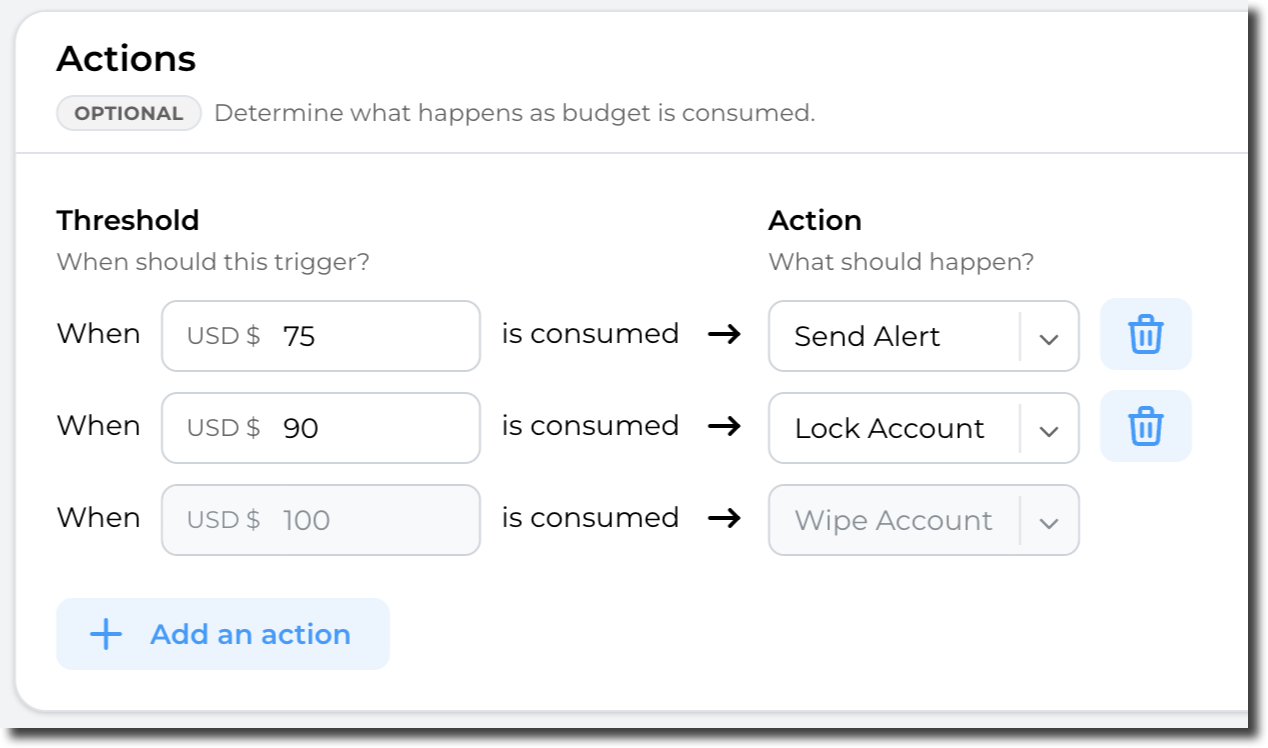
Actions:
Sandbox Studio can perform automatic actions if some thresholds are met. You can define those thresholds and actions in the "Actions" section:
Having completed all the fields on the Budget page as needed, click on Next to Account template creation - Duration
No comments to display
No comments to display