
Extend budget or duration
Account limits versus Account templates limits:
It is important to understand how duration and budget work:
- The initial budget/duration of an account (or lease) is set on account creation, based on the account template used.
- i.e: If the account template has a budget of $50, then the account created will have a default budget of $50.
- The expiration date is calculated on account creation/start. This is particularly important for accounts related to events: The duration countdown will only start when the event (and therefore the lease) actually start, not when it's created.
- During the account lifetime, managers and administrators can update the budget/expiration, independently from the account template. They can, for instance, extend the budget or prolongate the lifetime for a particular account without having to change the account template.
Extend account limits
The procedure being identical for budget or duration, this document will only cover the "Budget" update. The same exact steps are to be performed for the duration update.
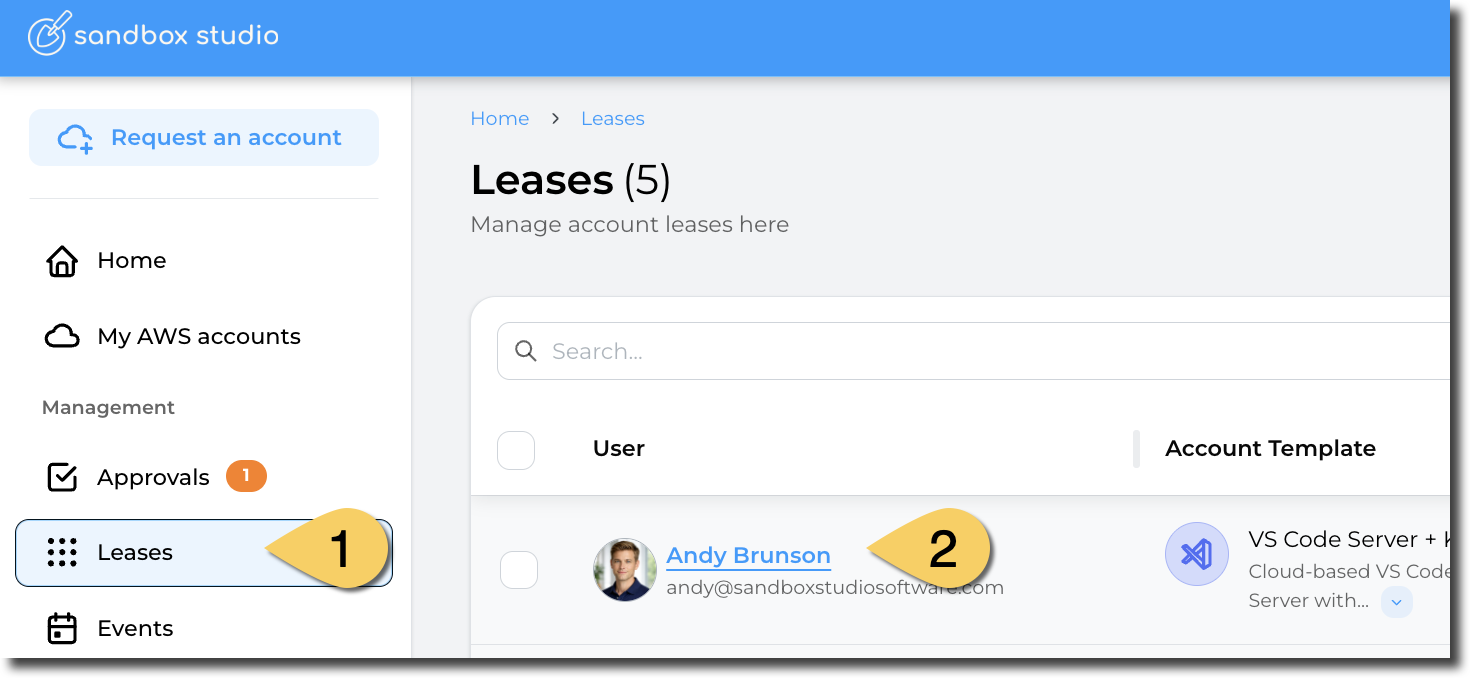
Open the lease you want to extend the budget of by clicking on "Leases" on the left menu and open up the lease:
Scroll down to the "Budget" section and click on "Update":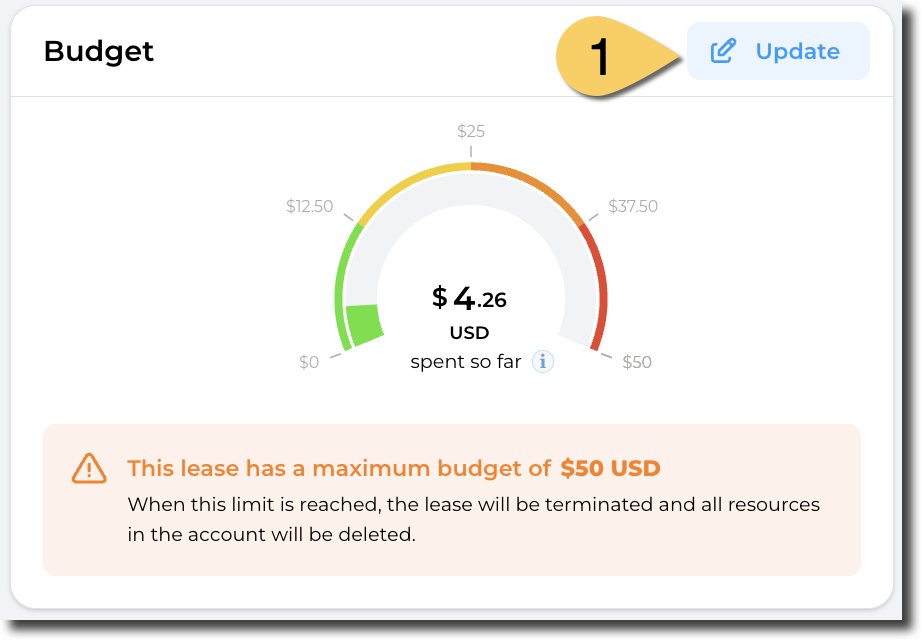
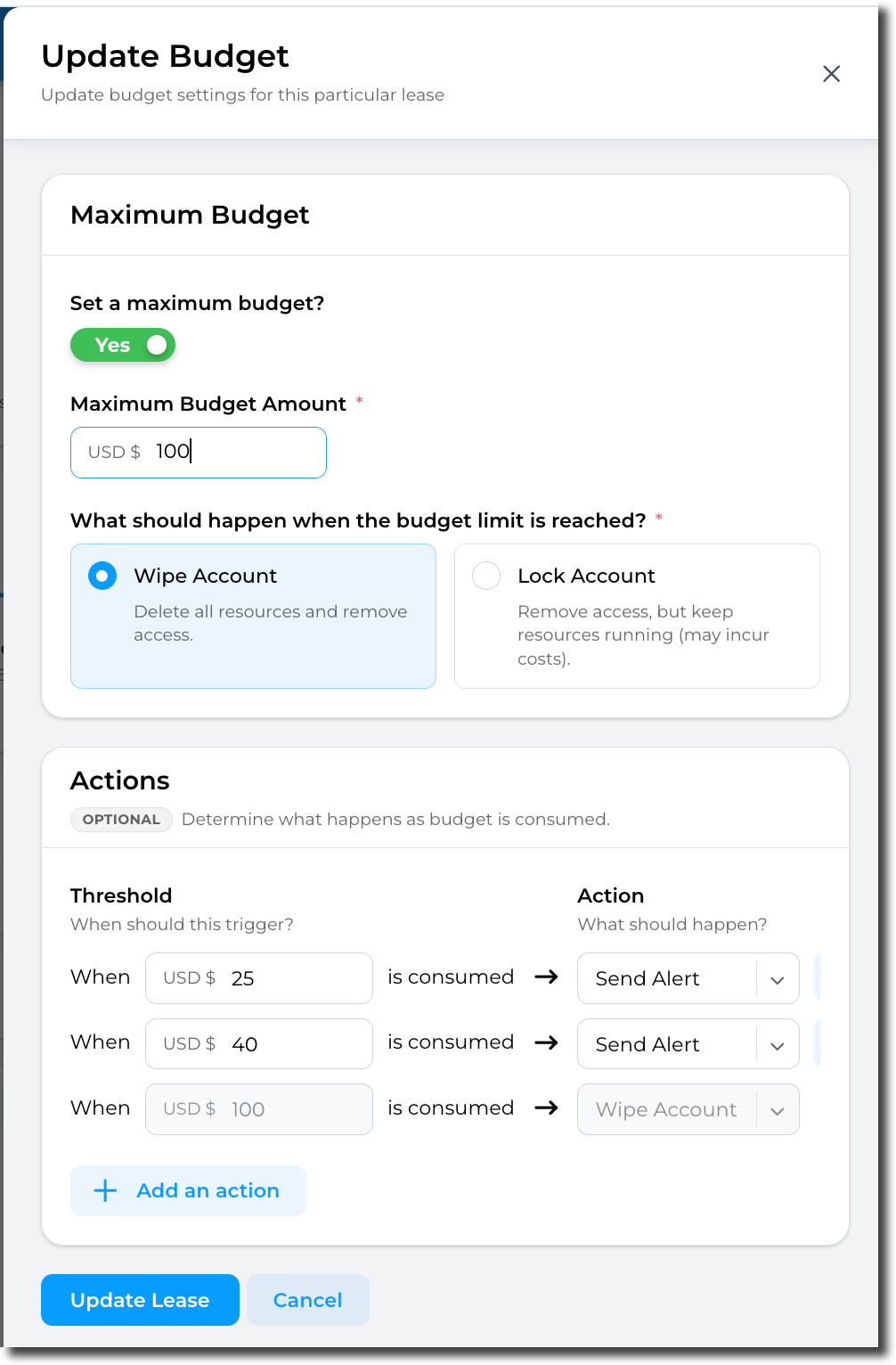
Update the maximum budget, actions and threshold for this lease and click on "Update lease" to finish:
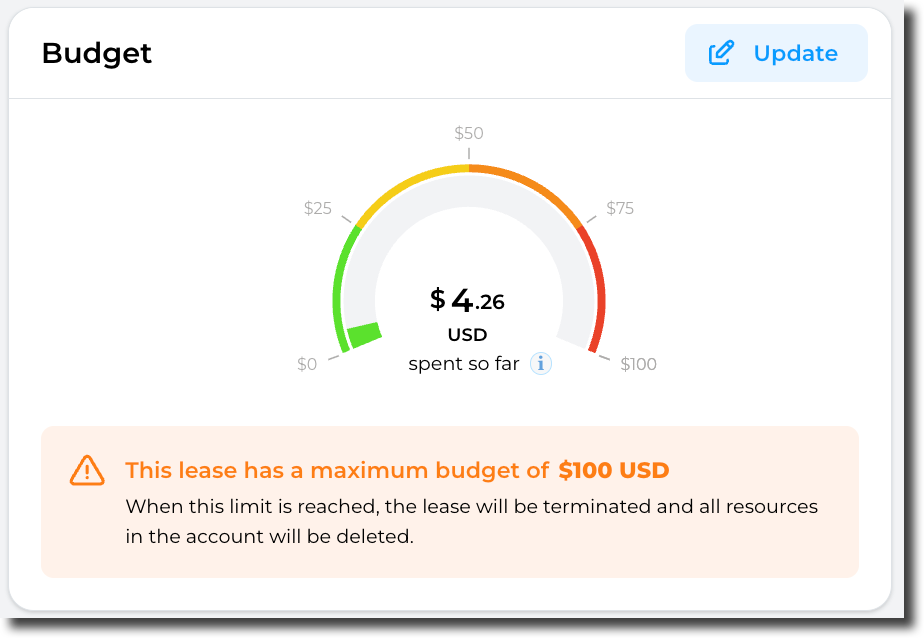
The lease budget gets immediately updated:
No comments to display
No comments to display