
Approving & rejecting leases
Accessing approvals
When setting up the Account Templates, the Manager or Admins can set an account to require approval, before it is issued to a user. When a user requests such an account, Managers or Admins need to approve the request for the user to be granted access to the lease.
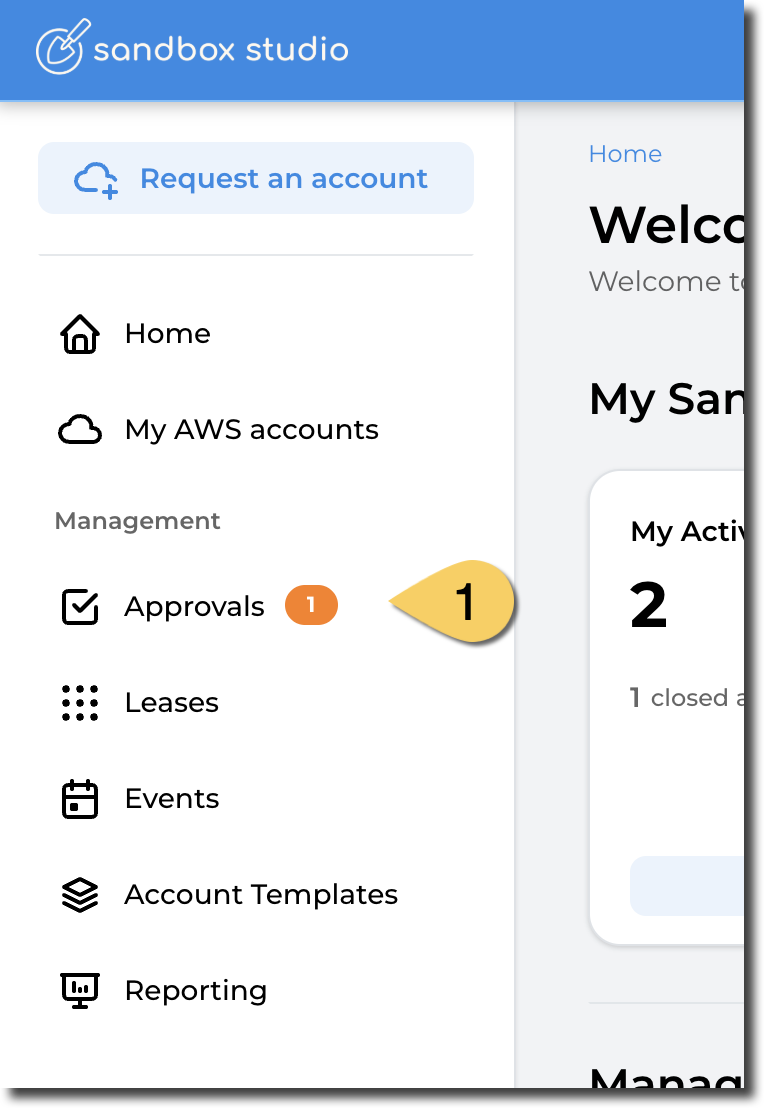
- Managers or Admins will be alerted to the fact that an Account Request needs approval on their email and in the Sandbox Studio UI on the left menu with a notifications on Approvals (1). From the left, select Approvals (1) to view your approval requests.
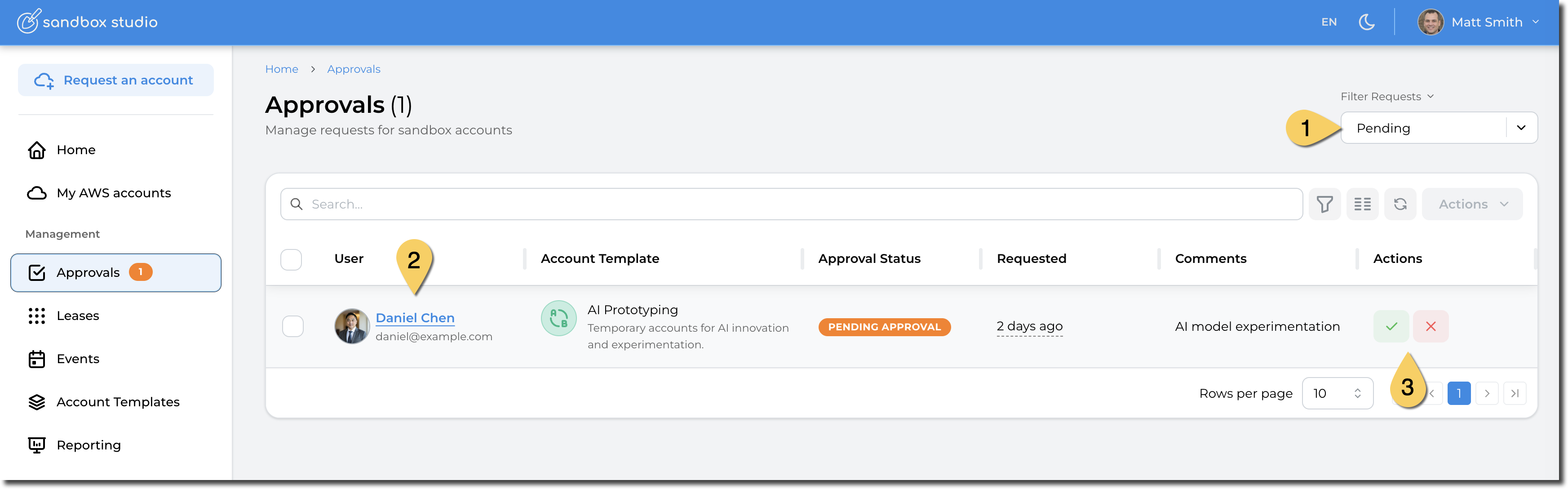
- This opens the Approvals page:
-
- By default, this page only shows the pending approvals, but you can change the filter to display All, Pending, Approved, Denied or Withdrawn requests.
- Click on the user's name to display more details about the request
- Or you can directly Approve or Reject the request from this page.
Request details
If you want to access more details about the request or you need to update some parameters of the request, you can open it by clicking on the username of the requestor (Step 2 in the previous screenshot). The following page is then displayed:
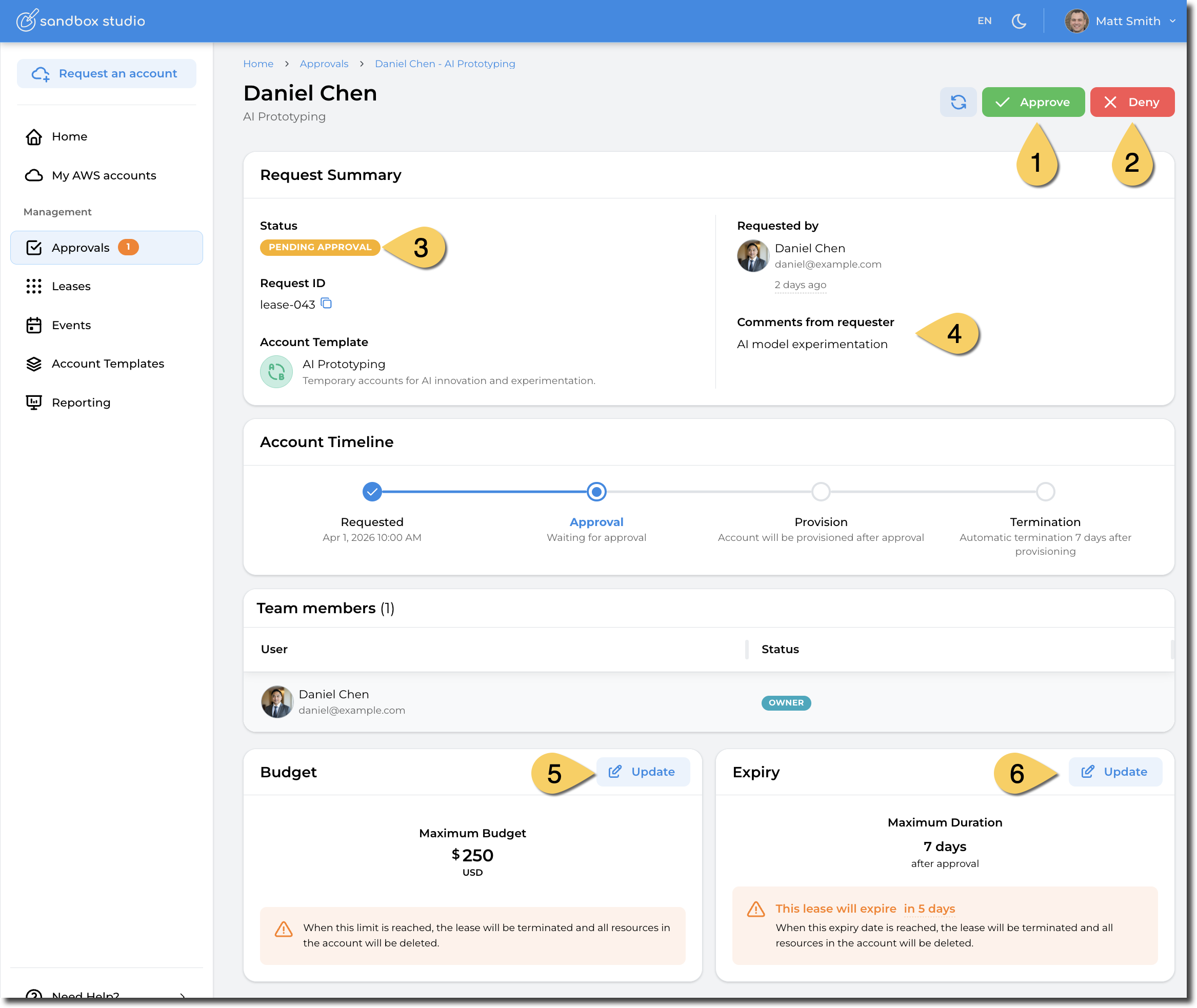
From there, you can:
- Approve the request
- Deny the request
- See the current status of the request
- See requestor's comments
- Update budget for this lease. (This overrides the account template default details)
- Update duration of this lease.(This overrides the account template default details)
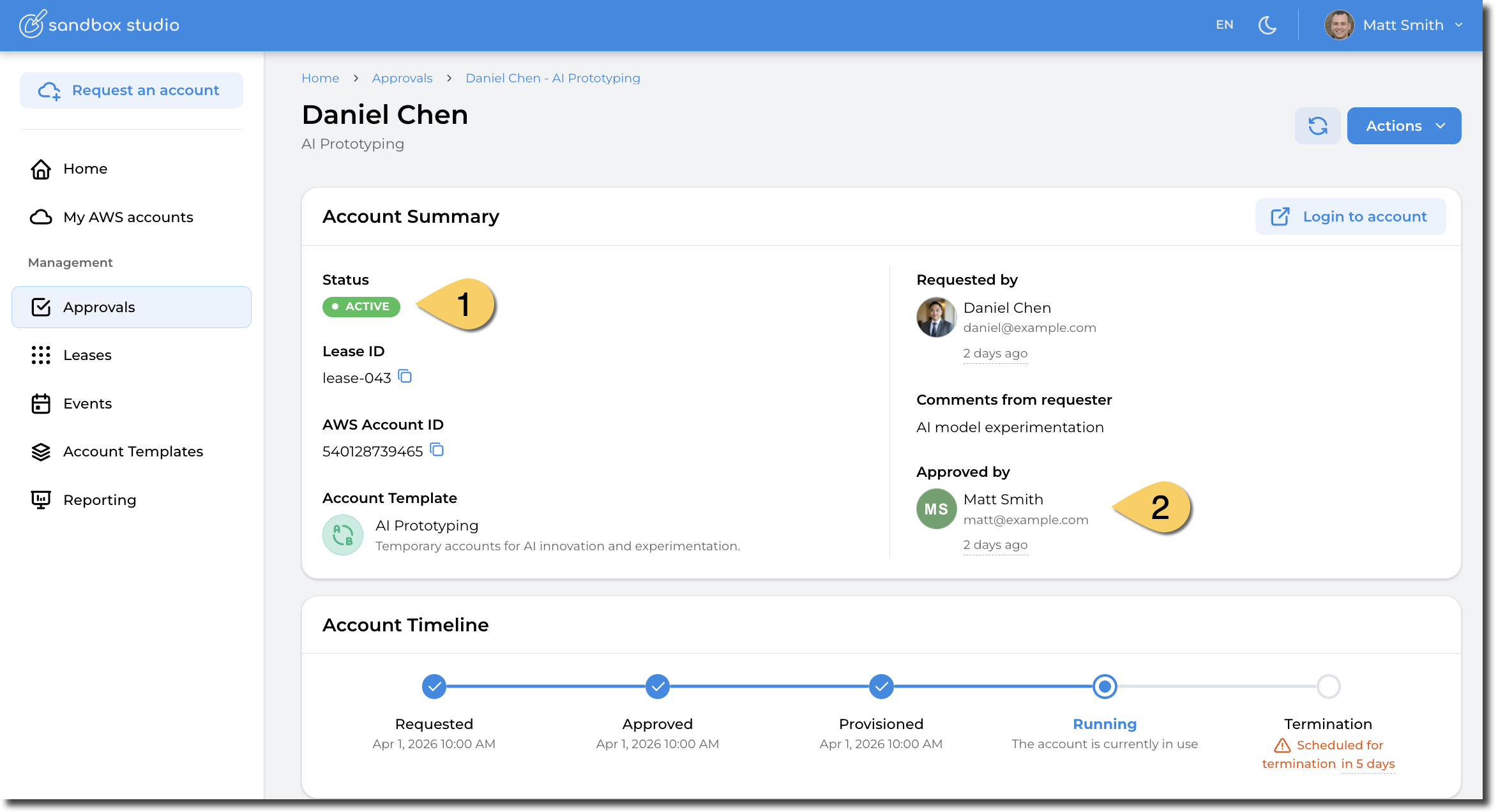
Once approved, the lease will go through the setup process, which could take a few minutes depending on the resources being created in the account. Once finished, the account will be marked as "Active" (1) and will be available to the requestor.
Bulk Approval
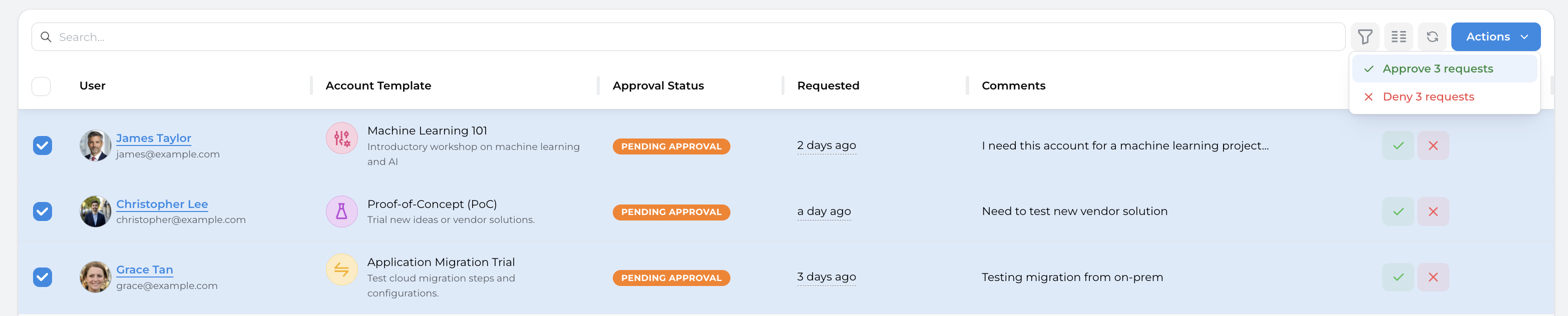
When managing multiple leases at once, we recommend using the Events features, but in certain scenarios, you may need to bulk approve/denied leases. This is possible by going to the Approval page, select the requests to Approve/Deny, click on the Actions buttons and Approve/Reject the requests:
No comments to display
No comments to display