
Home Page
After logging into the Sandbox Studio UI, as a Manager, you will land on your Manager's Home page.
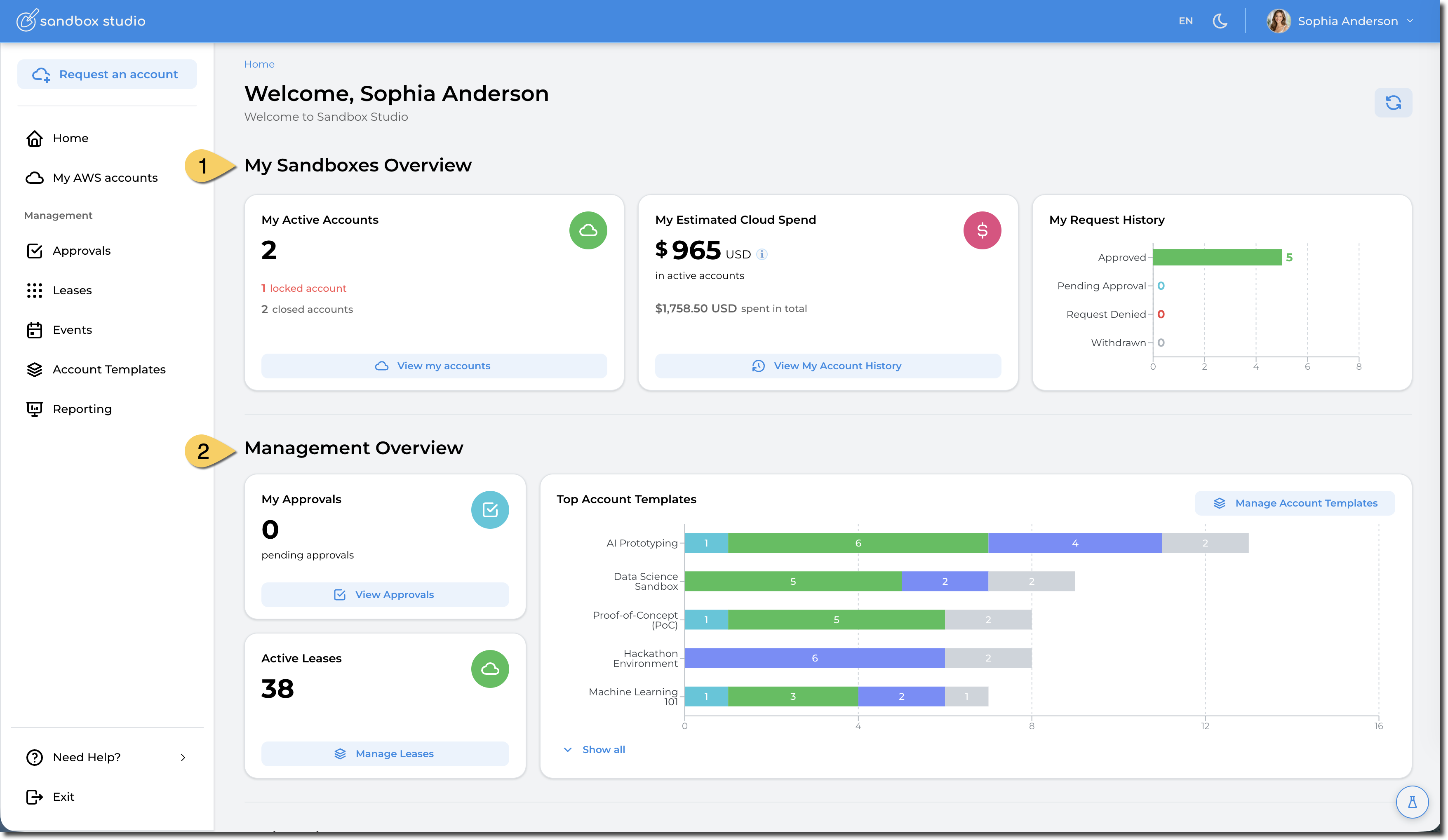
As a Sandbox Studio Manager, you have the dual capability of overseeing the environment for your end users and also requesting and accessing AWS Accounts yourself, just as your end users do.
Therefore the Manager's homepage is divided into two sections:
- One providing insights of your personal My AWS accounts (1), and another.
- For more details about this section, refer to User Guide Home Page
- Offering a Management Overview (2) summarising the usage status of all the leases you manage.
As the functionality of accessing your own accounts is identical to how end Users would experience it, if you want to know more about how to access and manage your own AWS Accounts, see the User Guide. The rest of this managers guide, will focus on features specific to Managers.
Management Overview:
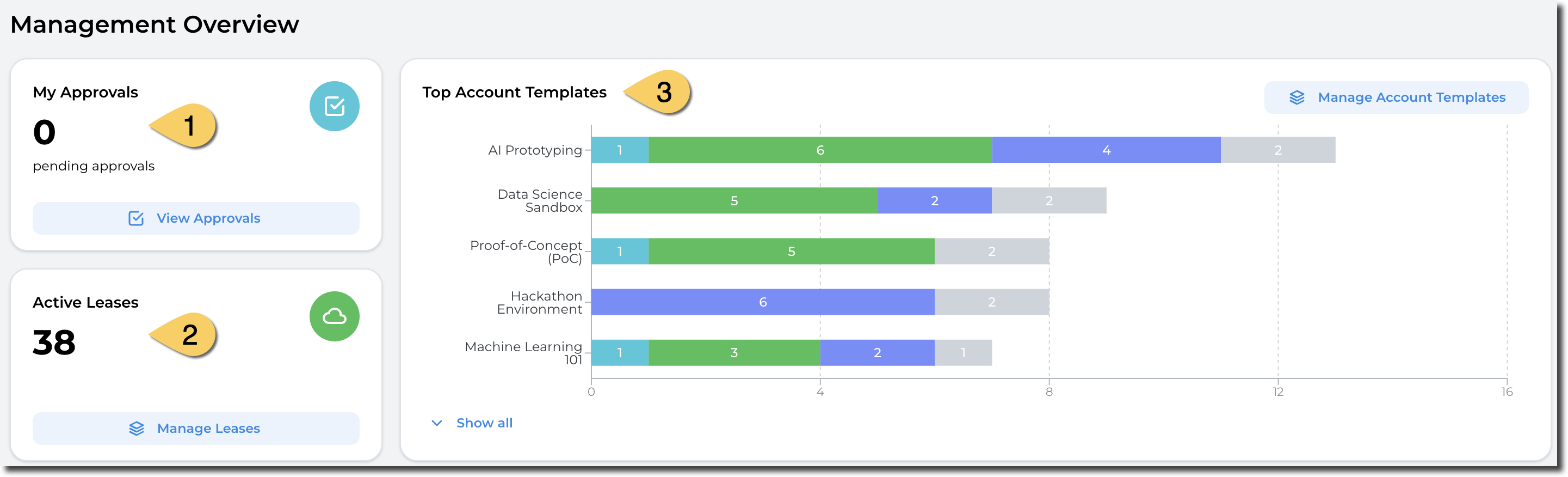
The Management Overview section is divided in 3 sections:
- Leases pending for your approval:
- This display all the access to AWS accounts that you need to approve. You can approve leases for account templates you own or that you have been set as Approver.
- Currently active leases
- Gives an overview of all active leases for account template you own or you administer
- Top Account templates:
- A break down of the top account templates and, for each of them, the status of the leases. Using this graph, you can identify the most popular account templates.
Management Menu:
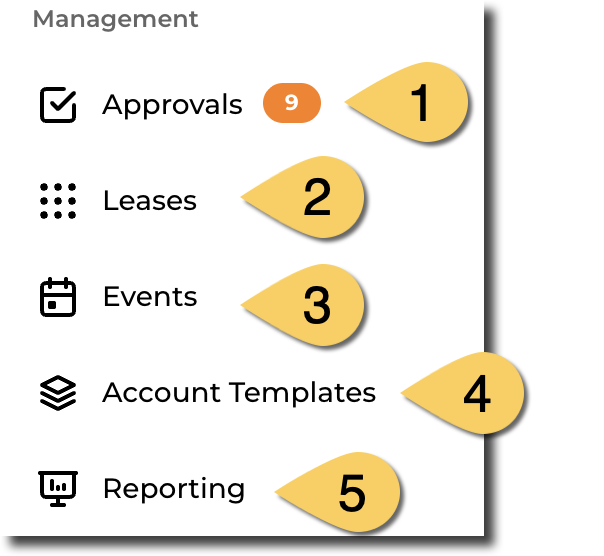
- Approvals: Access the list of leases you need to approve. A badge is displayed with the number of leases that are waiting for approval.
- Leases: See the full list of leases you can administer. You can administer the leases that use Account templates you own or that you have been marked as manager for.
- Events: Create and manage events. More details here: What are events?
- Account Templates: Create and manage Account Templates. More details here: Account template overview
- Reporting: Access reporting dashboard on utilisation of Sandbox Studio
No comments to display
No comments to display