
Account template creation - Roles & Access
In this section, you define if leases can be shared, if they require approval, and who can manage and approves them.
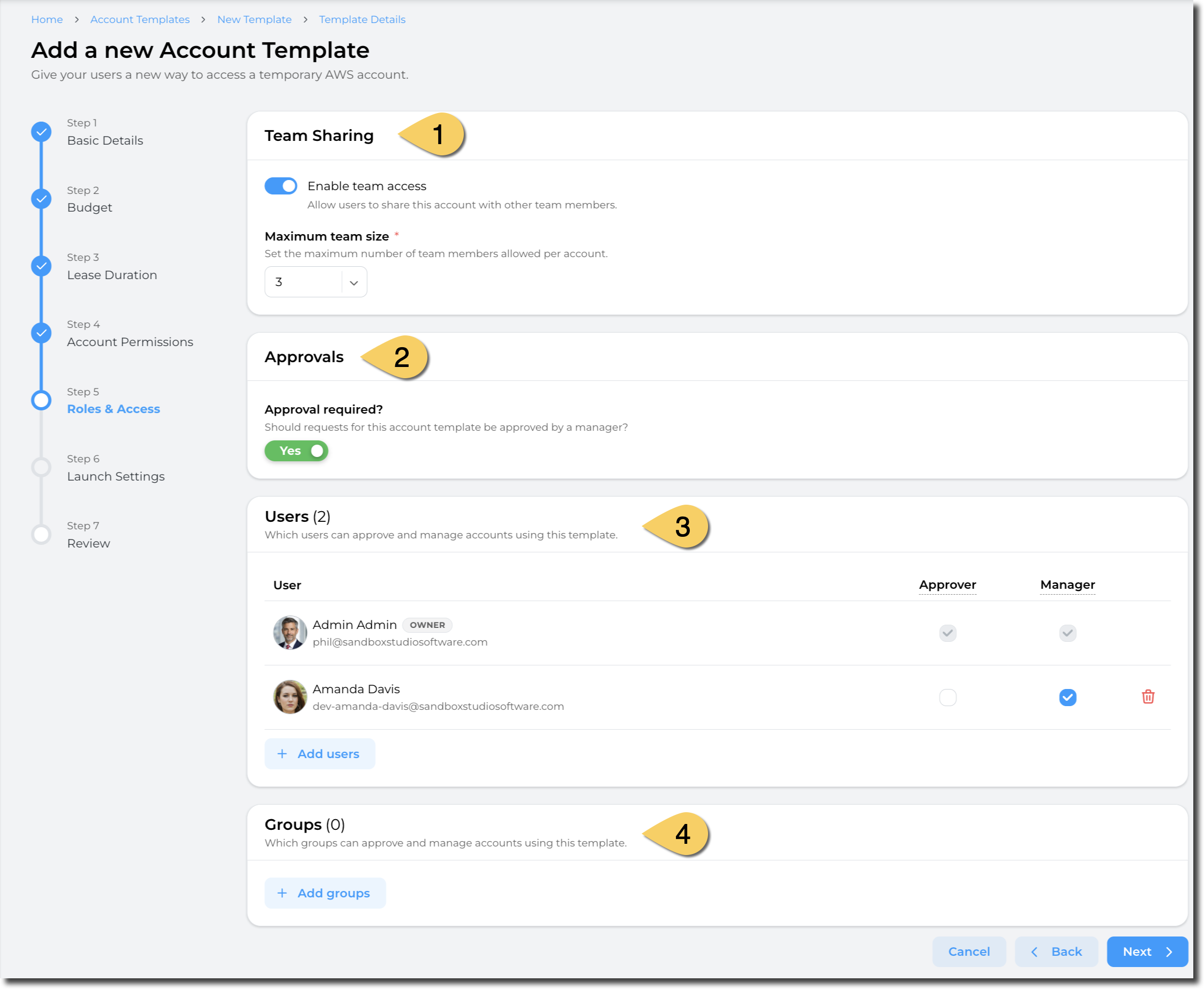
Team sharing (1)
In the Team Sharing section of the page. A simple toggle that once enabled will require the Manager or Administrator to provide the number of Users it can be shared with. A User will provide the additional Users that a lease can be shared with a the request.
-
- Toggle the Enable team access to being configuring the number of Users that a lease can be shared with.
- Set the Maximum team size to the number of Users to permit per lease.
Team size is: Owner + Number of additional users
Approvals (2)
This section lets you define whether an approval is required to create new leases using this template.
We recommend requiring approval for leases with extended permissions or that will incur high costs.
- Set "Approval required" to Yes if you want new lease to be approved by managers before being created.
If no approval is required, new leases are created immediately.
Users & Groups (3 & 4)
These sections are set to define who can Approve or Managed leases created for this template:
- Approver: Users or groups of users who receive approval requests on lease creation and who can approve leases created with this template
- Manager: Users or groups of users who can manage leases created with this template, that is:
- View the leases
- Extend budget and duration
- Terminate leases
- Login to the AWS account
Administrators can both approve and manage leases, even if not in this list of users/groups
Groups are defined in IAM Identity Center. How to add groups to IAM Identity Center
Having completed all the fields on the Managers page as needed, click on Next to Account template creation - Launch Settings
No comments to display
No comments to display