# Account template creation - Budget
This step defines the budget limits for leases using this template.
[](https://docs.sandboxstudiosoftware.com/uploads/images/gallery/2026-04/LsNimage.png)
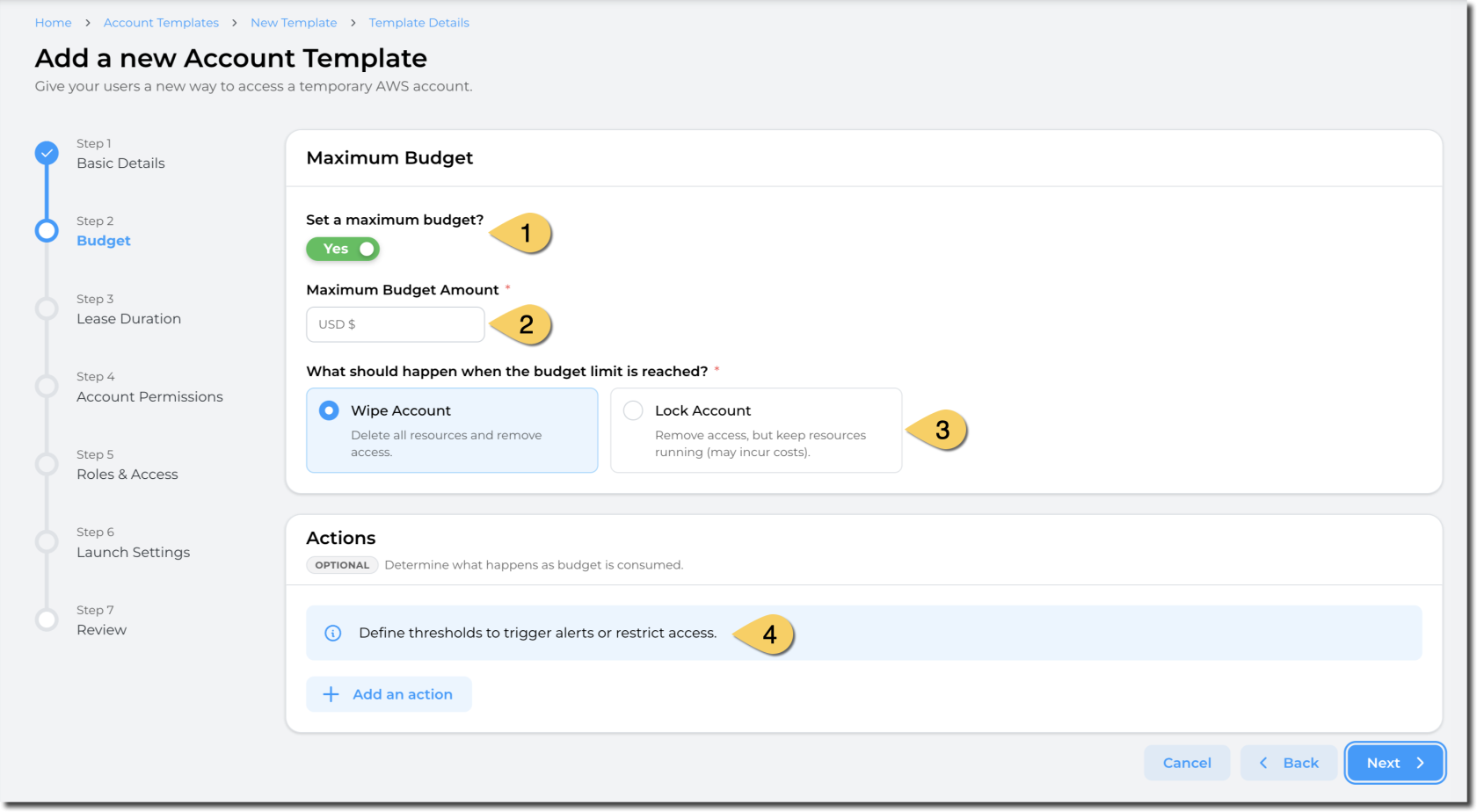
1. Define if you want a **maximum budget to be enforced** for the leases. By default, this flag is optional *(You can define templates with no budget limits)*, but platform administrators can enforce this flag to be set to "Yes". *(e.g: Enforce maximum budget)*
2. Define the **maximum budget amount**. This value is in USD.
3. Define the **action when the budget is reached.** You can either:
- **Wipe the account**: This delete all resources and remove access to the users.
- **Pros**: Stop incurring cost
- **Cons**: Some data may be lost as the resources will be deleted.
- Lock account: Remove access to end users but keep the resources and data
1. **Pros**: Data and resources remain. Administrators and managers can access the account.
2. **Cons**: Resources still incur cost in the AWS account.
4. Define the actions to take based on the thresholds you define.
Note: The maximum budget you can set is limited by the maximum budget set in the Global configuration set by the administrator of your Sandbox Studio environment.
##### Actions:
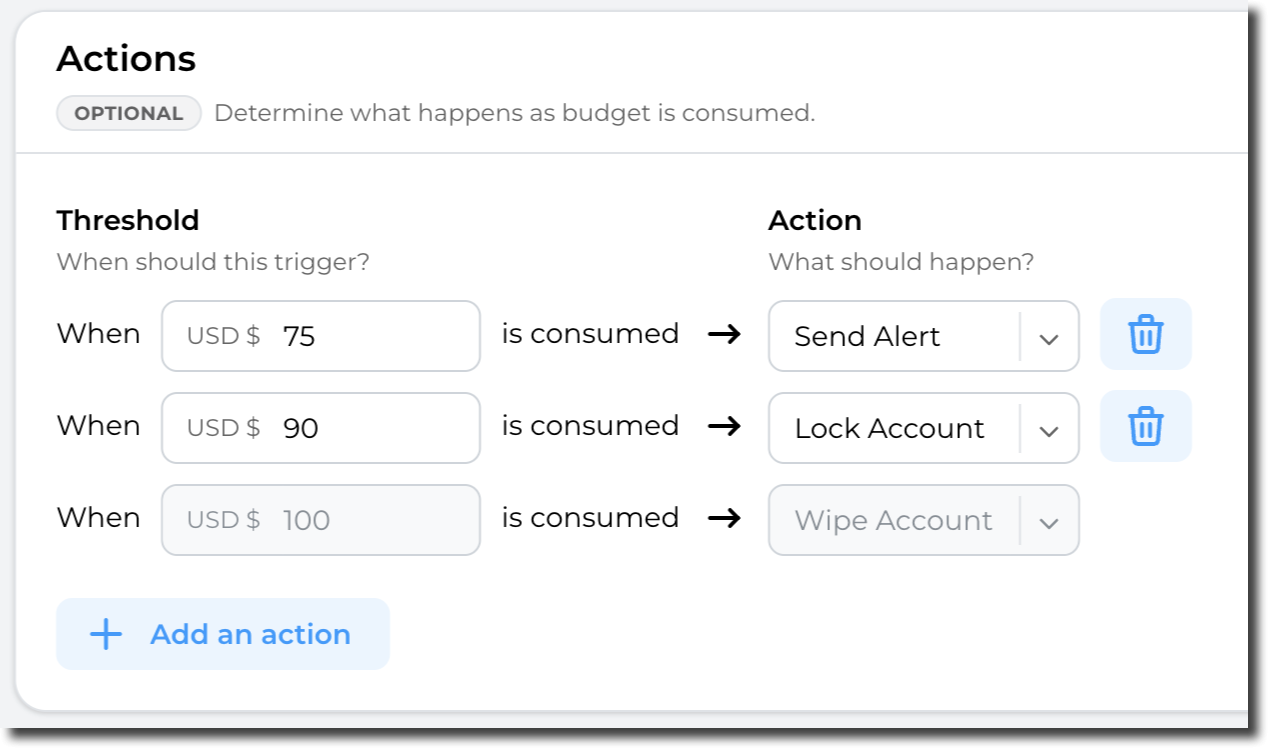
Sandbox Studio can perform automatic actions if some thresholds are met. You can define those thresholds and actions in the "Actions" section:
[](https://docs.sandboxstudiosoftware.com/uploads/images/gallery/2026-04/Mqbimage.png)
Having completed all the fields on the Budget page as needed, click on **Next** to [Account template cre](https://docs.sandboxstudiosoftware.com/books/manager-guide/page/account-template-creation-duration "Account template creation - Duration")[ation - Duration](https://docs.sandboxstudiosoftware.com/books/manager-guide/page/account-template-creation-duration "Account template creation - Duration")