
Account template creation - Overview
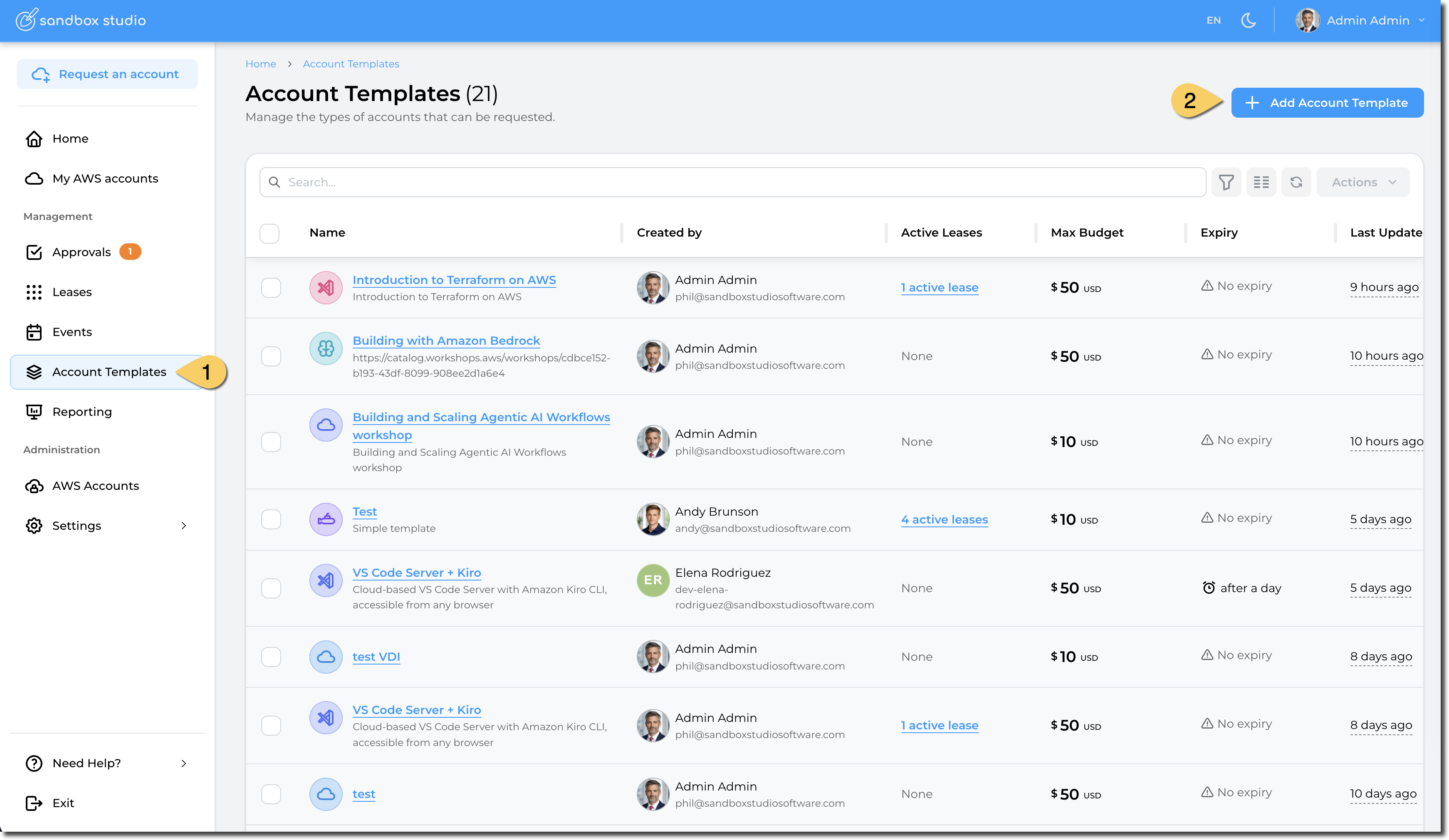
In order to create a new Account Template, click on Account Templates link (1) on the left menu, which will open the Account Templates page (2) and list any existing Account Templates. In this example there are 3 existing Account Templates. In order to create a new Account Template, the user would click on +Add Account Template (2)
To create a new account template:
- Click on "Account Templates" on the left menu
- Click on "Add Account Template"
Creating an account template is a 7-step process that can be done from scratch or use an existing template from Sandbox Studio.
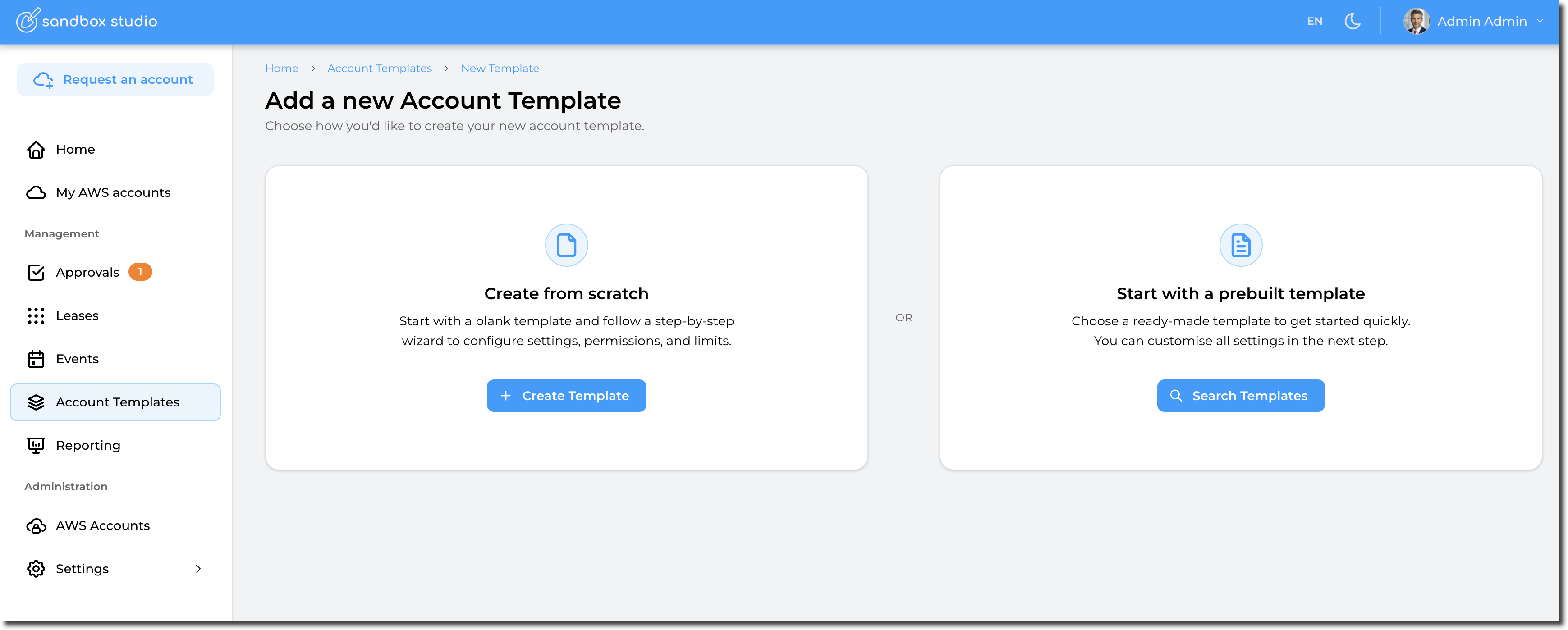
In this documentation, we will create an account template from scratch. Using a prebuilt template is identical but has pre-defined values.
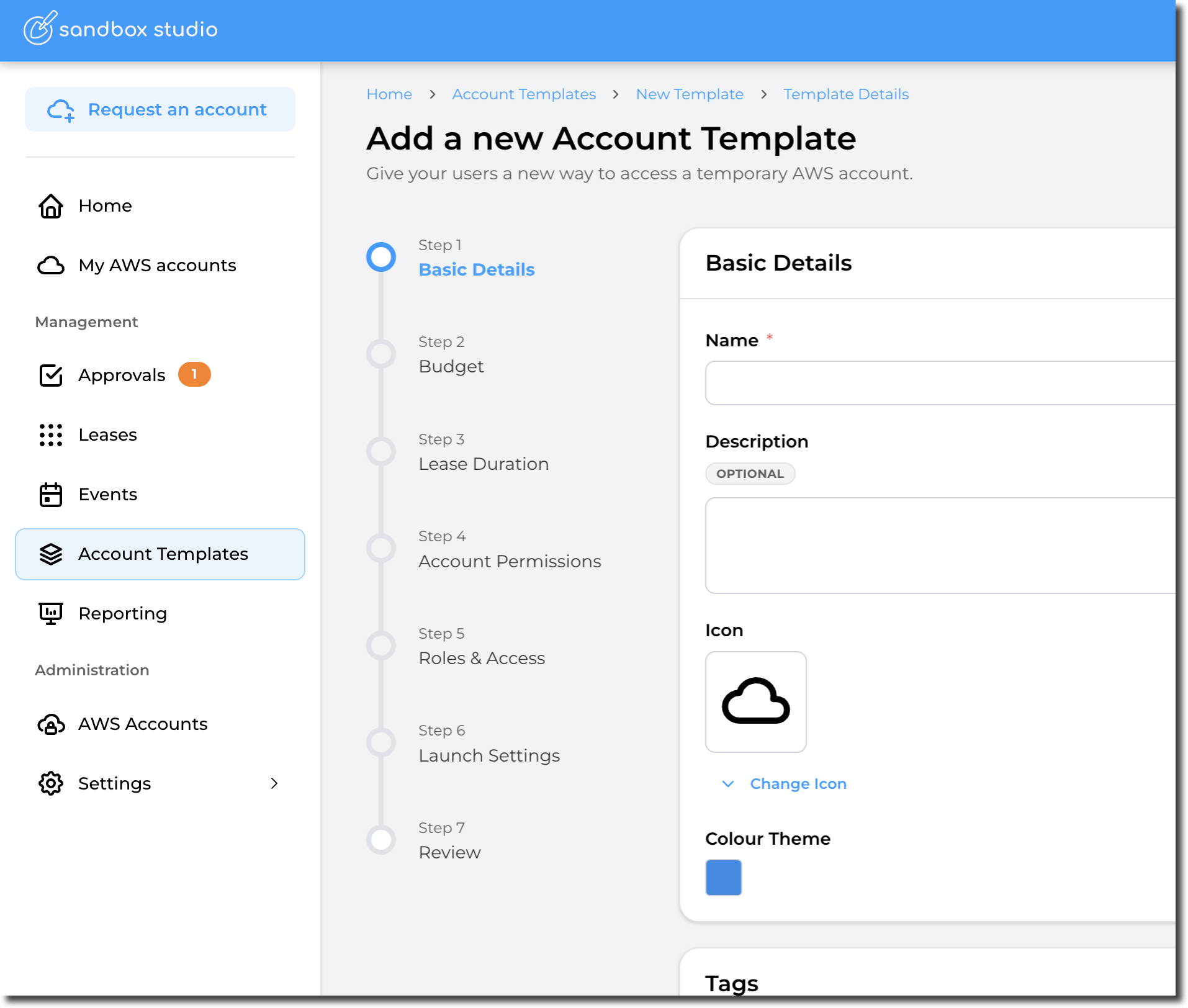
Each step of the process is explained as follows: