
Display Settings - Change default language
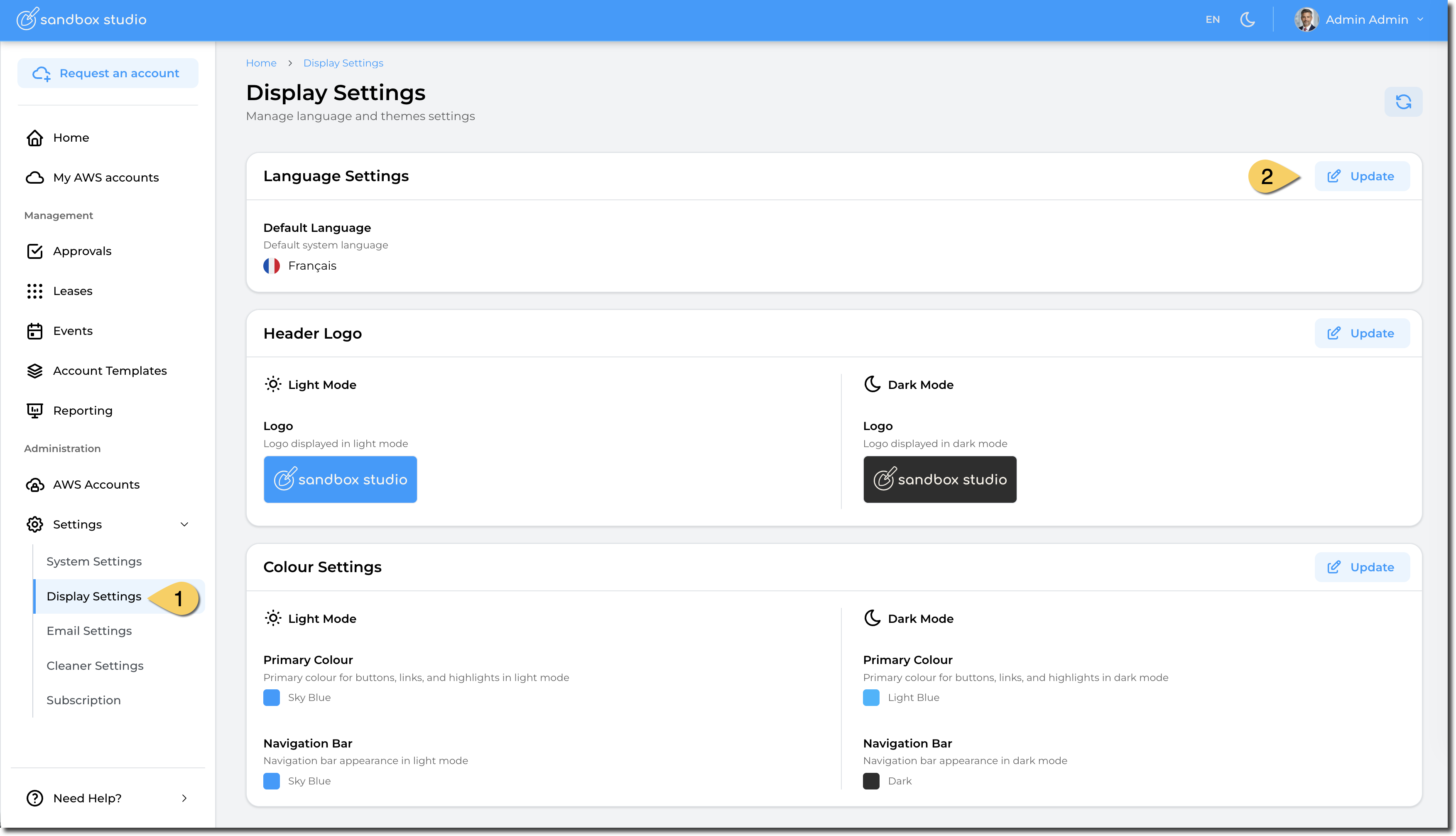
To change the default language of your Sandbox Studio installation, go to "Settings" > "Display Settings" (1) and click on "Update" in the "Language Settings" section (2):
Then select the language and "Update":
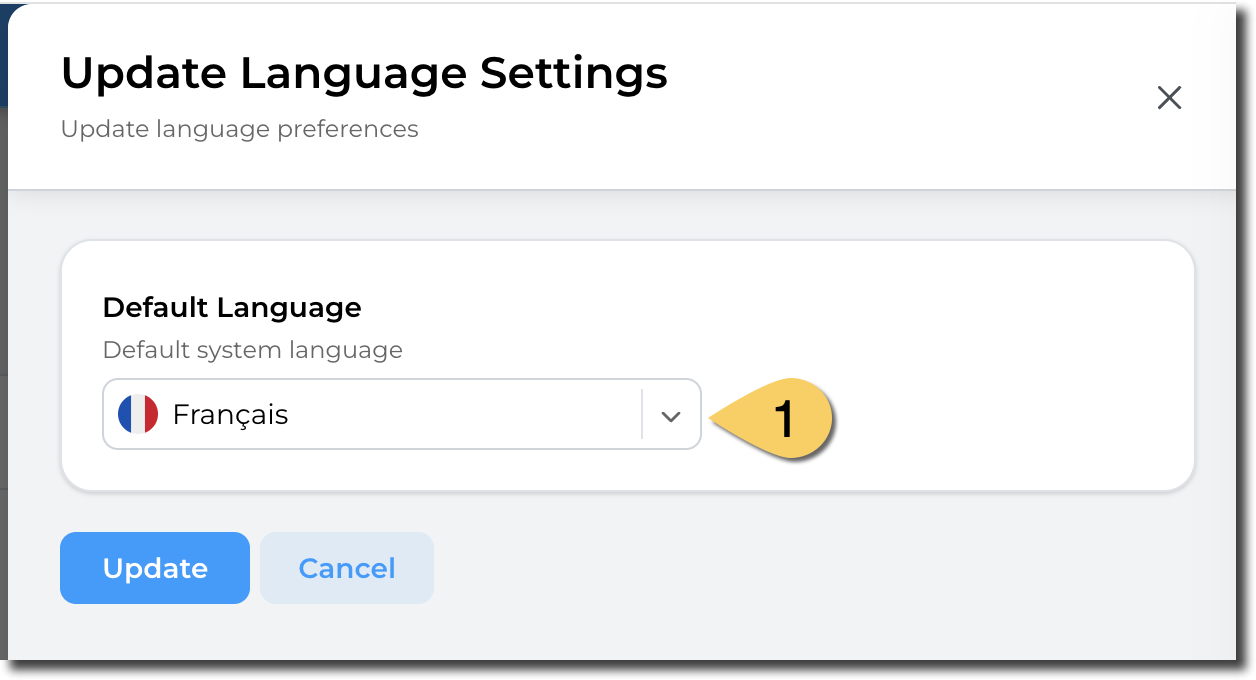
Default language will be used if users have not selected their default language.
No comments to display
No comments to display