
Cleaner Settings
An Administrator is able to control and change the way that the AWS Accounts are cleaned/recycled at the end of a lease. This is task is completed by an open-source tool called AWS Nuke. However, in some instances an Administrator may wish to modify the way that the accounts are cleaned to preserve or delete certain resources. This can be done through the Cleaner Settings (1) menu on the left hand menu.
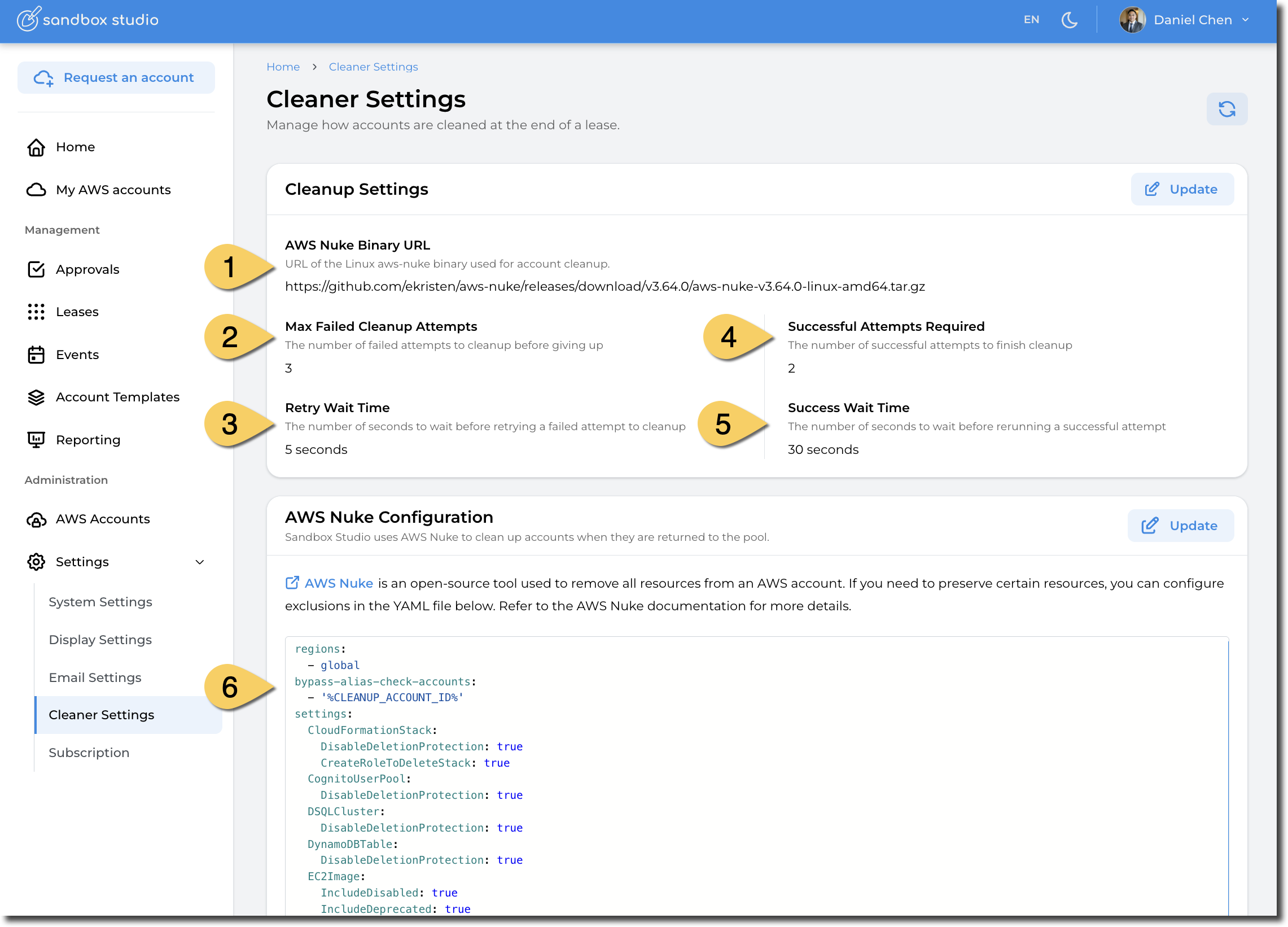
- AWS Nuke Binary URL: URL of the Linux aws-nuke binary used for account cleanup. This allows you to use the latest available AWS Nuke version as soon as it's released.
You can find the latest releases links here: https://github.com/ekristen/aws-nuke/releases
Distribution: Linux, AMD64
- Max Failed Cleanup Attempts: In certain circumstances, AWS Nuke fails to cleanup resources from the first try. Sandbox Studio to retry on error. This setting help defines how many times it needs to retry.
- Retry Wait Time: Time to wait between retries when cleanup fails.
- Successful Attempts Required: Number of successful cleanup to execute before Sandbox Studio marks the cleanup as successful. In this example, Nuke will run 2 times and if both execution succeed, the account will be marked as successfully cleaned up.
-
Success Wait Time: The number of seconds to wait before rerunning a successful attempt
- AWS Nuke Configuration
Refer to AWS Nuke documentation for more details.
No comments to display
No comments to display