
Logging into an account
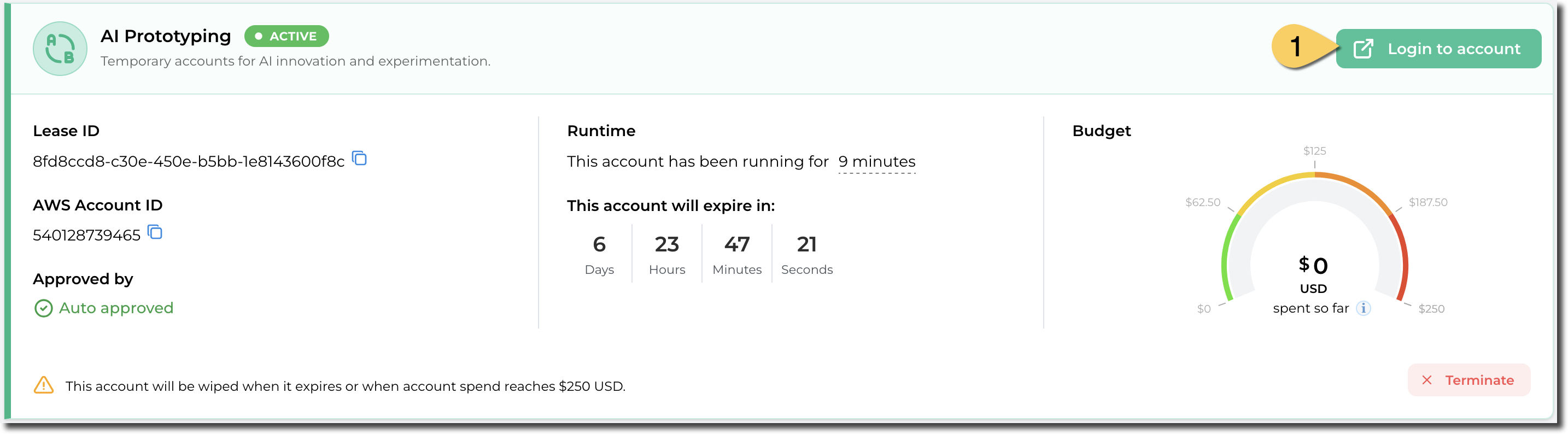
Once you’ve requested an account and the account is in an Active state, you can access login to the associated AWS console.
- On the home page, select Login to account (1) for the account you want to access. This directs you to the AWS Access portal.
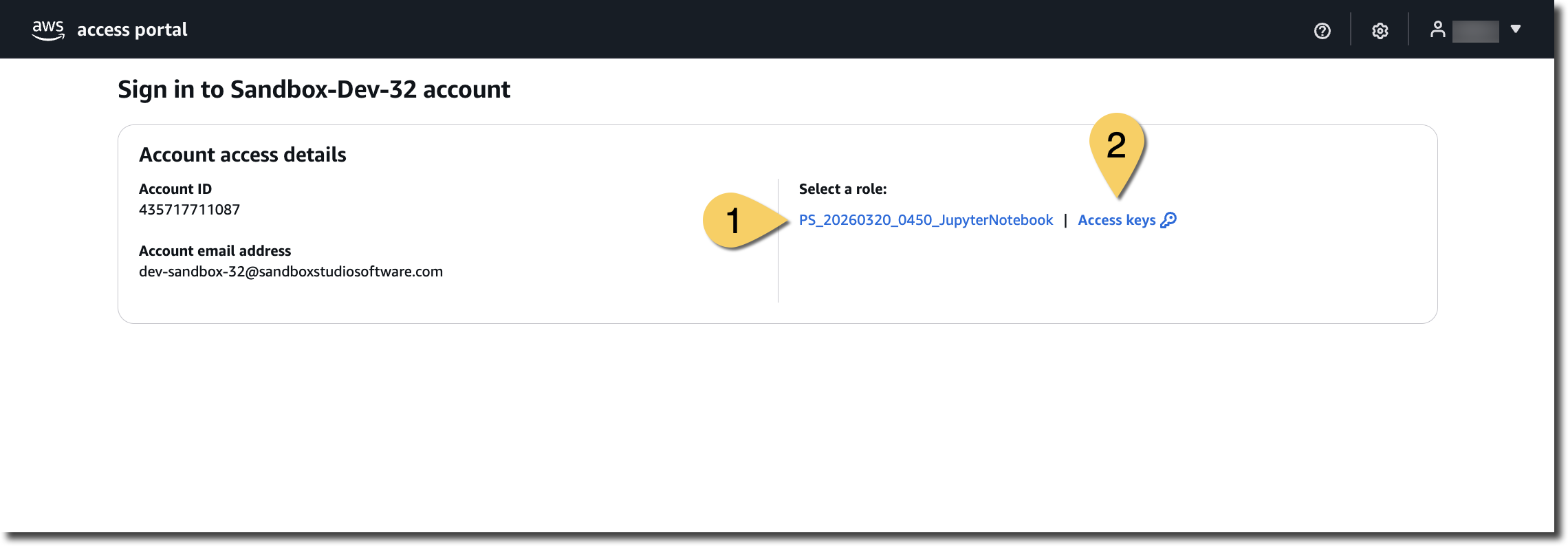
- On the AWS Access portal, the Account access details box, you will find all the available roles that can be used for logging in. You can either:
- Select the role name (1) you want to use. This will redirect you to the AWS console.
- Alternatively, to retrieve your AWS CLI credentials, choose Access keys next to your desired role. This will open a pop-up with instructions for Mac, Linux, Windows and PowerShell environments.
No comments to display
No comments to display