
Account template creation - Roles & Access
In this section, you can define:
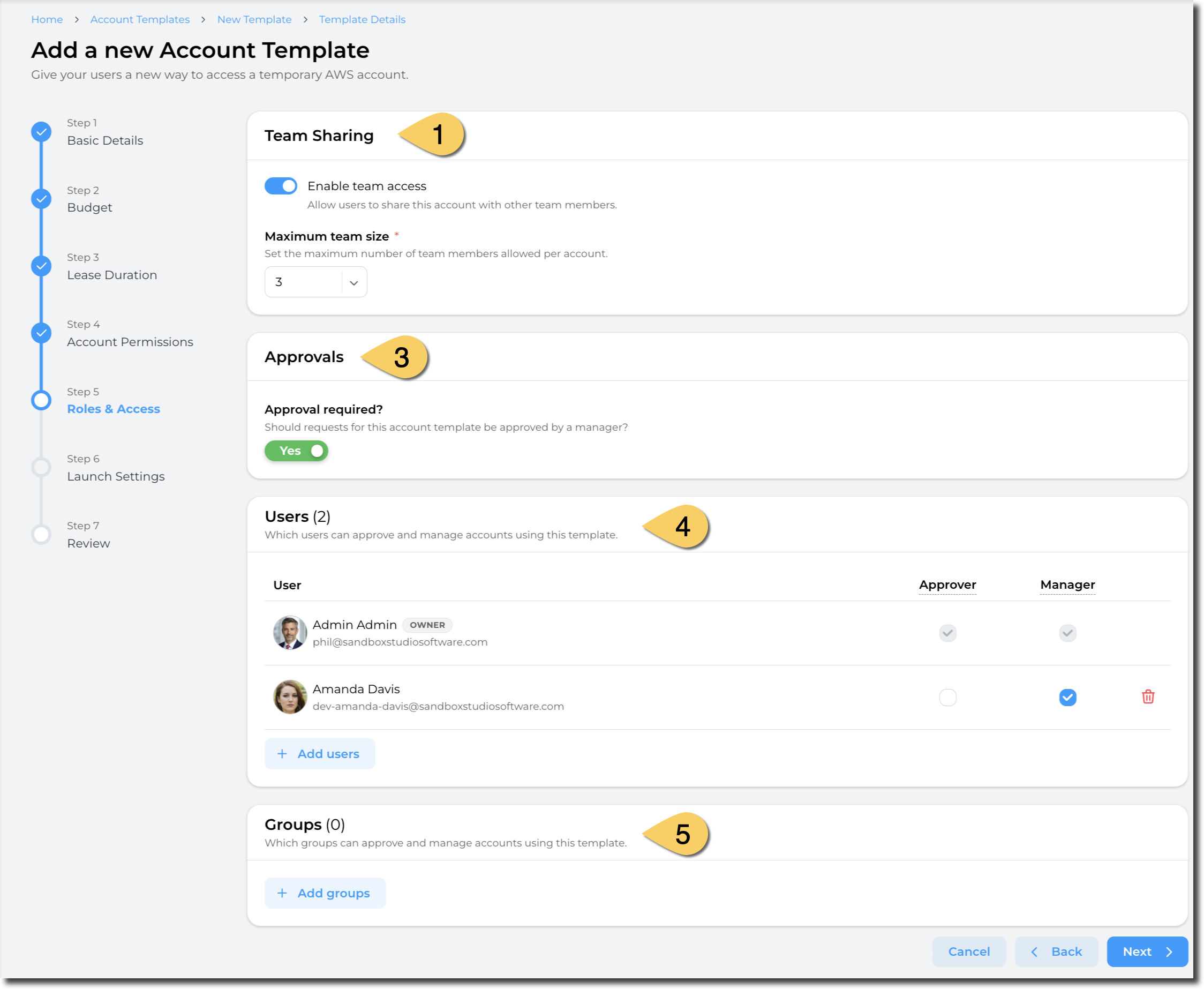
On the Roles & Access page it is possible to set a lease to require approval before it is allowed for a user/s to use it. This is useful in the event that you want to limit this to specific users. You can configure the ability to share a lease with other Users.
Team Sharing
In the Team Sharing section of the page. A simple toggle that once enabled will require the Manager or Administrator to provide the number of Users it can be shared with. A User will provide the additional Users that a lease can be shared with a the request.
- Toggle the Enable team access to being configuring the number of Users that a lease can be shared with.
- Set the Maximum team size to the number of Users to permit per lease.
Approvals
On the Roles & Access page, set Approval required (1) to Yes. Then, in the Users (2) or Groups (3) section, click +Add users to select individuals or groups. For each, specify if they will approve, manage users, or both for this template.
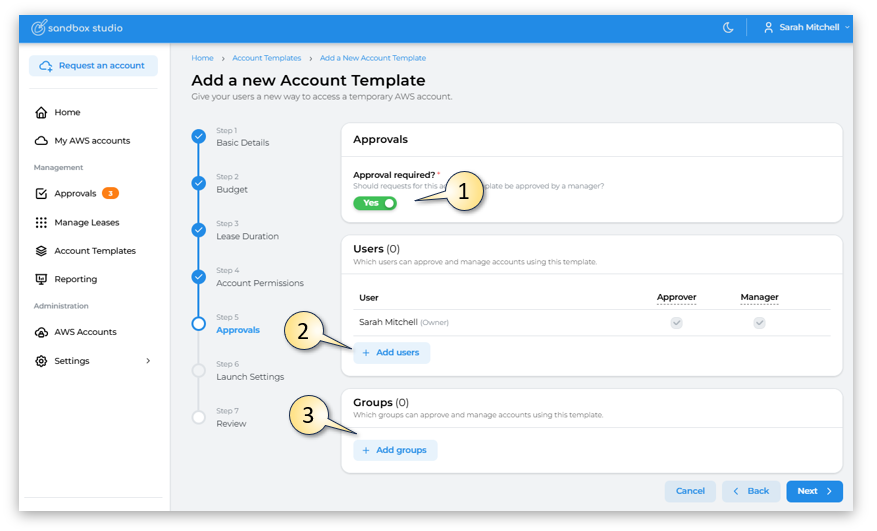
- Having completed all the fields on the Managers page as needed, click on Next to move to section 6 - Launch Settings