
Account template creation - Launch Settings
Using launch templates, managers can define what resources need to be set up on new accounts creation. For instance, create S3 buckets, deploy Cloud Formation templates, etc.
Sandbox
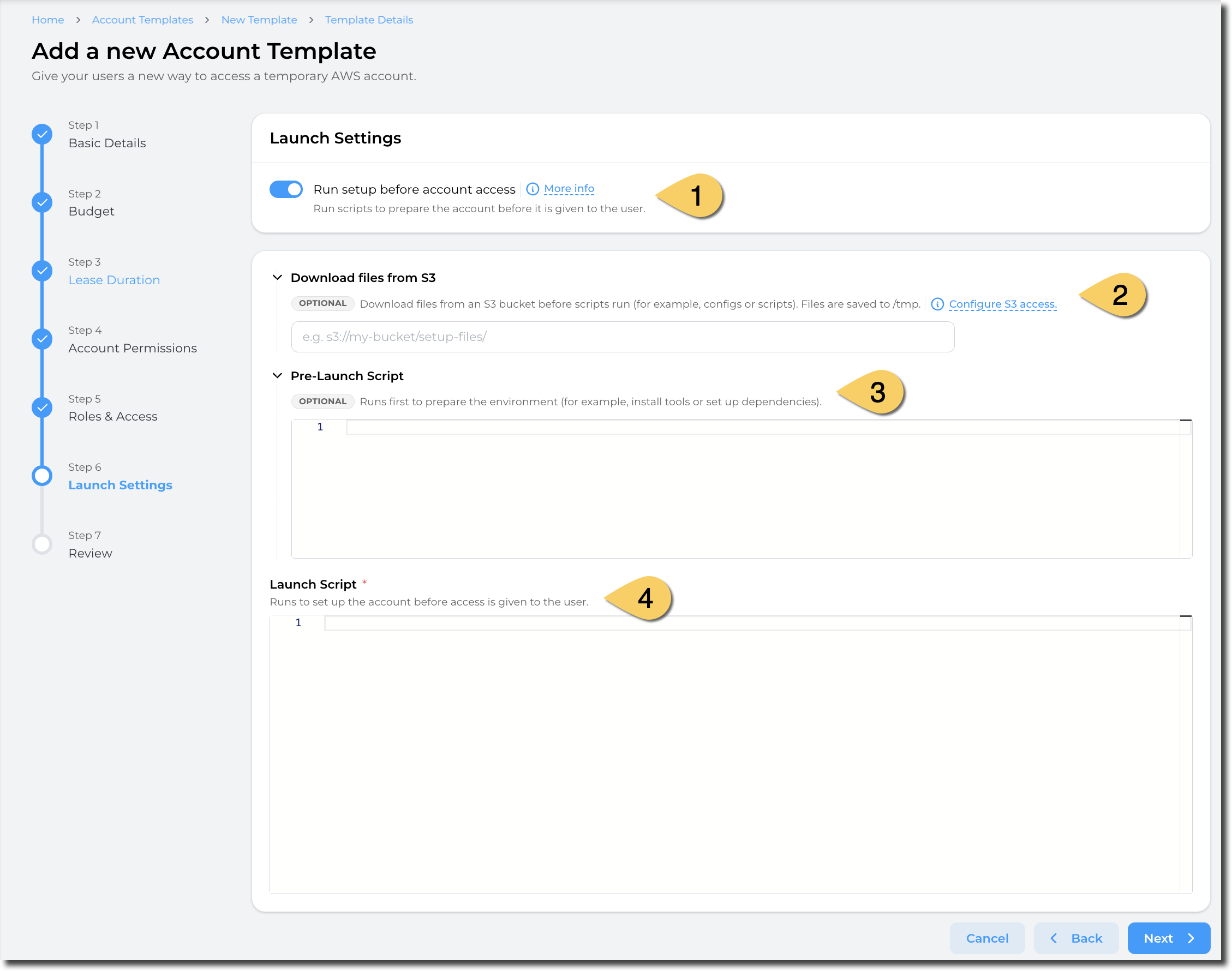
Launch templates, select Launch resource in accountsSettings (1)
Select "Run setup before account access
"If no resource needs to be automaticallycreated populatedon account creation, untick this box to launchprovide thean selected"empty" resources.
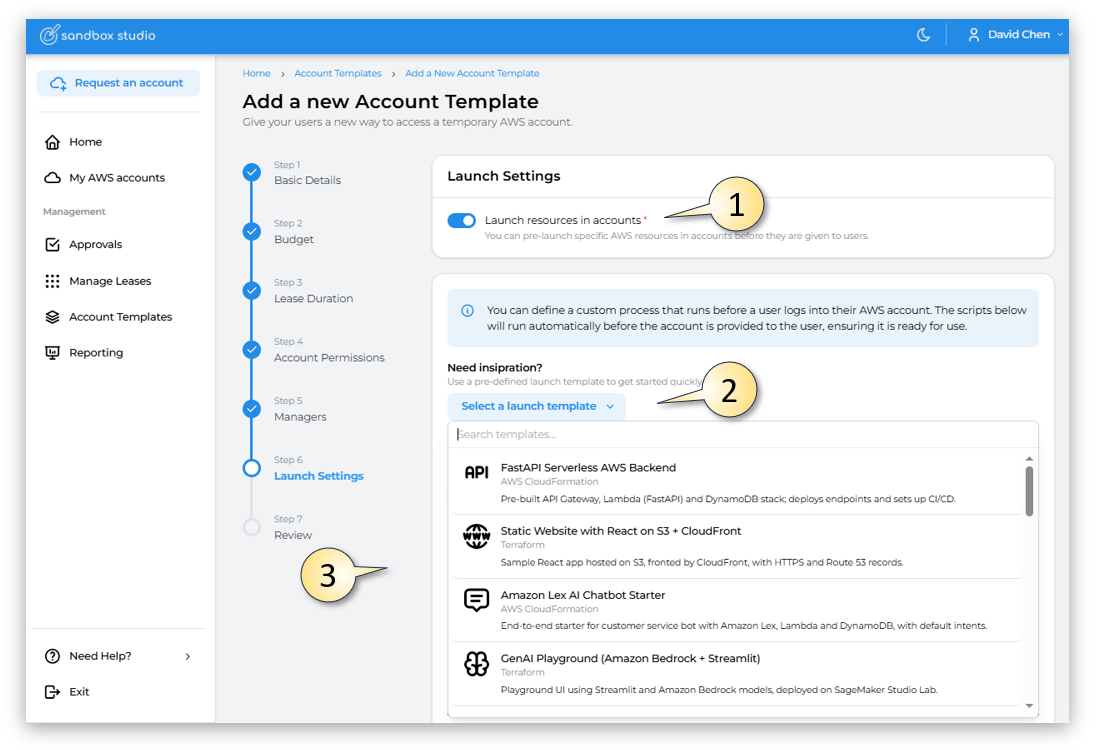
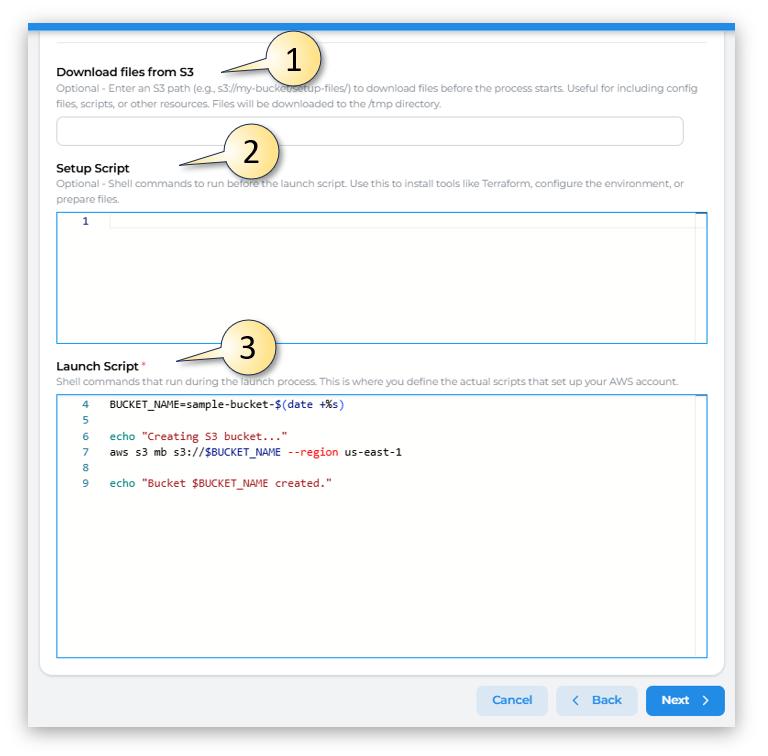
Alternatively you could create your own scripts, by completing the 3 fields:
Download files from S3: Optional(2)
In Entersome scenario, you may need to download files from S3 to create your resources. For example, download a Cloudformation template, download softwares, etc.
You need to provide an S3 path (e.g., s3://my-bucket/setup-files/) to downloada files before the process starts. Useful for including config files, scripts,folder or othera resources.bucket Files will be downloaded(not to the object directly).

Sandbox Studio will run a sync command to fetch the folders and objects from S3 into the /tmp directory.
Sandbox Studio does not require your bucket to be public! Follow the next steps to learn how to configure S3 access
Sandbox Studio requires your bucket to be accessible to the LaunchTemplateExternalAccessRole created in your environment.
You can click on "Configure S3 access" to display the S3 bucket policy to apply on your S3 bucket:
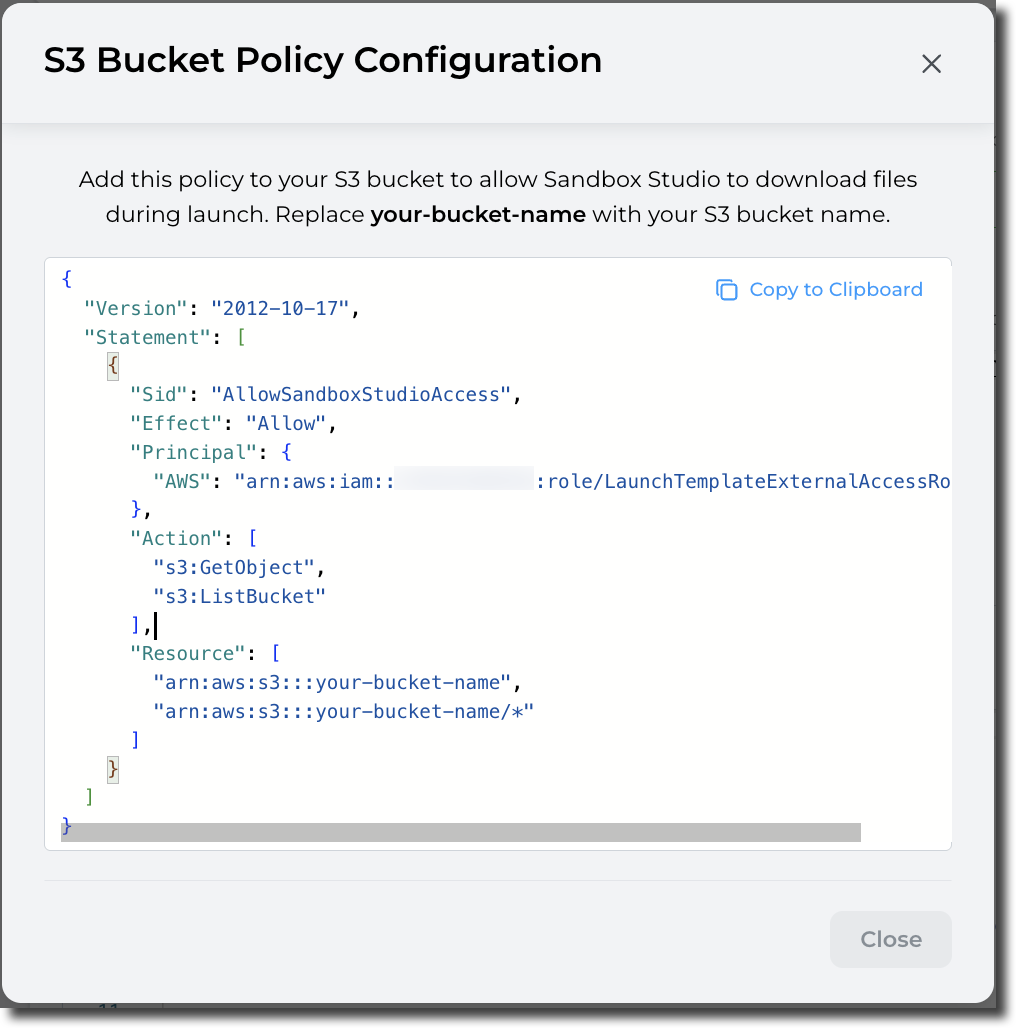
{
  "Version": "2012-10-17",
  "Statement": [
    {
      "Sid": "AllowSandboxStudioAccess",
      "Effect": "Allow",
      "Principal": {
        "AWS": "arn:aws:iam::<hub-account-number>:role/LaunchTemplateExternalAccessRole"
      },
      "Action": [
        "s3:GetObject",
        "s3:ListBucket"
      ],
      "Resource": [
        "arn:aws:s3:::your-bucket-name",
        "arn:aws:s3:::your-bucket-name/*"
      ]
    }
  ]
}
Pre-Launch script (2)3)
Pre-Launch Script:script Optionalallows - Shell commandsyou to run a script before your actual launch script to, for example, install tools, packages, update the environment, etc.
The environment used to create the resources is based on Amazon Linux 2023 (x86_64). (aws/codebuild/amazonlinux-x86_64-standard:5.0)
Launch script (4)
Launch script is your actual script to create resources in your account.
The environment used to create the resources is based on Amazon Linux 2023 (x86_64). (aws/codebuild/amazonlinux-x86_64-standard:5.0)
Please refer to following section to return environment details to the Sandbox Studio interface.
How to set "Environment details" in Sandbox Studio?
Sandbox Studio allows you to display environment details from the launch template script. UseYou thiscan, for example, return URLs, passwords, environment variables, etc.
One interesting use case is to installprovide toolsaccess liketo Terraform,a configureVSCode environment: You can create a VSCode environment to your users and return the environment,URL or prepare files.
To set the environment details, you definecan use the actualpre-defined scriptsset-sandbox-output thatcommand:
VSCODE_URL="https://example.com"
upPASSWORD="SuperStrongPassword"

yourset-sandbox-output --name "VSCodeServerUrl" --value "$VSCODE_URL"
set-sandbox-output --name "Password" --value "$PASSWORD" --is-secret
The tool takes 2 parameters (name and value).
For secret strings (i.e.: Password, API keys, etc.), add the parameter is-secret
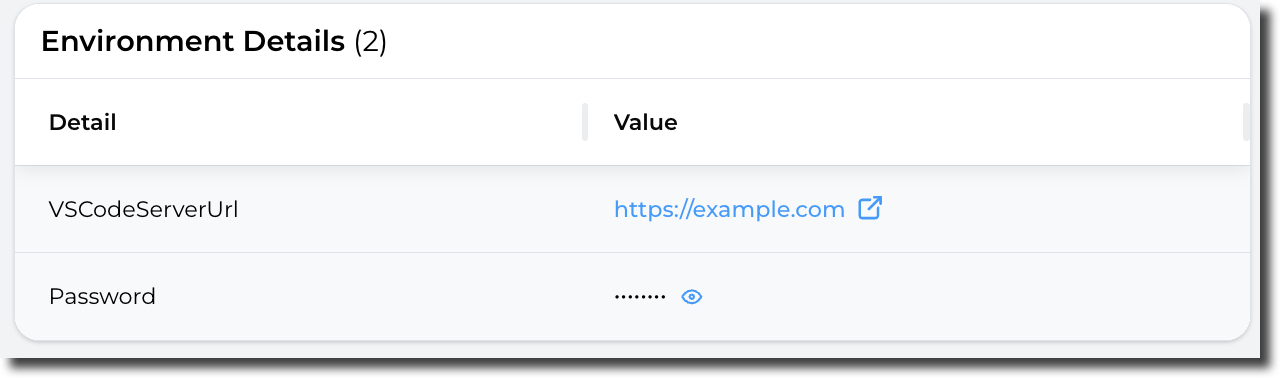
Secrets variables are saved in AWS account.
Having completed all the fields on the Launch Settings page as needed, click on Next to moveAccount totemplate section 7creation - Review