
Account template creation - Duration
This step defines the maximum duration for leases using this template.
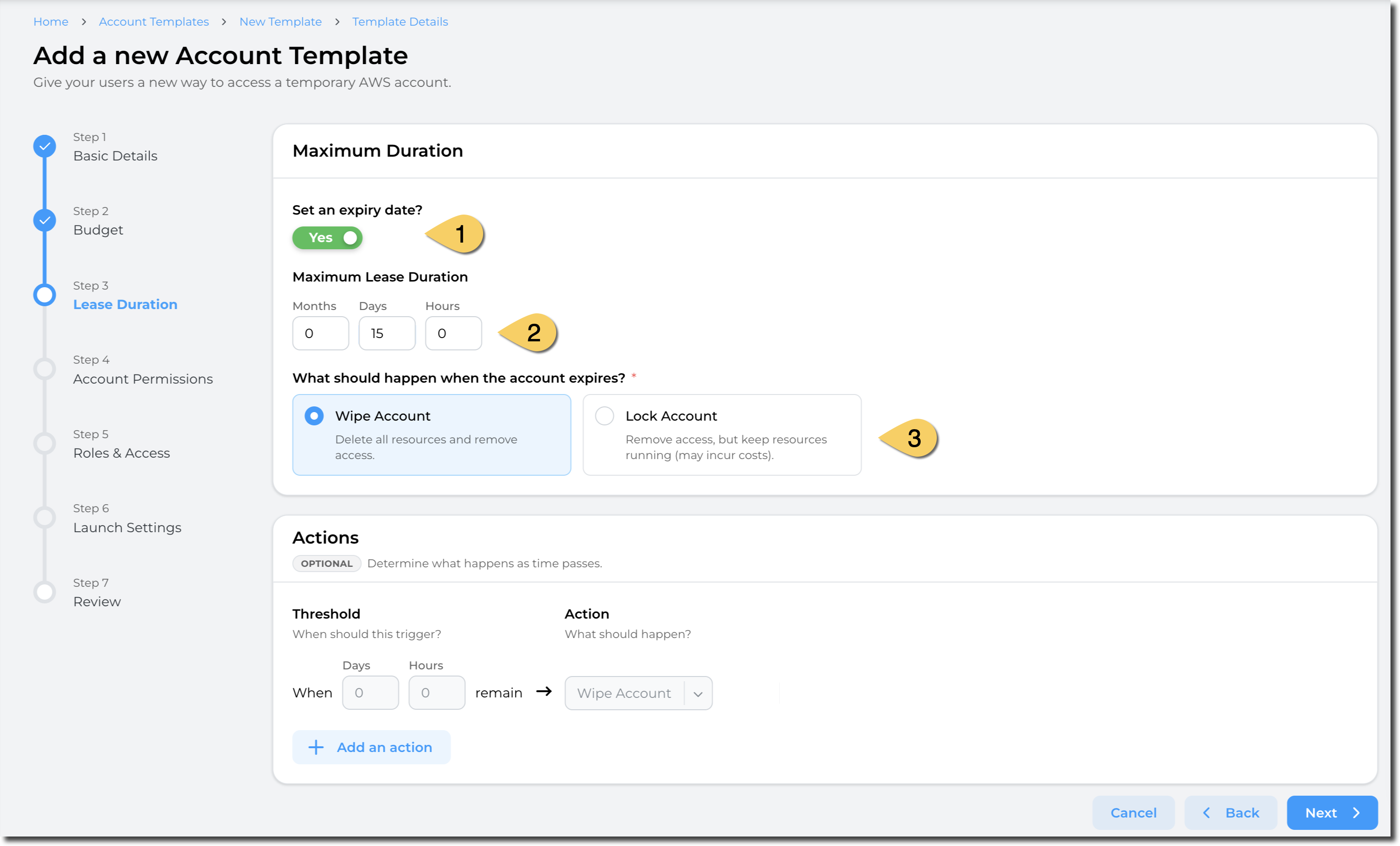
- Define if you want a maximum duration to be enforced for the leases.
- If you select Set an expiry date, enter a value in Maximum Lease Duration (in Months, Days or Hours). The duration configuration determines how long the account is available once leased to a user.
- Define the action when the lease expires. You can either:
- Wipe the account: This delete all resources and remove access to the users.
- Pros: Stop incurring cost
The countdown for a lease starts when the lease is created.
Actions:
Sandbox Studio can perform automatic actions if some thresholds are met. You can define those thresholds and actions in the "Actions" section:
Having completed all the fields on the Budget page as needed, click on Next to Account template creation - Duration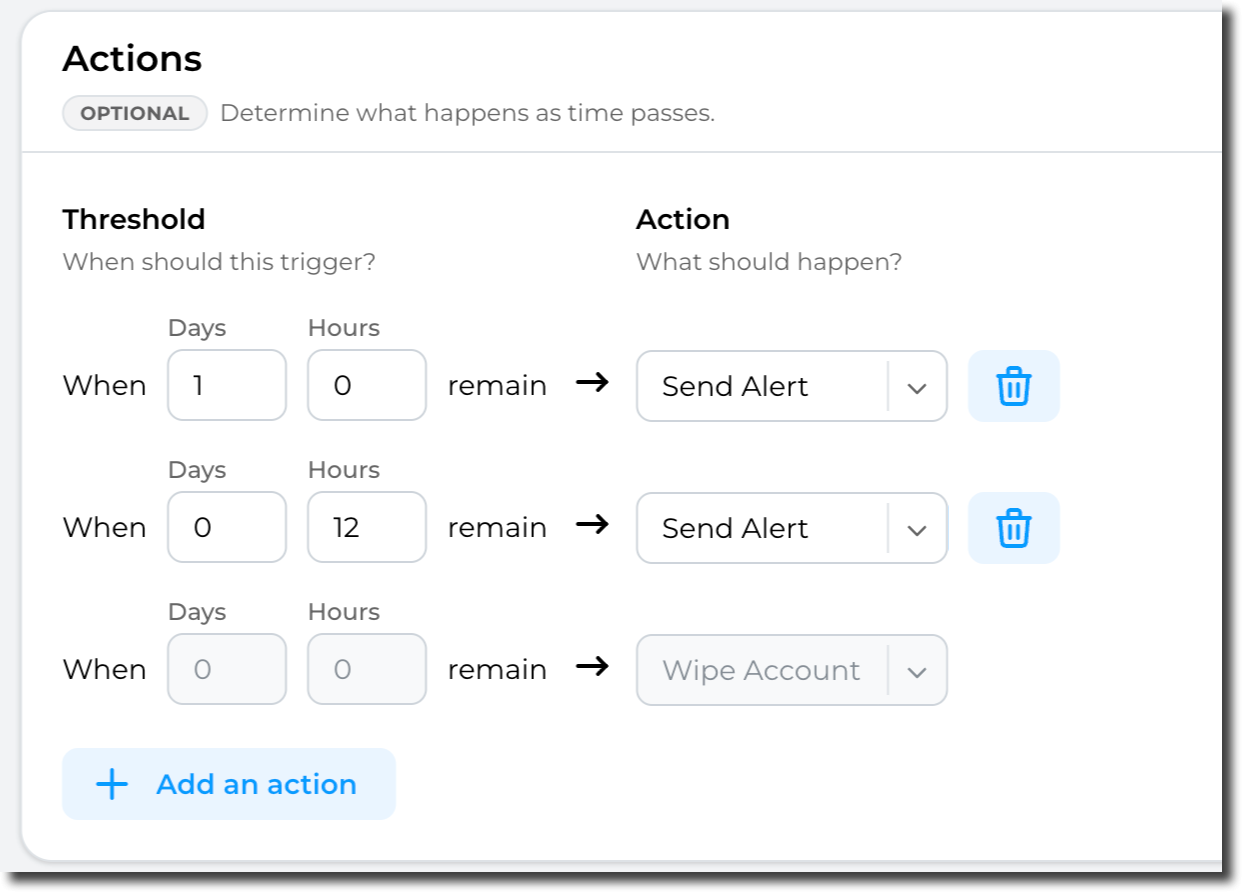
On the Duration page, complete the required fields.
If you select Set an expiry date, enter a value in Maximum Lease Duration (in Months, Days or Hours. ). The duration configuration (1) determines how long the account is available once leased to a user.
You can optionally set thresholds if a maximum duration is set, to specify what happens as the threshold approaches. To add a threshold, click Add an action. Enter a value in Months, Days or Hours and select an action to be initiated once that value is reached.
Important: It is important to note that theThe threshold’s actions are effectively a count down - and only trigger when a certain amount of time is left. e.g. 5 Days left, or 24 Hours to go or in the case of "Wipe" when Zero ( 0 , 0 , 0 ) time to go - see (3))
recycle
Having completed all the fields on the Duration page as needed, click on Next to moveAccount totemplate section 4creation - AccountPermissions