
Share my account
Accounts can be shared with other users either at creation time (see [Requesting a New Account](https://docs.sandboxstudiosoftware.com/books/user-guide/page/requesting-a-new-account)) or after the account is active.
To access Sharing option, click on the "Teams" icon in your account list:
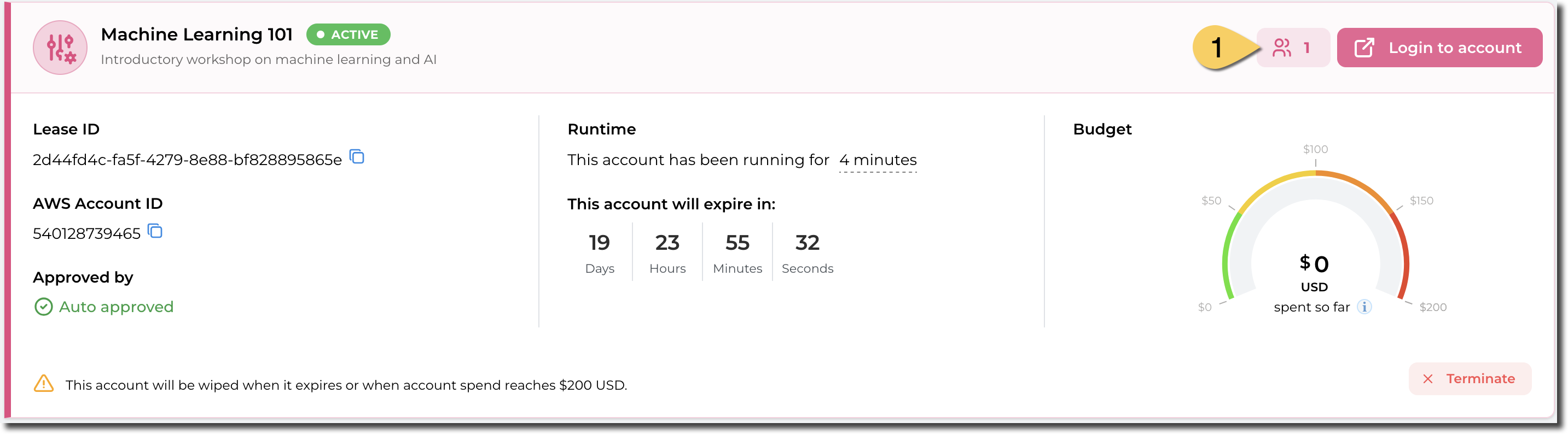
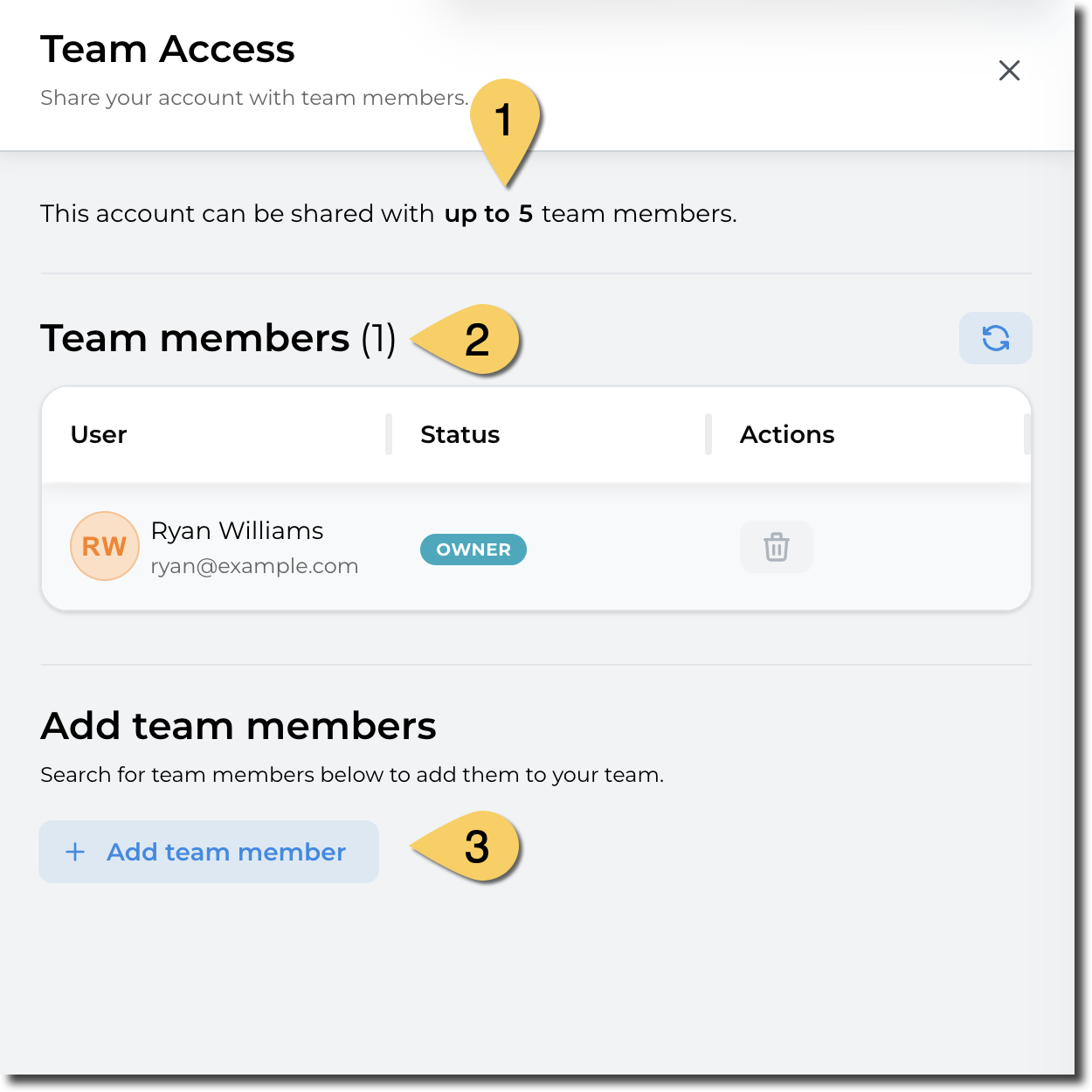
- In the side panel, sharing details (or "Team Access") is displayed:
- Maximum team size:
- Current team members
- Adding a new team
The maximum team size (including the account owner) is defined by the manager or administrator of the account type.
Sharing can be revoked at any time.
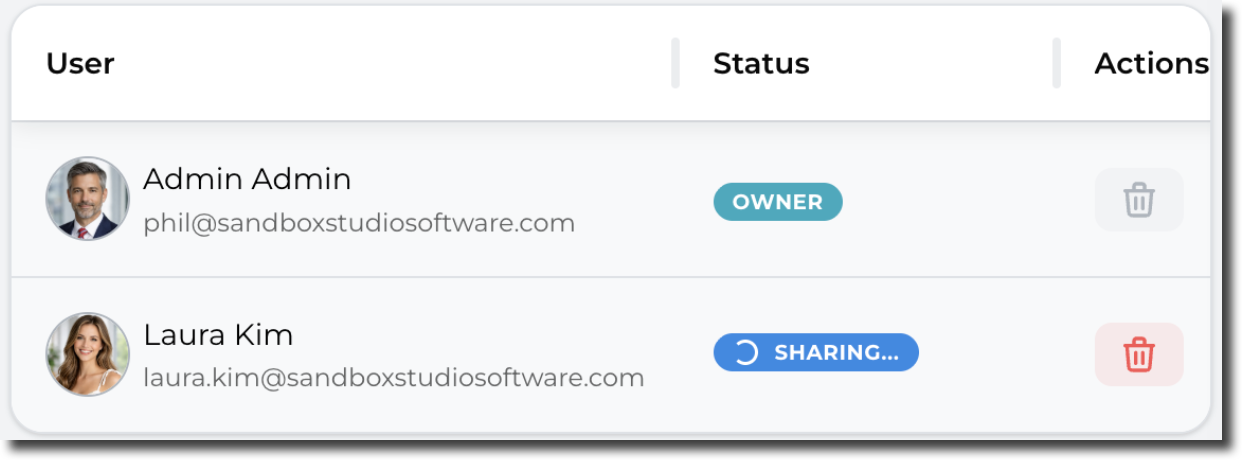
Note that it may take a few seconds for a shared account to become visible to the invited users.
During that time, the account shows as "Sharing...":
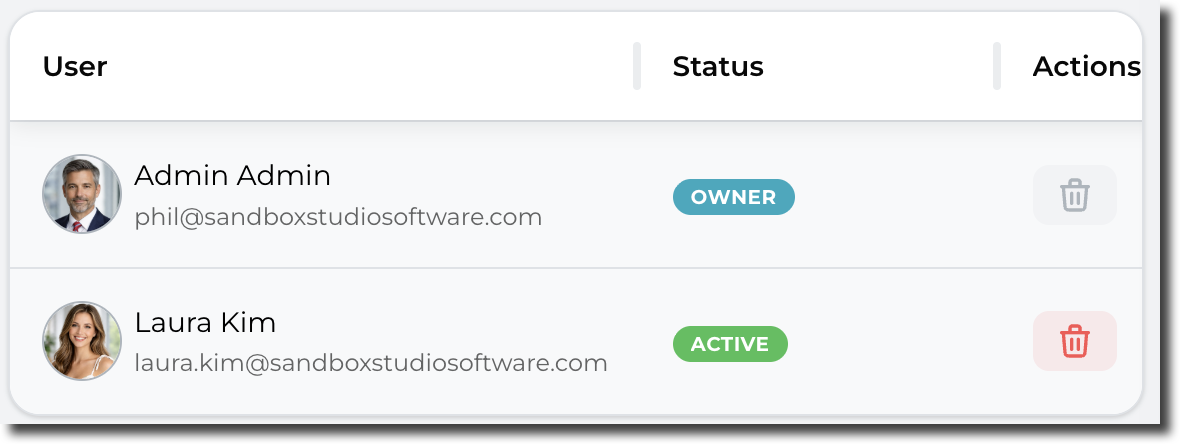
After a few seconds, the account share becomes active and is shown as below:
━━━━━━━━━━━━━━━━━━━━━━━━━━━━━Sharing can be revoked at any time. For this, simply click on the red bin account to remove access to other users