
Event creation - Schedule
This steps define the schedule of an event.
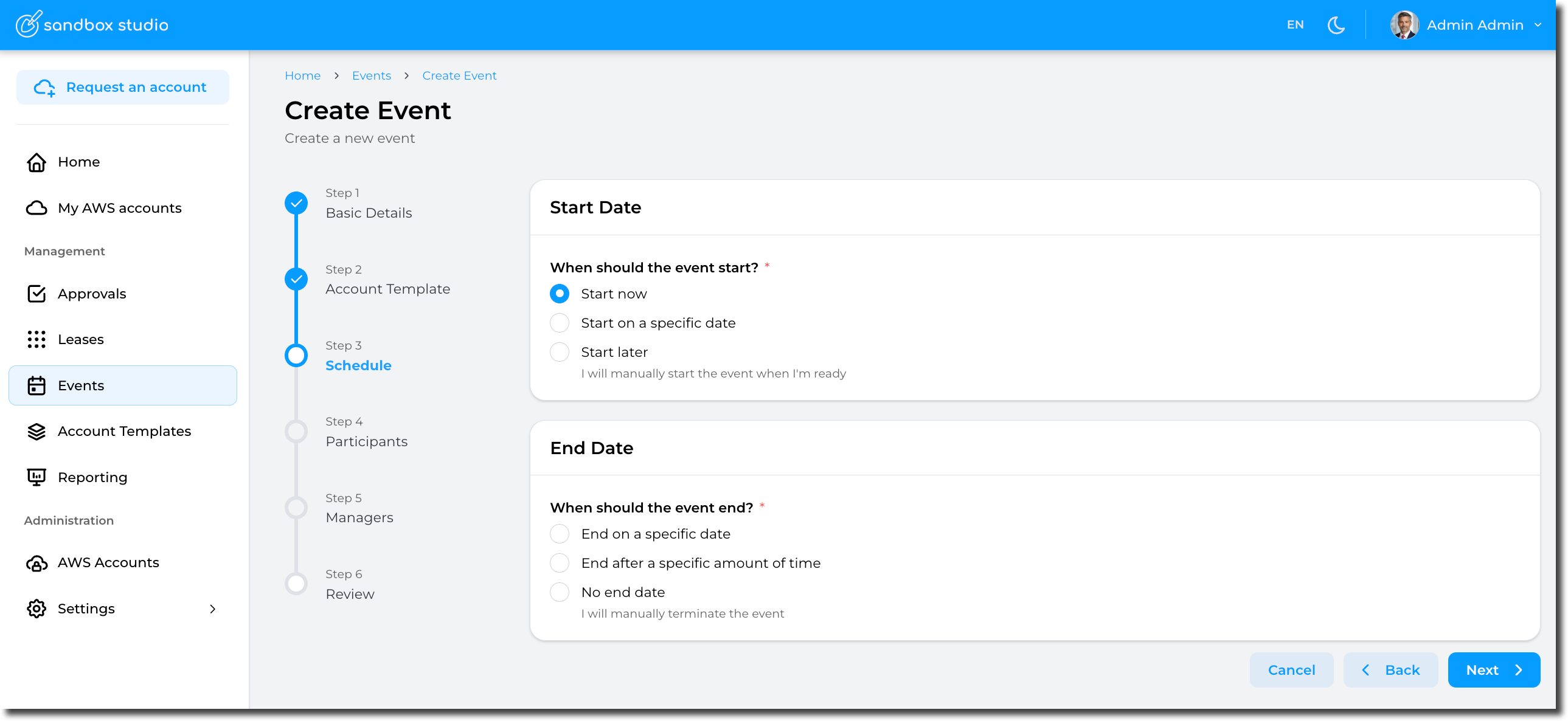
Schedule are defined as follows:
Start Date
- Start now
Selecting this option will automatically provision the accounts (aka, create leases) and start the event.
-
- Pros: Easy, the event starts immediately and you can start right away!
- Cons: If your account template provisions resources in the account, you will need to wait for the accounts to be ready before accessing them. This provisioning time counts towards your event duration
- Start on a specific date
You can set the event to start on a specific date (and time) you define. This is particularly useful is you want to schedule an event to start automatically in the future.
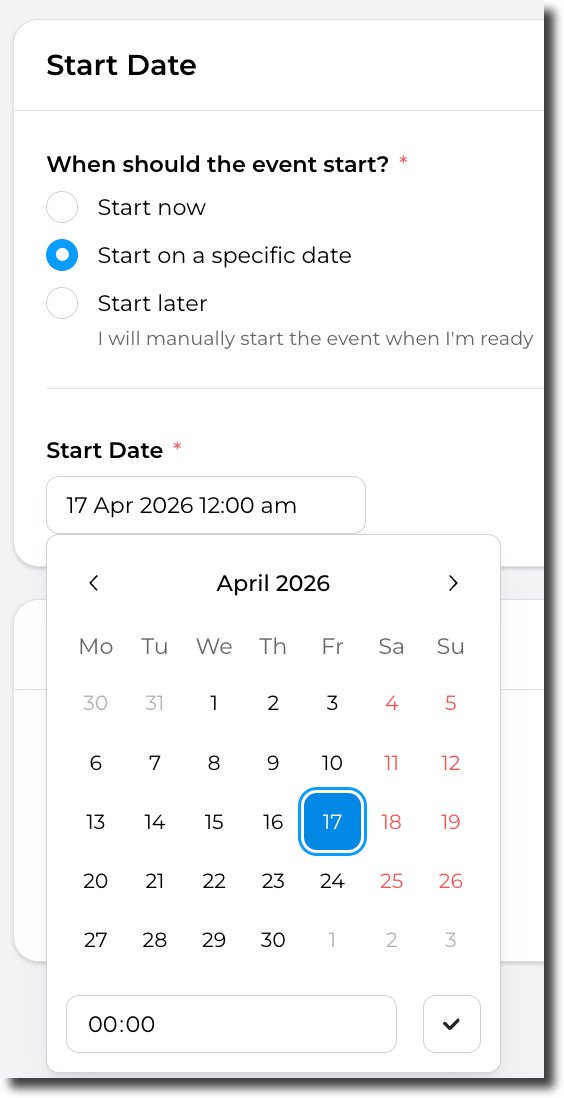
-
- Pros: "Set and forget", the event will automatically start at the date/time of your choice. This option also allows you to pre-provision the accounts before the event starts, so you don't have to wait for the resources to be created in the accounts.
- Cons: Not much! But as per the "Start now" option, If your account template provisions resources in the account, you will need to either pre-provision the account manually before the start of the event or wait for the accounts to be ready before accessing them.
- Start later
You can chose not to start the event automatically. In this instance, you will have to start the event manually.
- Pros: No rush! You can take your time to create and configure the event. You can also update this value later if you finally decide to start the event automatically.
- Cons: The event won't starts automatically, so you will need to start it manually.