
Email Settings
As an Administrator you have control over what and how notifications are sent. From the left hand menu, select Settings > Email Settings (1):
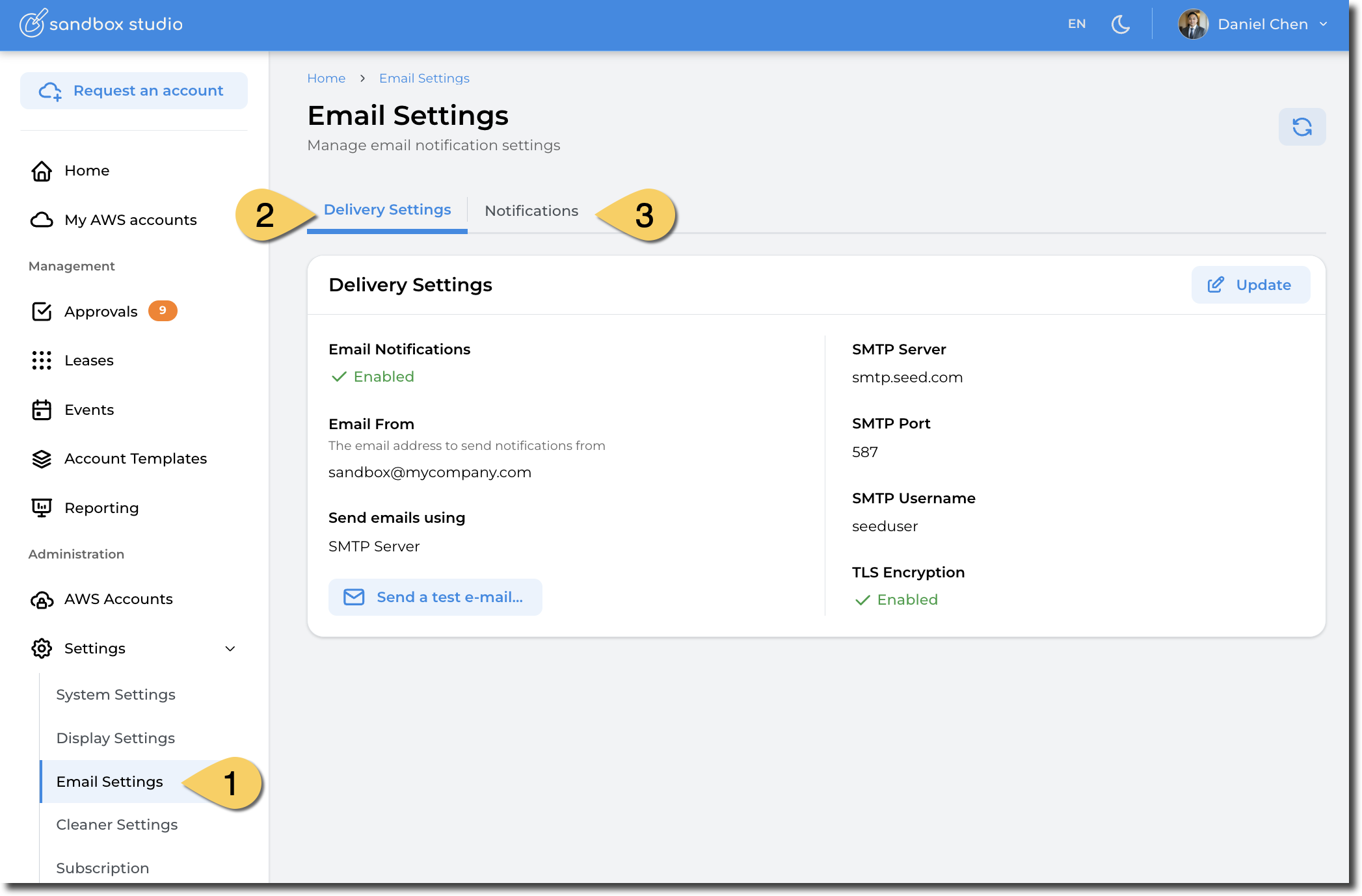
Two tabs are available:
- Delivery Settings: Allows to configure how emails are sent, either through Amazon Simple Email Service (SES) or through a standard SMTP server.
- Notifications: Allows to select what notifications are sent to users, managers or approvers. In the current version of Sandbox Studio, this settings applies for all users.
Delivery Settings
Configure SMTP server
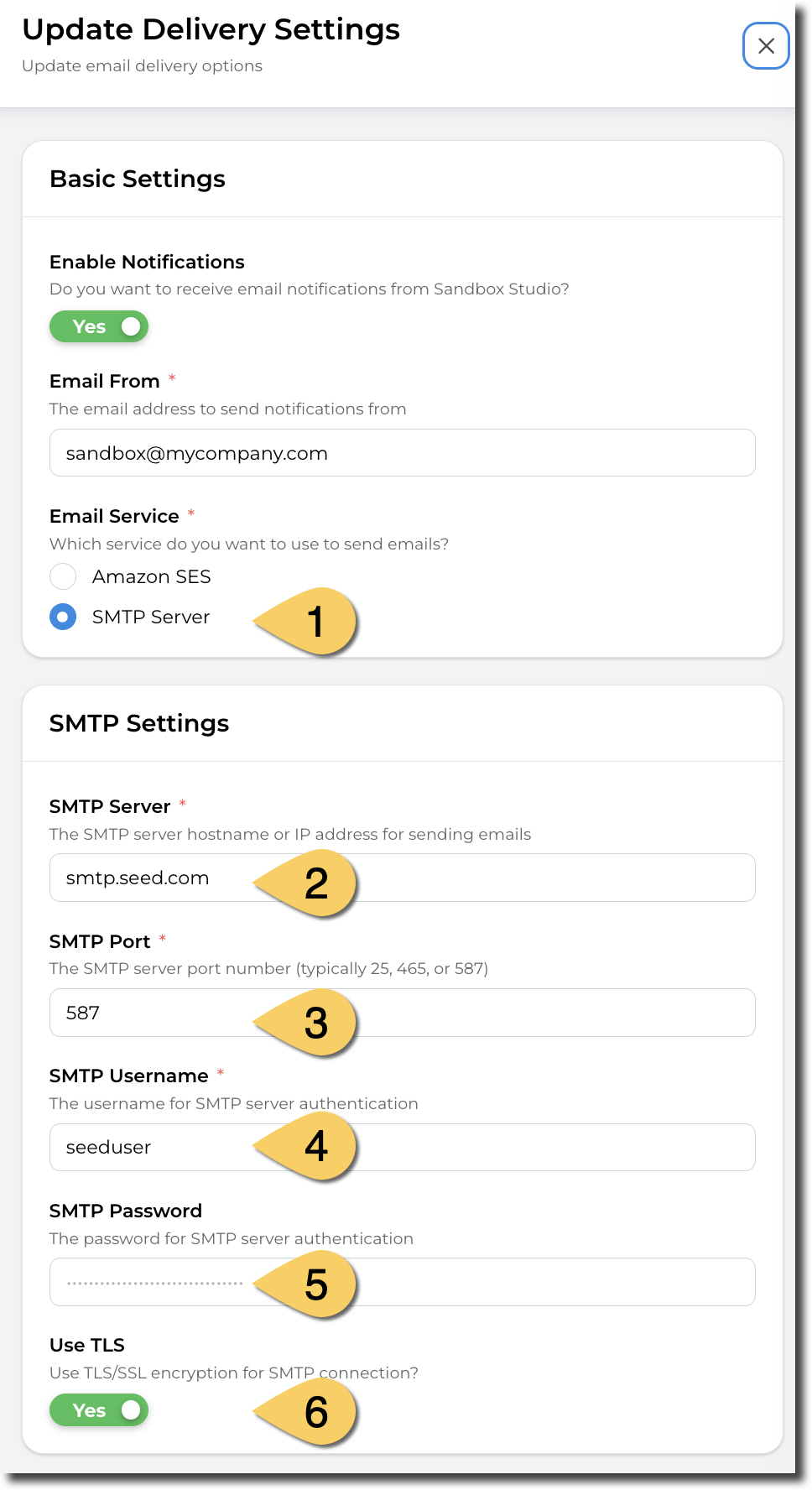 |
|
Configure Simple Email Service (SES)
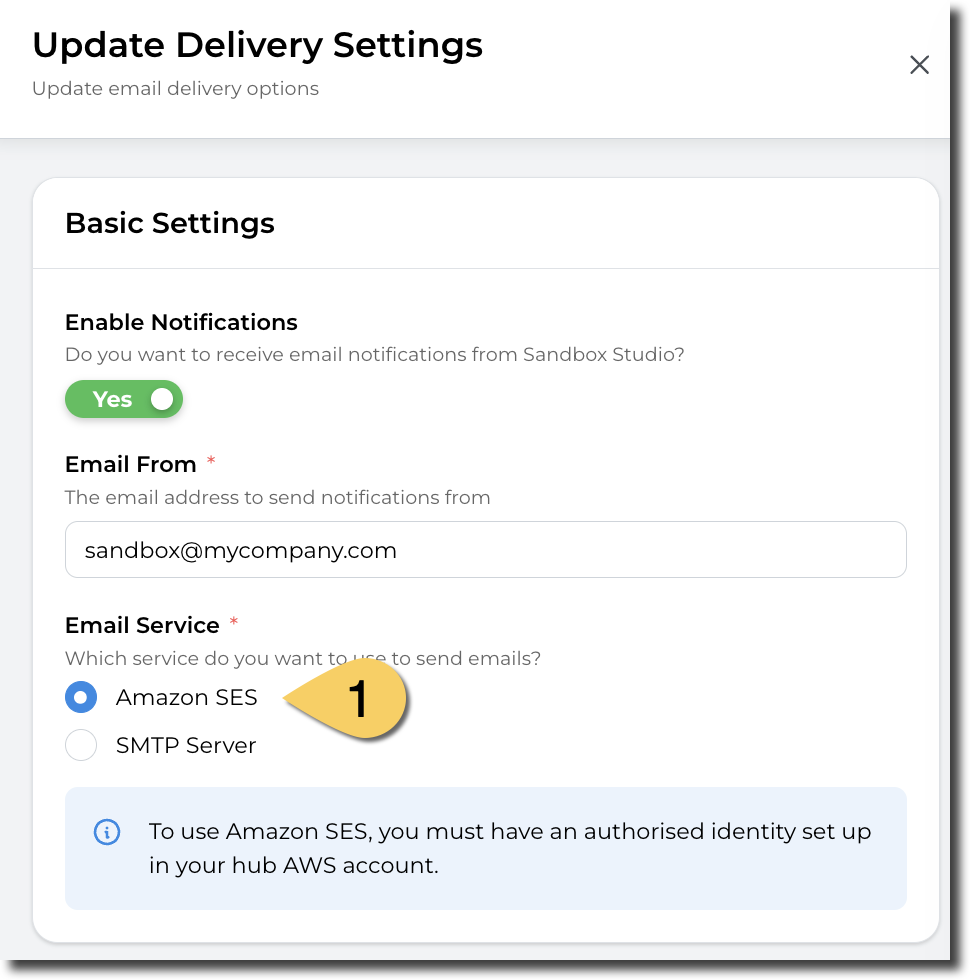
For SES to work, you need to have a verified identity in your SES environment in the Hub account. More details here: https://docs.aws.amazon.com/ses/latest/dg/verify-addresses-and-domains.html
This verified identity needs to:
- Be able to send e-mails from the "Email From" e-mail address
- Be able to send e-mails to the Sandbox Studio users
We recommend having a domain verified identity and have your environment out of the SES Sandbox. https://docs.aws.amazon.com/ses/latest/dg/request-production-access.html
Notifications
In the notification tab, you can select the notifications you want Sandbox Studio to send. Those notifications can be for leases lifecycle (Lease created, lease shared, ...), for events (Event created, event started, etc.) but also for administrative tasks (ie: account failed setup, or account failed cleanup)
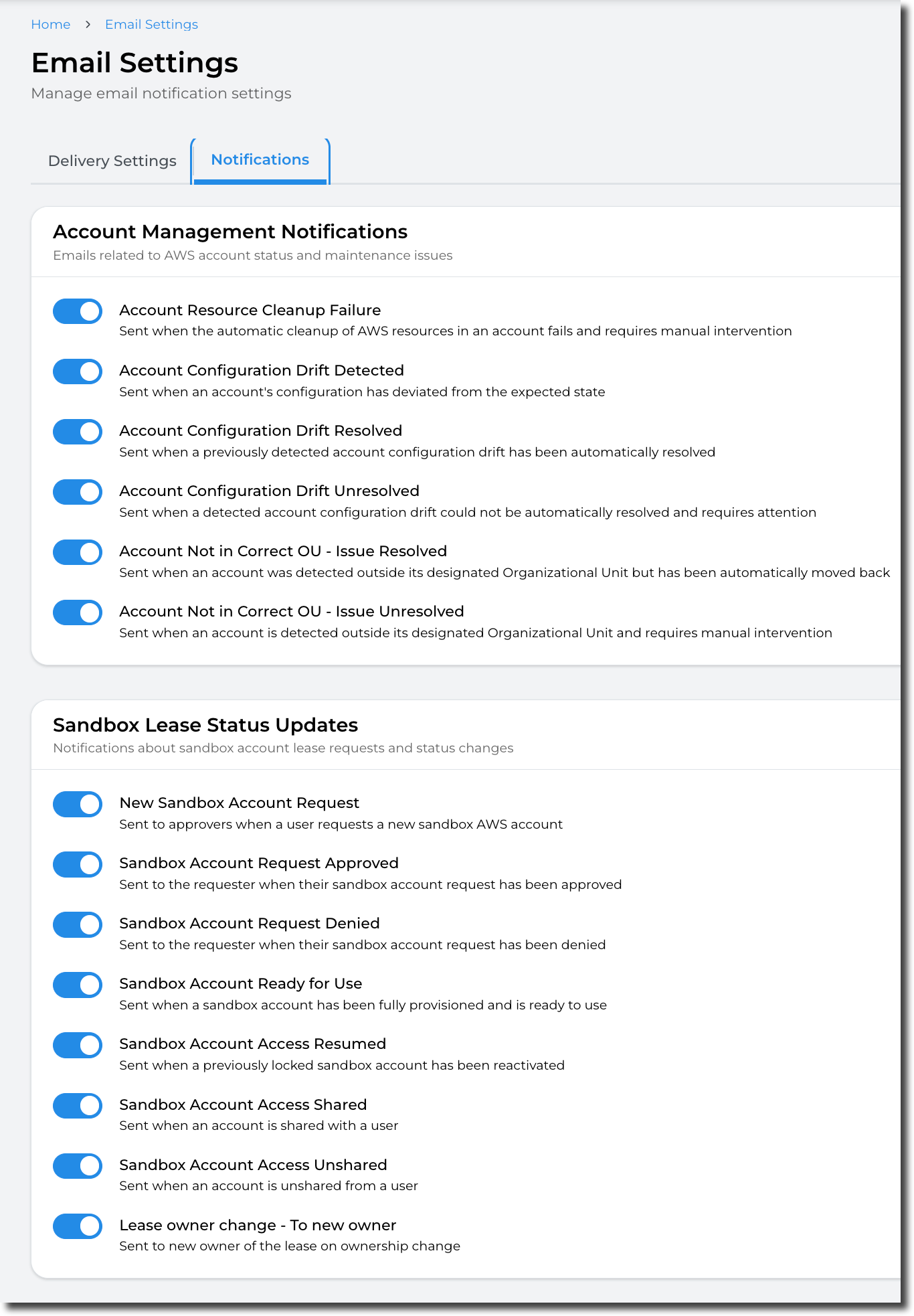
In this version of Sandbox Studio, the modifications on the notifications will apply for ALL users. eg: if you disable the notifications for leases, no user will receive notification for when leases are created.