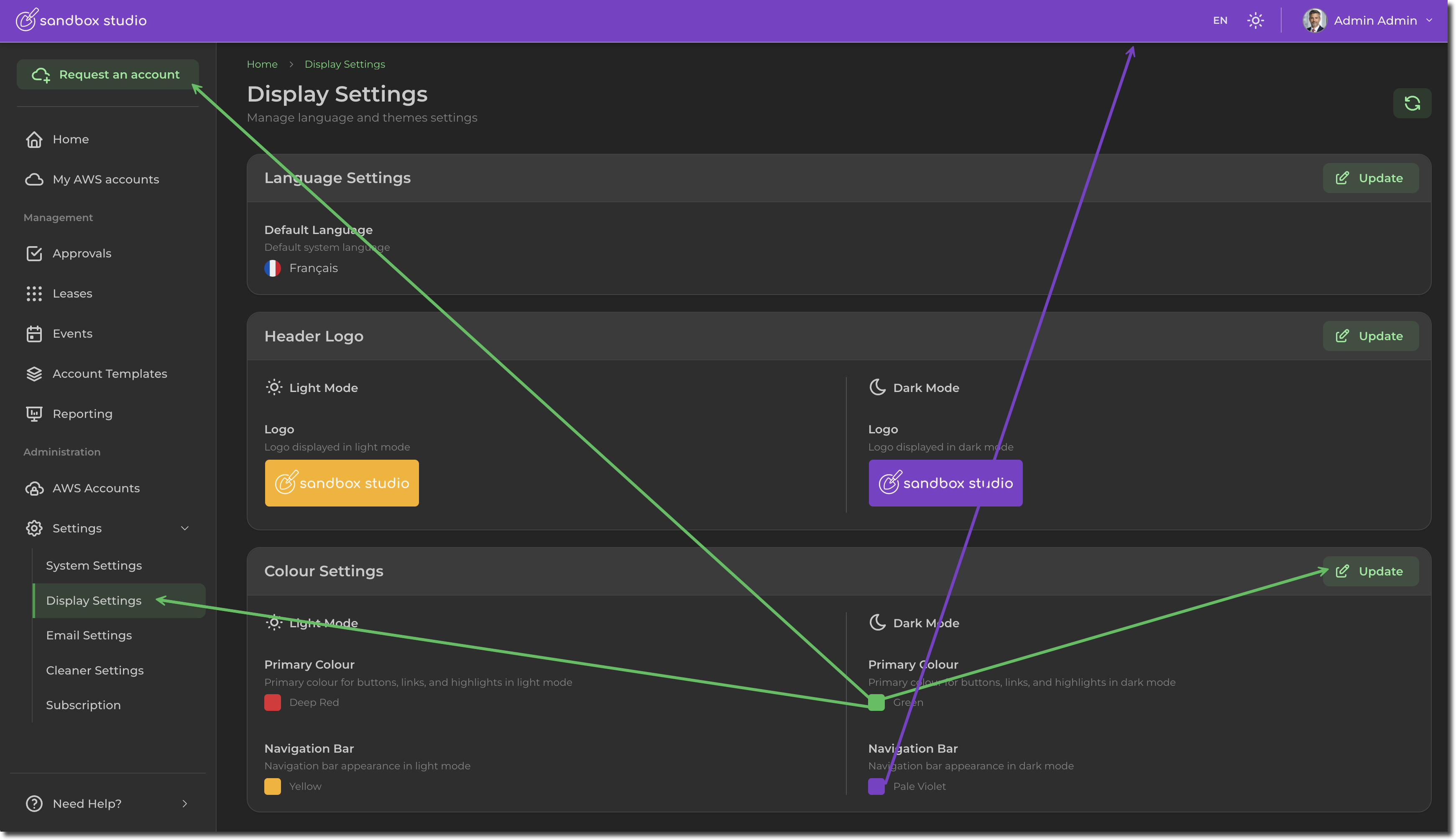
Display Settings - Change theme colour
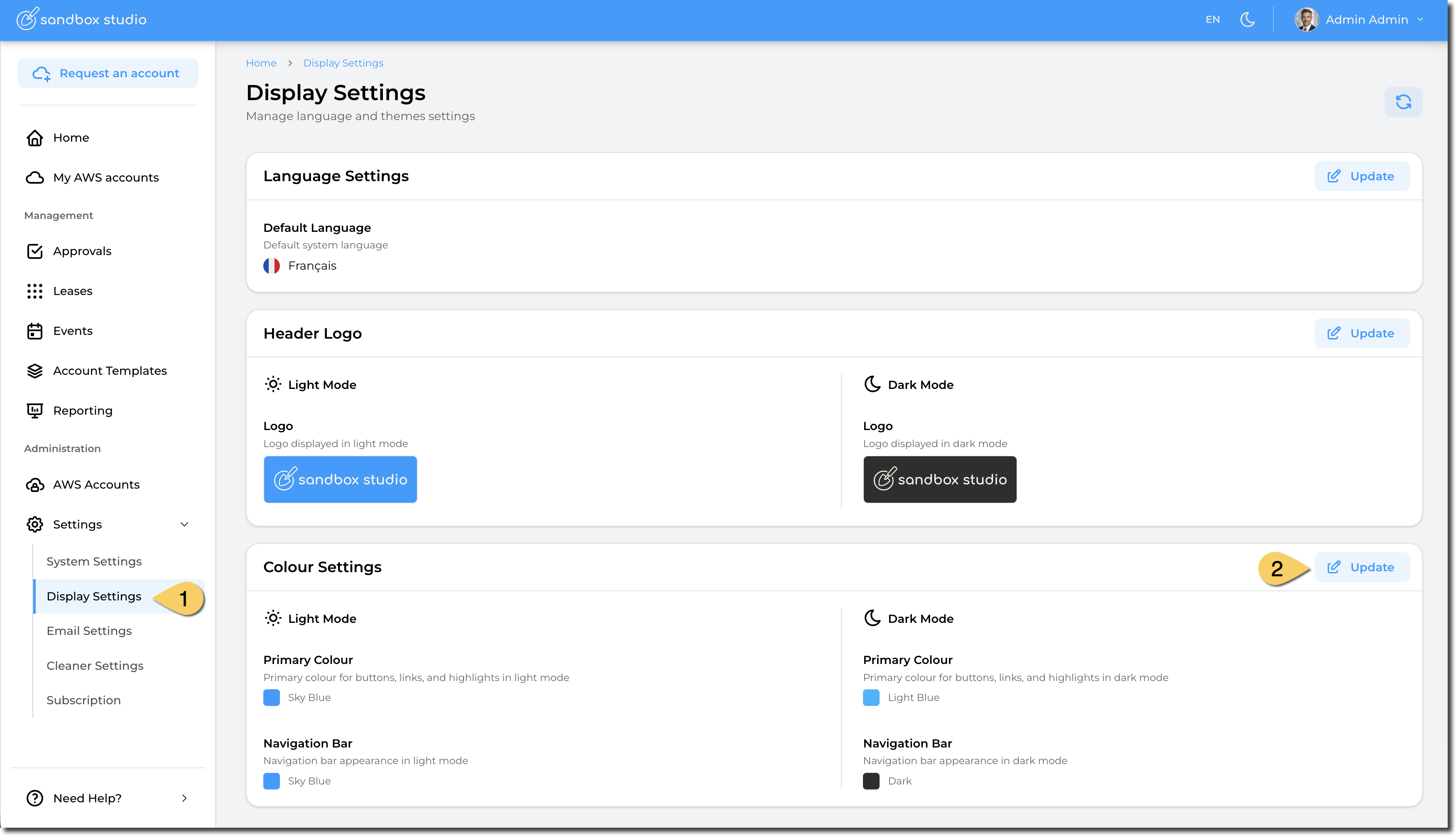
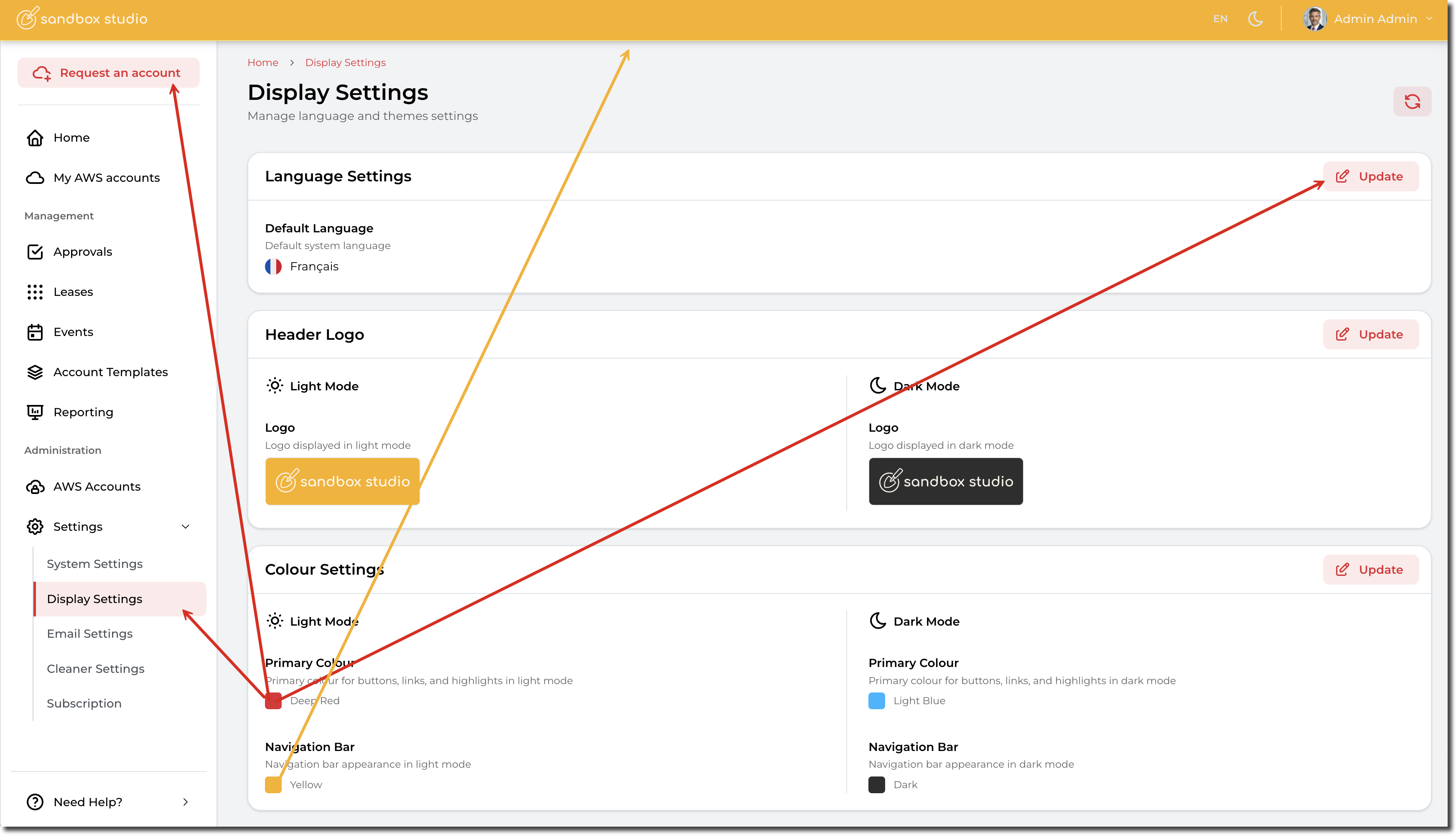
To change the theme colour of your Sandbox Studio installation, go to "Settings" > "Display Settings" (1) and click on "Update" in the "Colour Settings" section (2):
You can now select your custom colours:
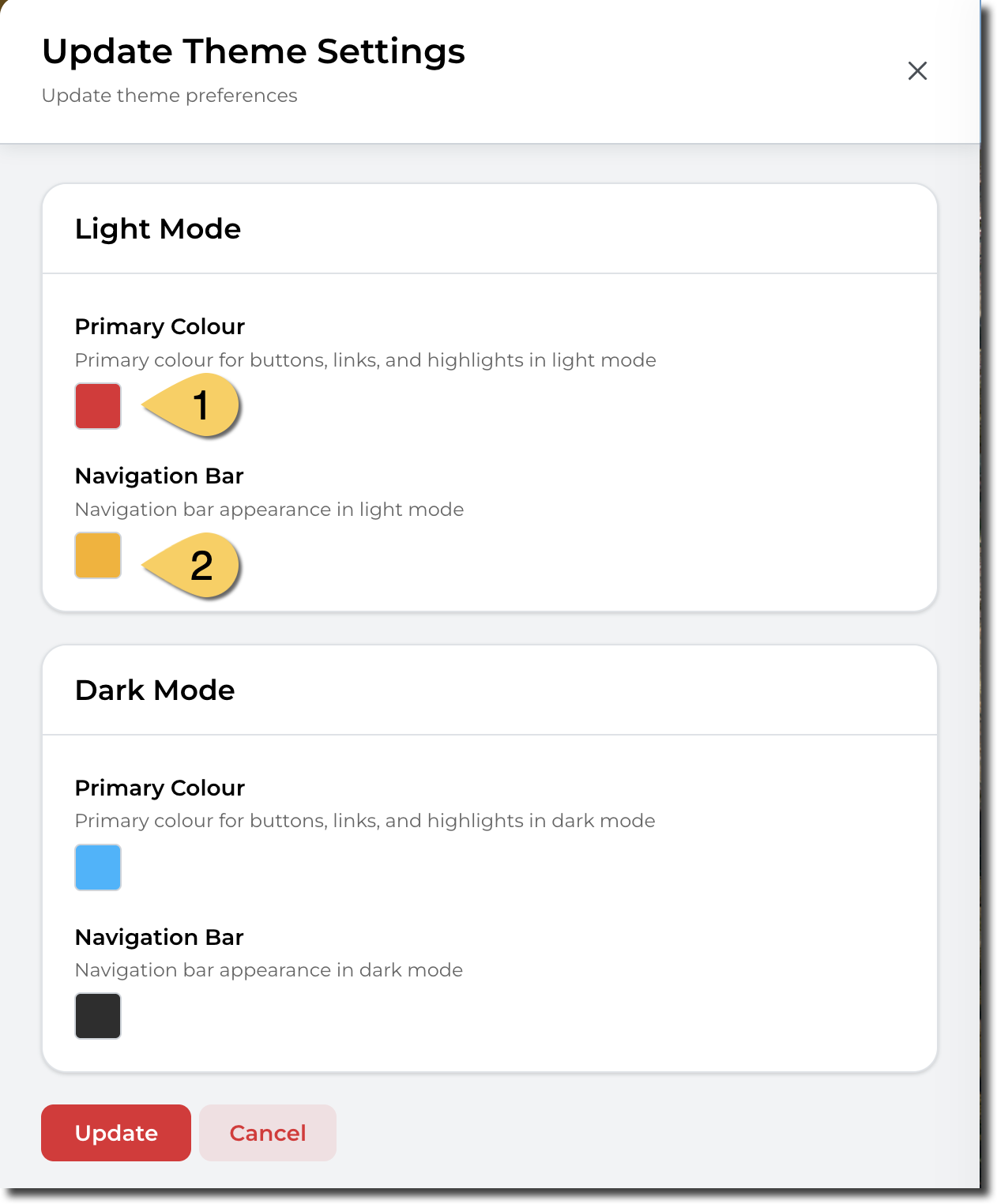
- Primary Colour. This colour is used for buttons, menu items, etc.
- Navigation Bar. This colour is used for the top bar of Sandbox Studio
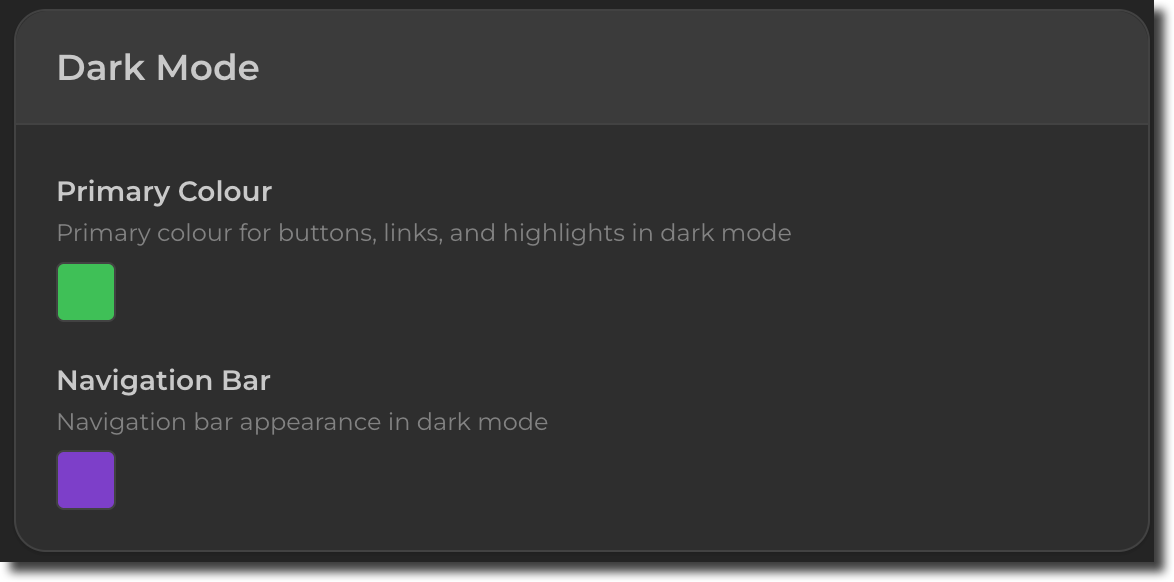
You can also change the colours that display for the dark mode. For instance: