
Display Settings - Change colour theme
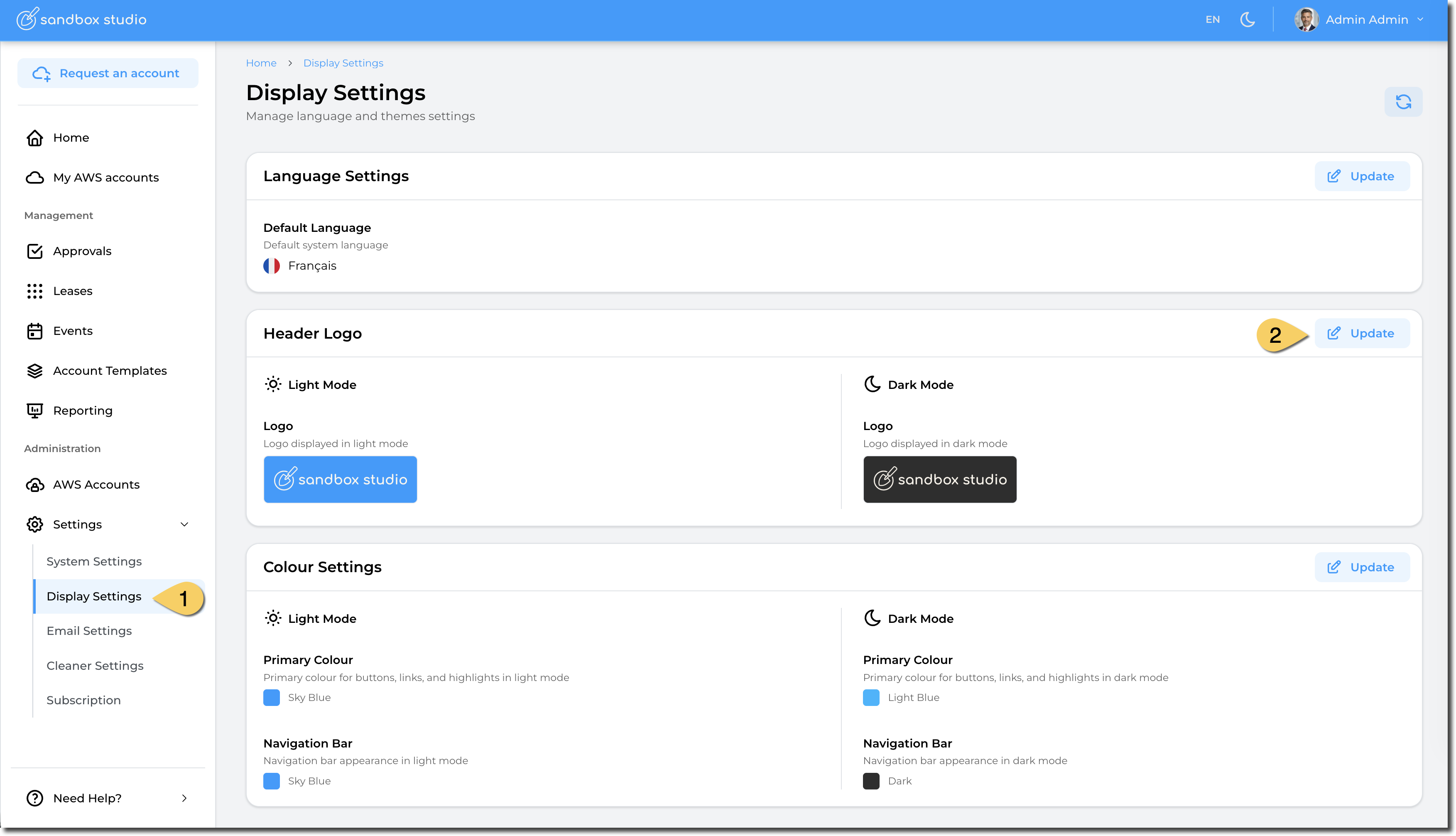
To change the default language of your Sandbox Studio installation, go to "Settings" > "Display Settings" (1) and click on "Update" in the "Header Logo" section (2):
You can now select your custom header image:
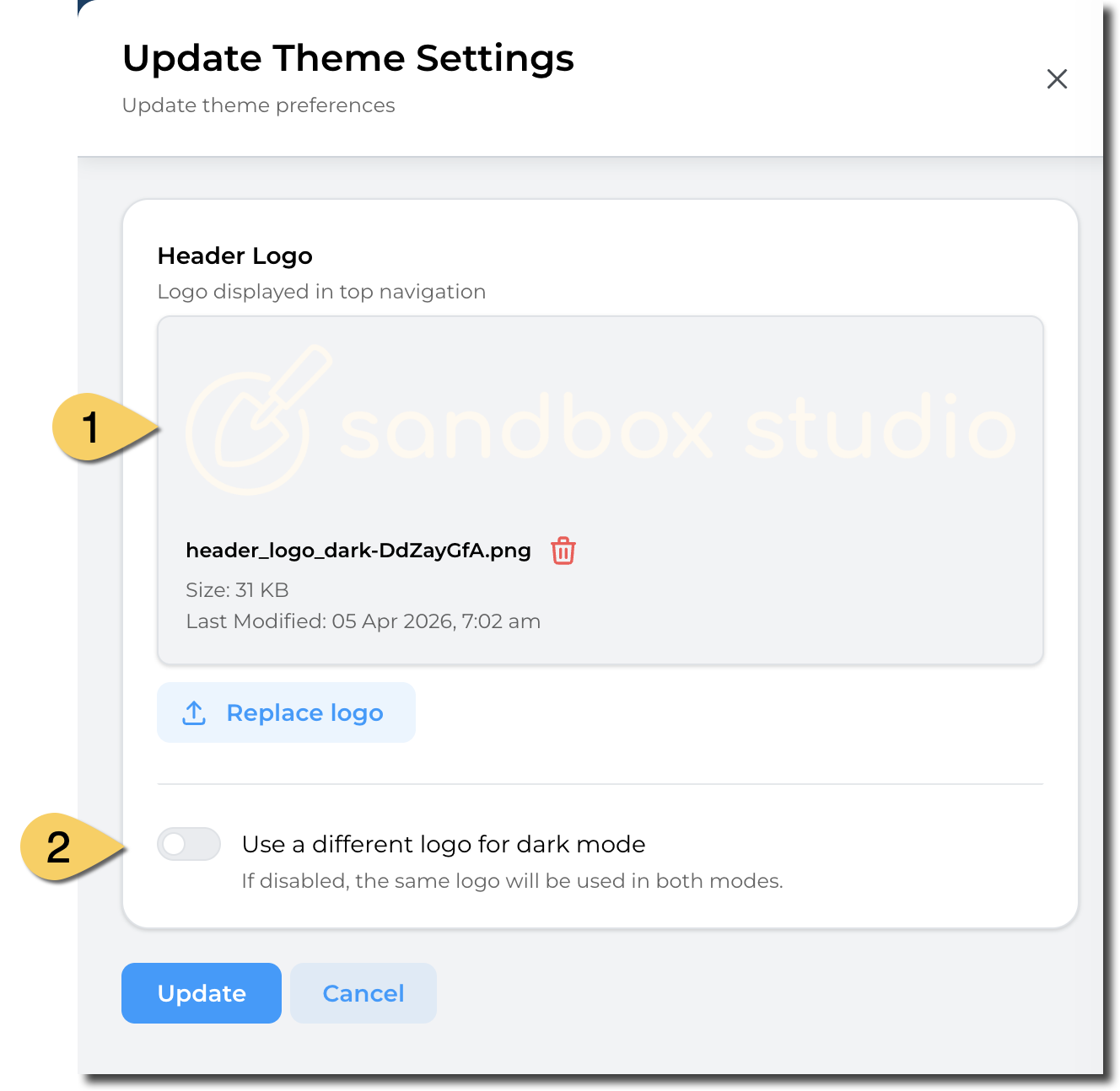
- Upload your image file. We recommend using transparent background so the logo displays flawlessly.
- You can choose to have a different logo for dark mode. If this option is left unticked, the same logo as the first one is used.