
Display Settings - Change header logo

To change the default language of your Sandbox Studio installation, go to "Settings" > "Display Settings" (1) and click on "Update" in the "LanguageHeader Settings"Logo" section (2):
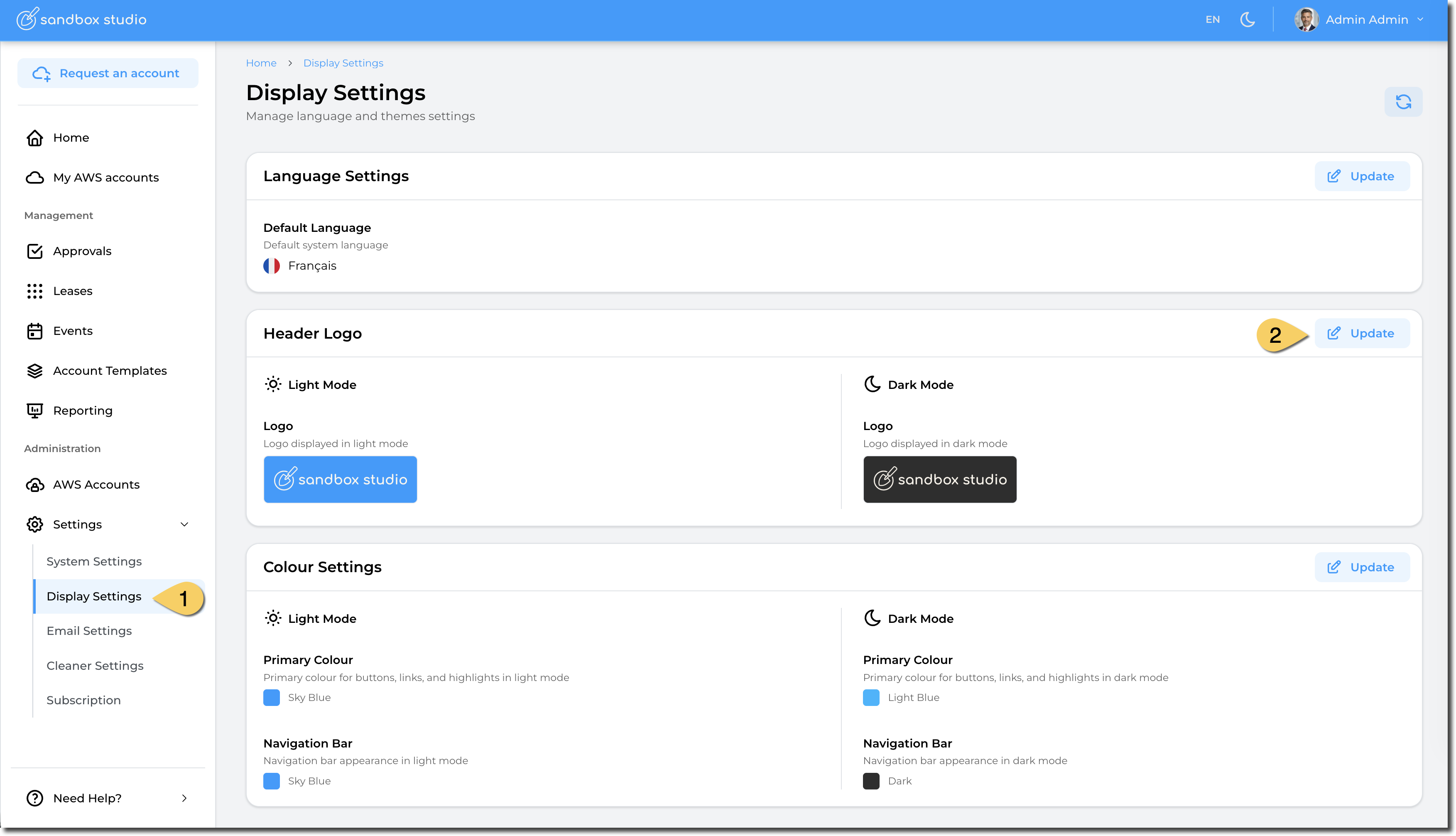
image.pngimage.png

ThenYou can now select theyour languagecustom andheader "Update":image:
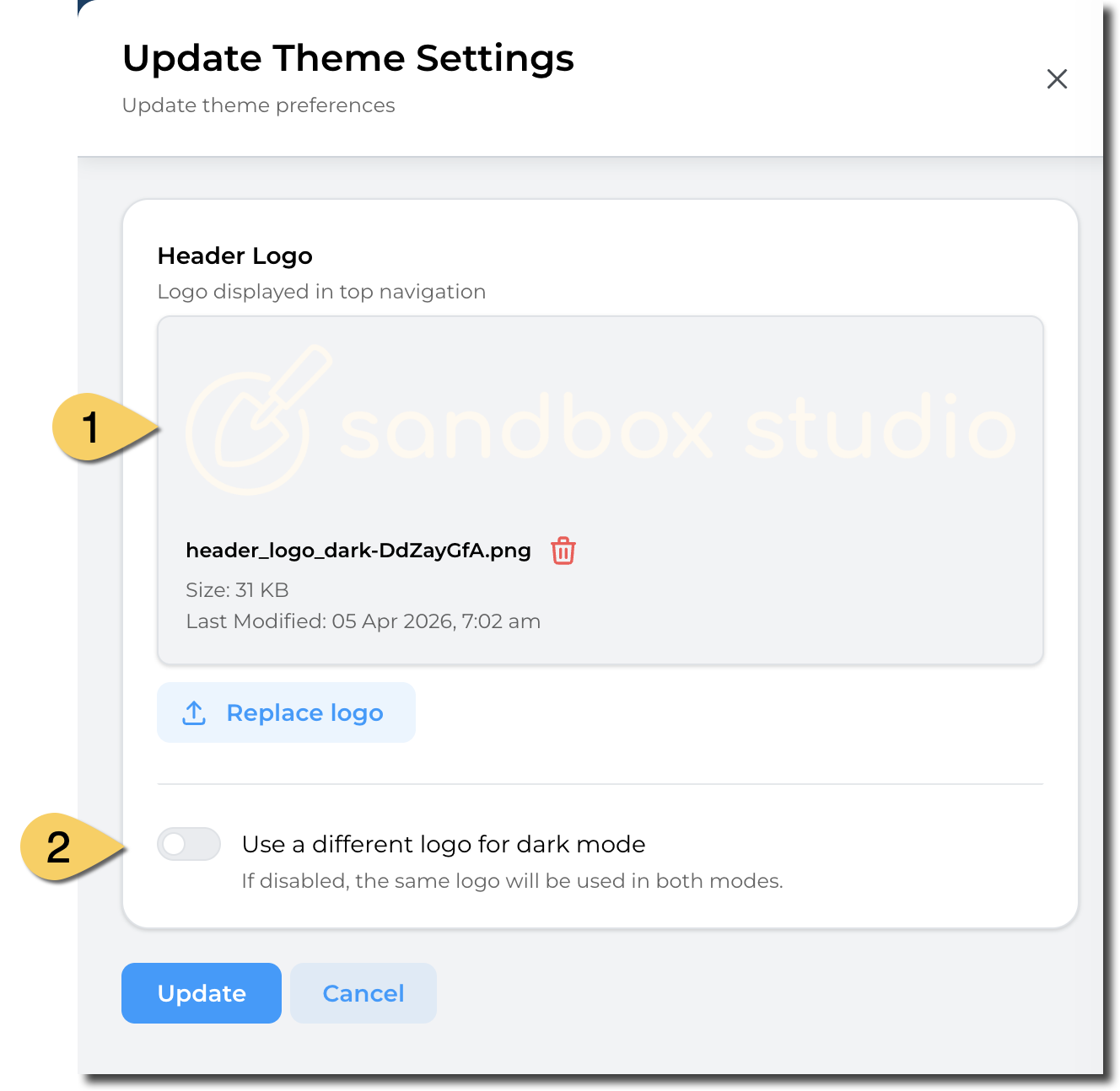
image.pngimage.png

    Default

  1. Upload languageyour willimage befile. usedWe ifrecommend usersusing transparent background so the logo displays flawlessly.
  2. You can choose to have nota selecteddifferent theirlogo defaultfor language.dark mode. If this option is left unticked, the same logo as the first one is used.