# Share my account

<span class="s1">Accounts can be shared with other users either at creation time (see \[Requesting a New Account\](https://docs.sandboxstudiosoftware.com/books/user-guide/page/requesting-a-new-account)) or after the account is active. </span>

<span class="s1">Shared users receive the same </span><span class="s1">access permissions as the account owner, making this feature particularly useful for group projects where multiple people need access to the same resources.</span>

To access Sharing option, click on the "Teams" icon in your account list:

[![image.png](https://docs.sandboxstudiosoftware.com/uploads/images/gallery/2026-03/scaled-1680-/qrRimage.png)](https://docs.sandboxstudiosoftware.com/uploads/images/gallery/2026-03/qrRimage.png)

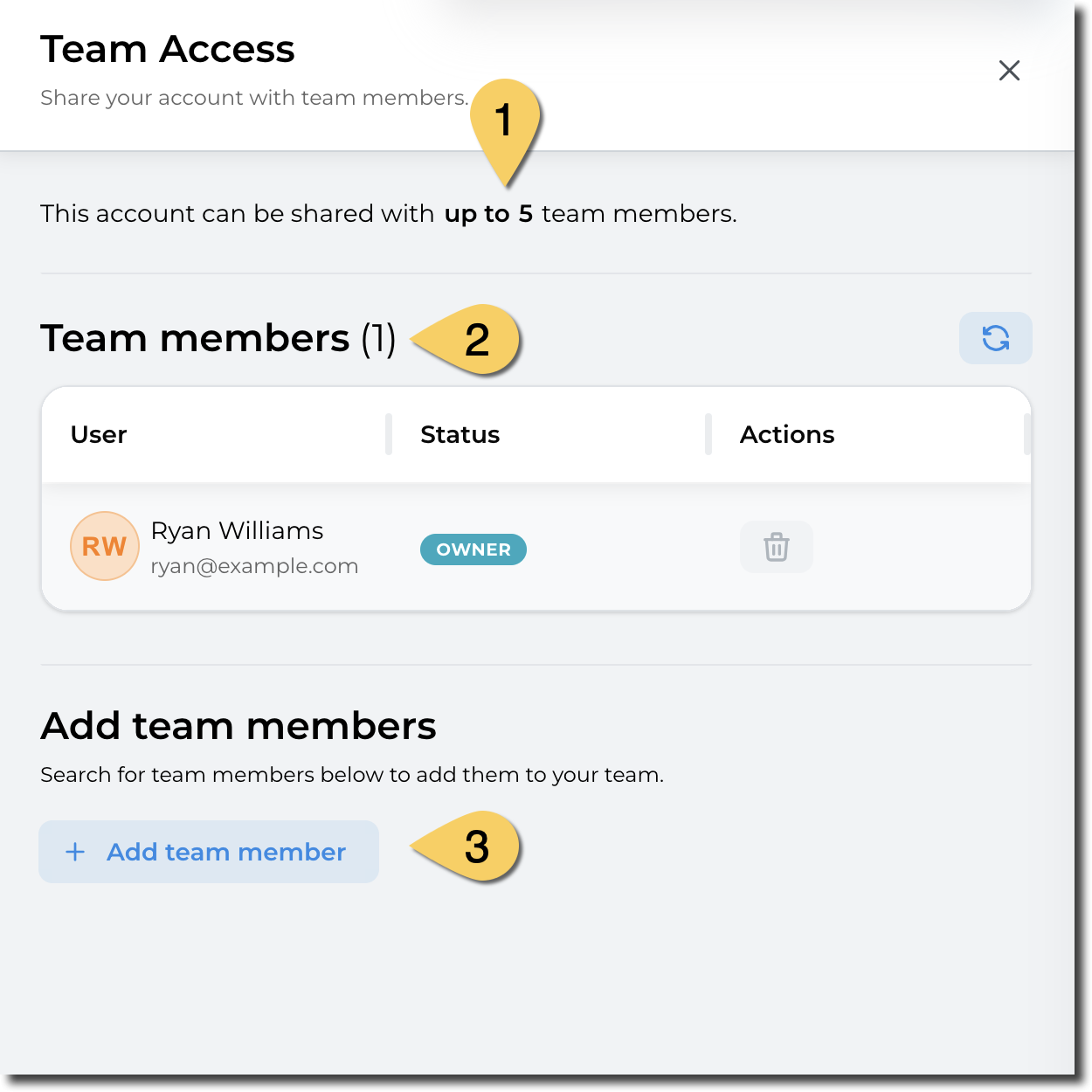
- In the side panel, sharing details (or "Team Access") is displayed: 
    1. Maximum team size:
    2. Current team members
    3. Adding a new team

<p class="callout info"><span class="s1">The maximum team size (including the account owner) is defined by the manager or administrator of the account type.</span></p>

[![image.png](https://docs.sandboxstudiosoftware.com/uploads/images/gallery/2026-03/scaled-1680-/B6Yimage.png)](https://docs.sandboxstudiosoftware.com/uploads/images/gallery/2026-03/B6Yimage.png)

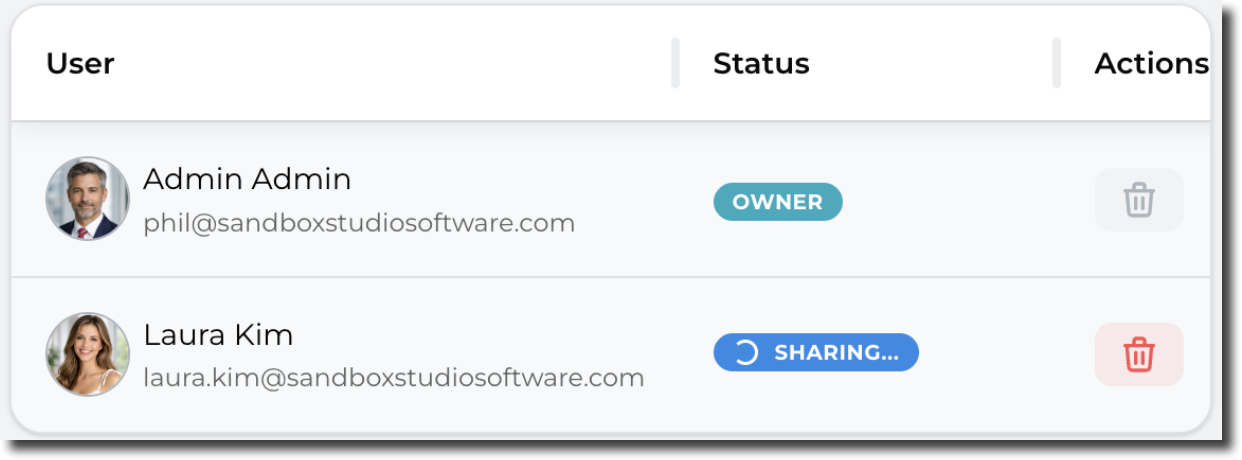
<p class="callout warning"><span class="s1">Note that it may take a few seconds for a shared account to become visible to the invited users. </span></p>

<span class="s1">During that time, the account shows as "Sharing...":</span>

[![image.png](https://docs.sandboxstudiosoftware.com/uploads/images/gallery/2026-03/scaled-1680-/Iqzimage.png)](https://docs.sandboxstudiosoftware.com/uploads/images/gallery/2026-03/Iqzimage.png)

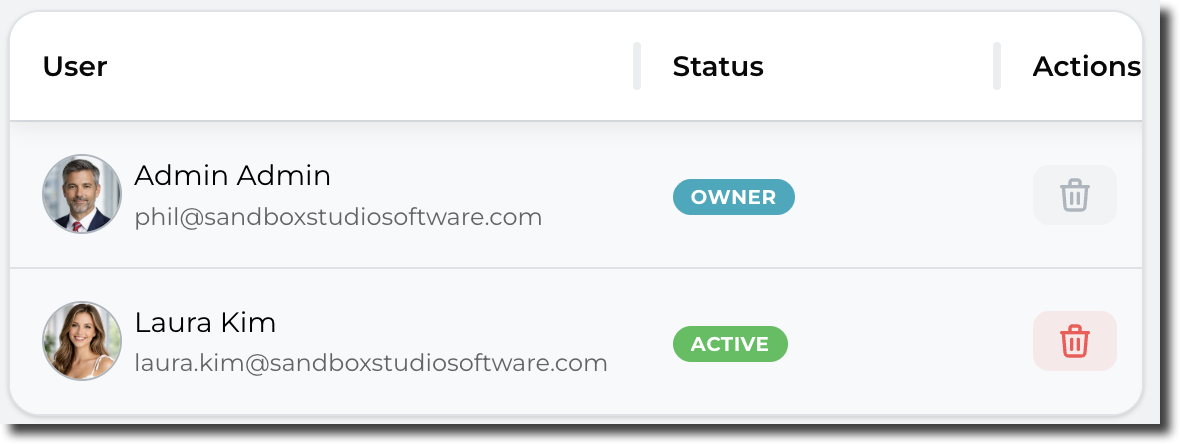
After a few seconds, the account share becomes active and is shown as below:[  
![image.png](https://docs.sandboxstudiosoftware.com/uploads/images/gallery/2026-03/scaled-1680-/O2Zimage.png)](https://docs.sandboxstudiosoftware.com/uploads/images/gallery/2026-03/O2Zimage.png)

<p class="callout info"><span class="s1">Sharing can be revoked at any time. For this, simply click on the red bin account to remove access to other users</span></p>