# Reporting
As a Manager or Administrator, you can view the costs incurred by the leases. This allows you to keep track of the costs of your leased accounts.
- You can view all leases on the **Manage Leases** page. Each lease will display the amount spent on the lease so far under the Costs column. By default, the Leases page will only display the Active and Locked leases. If you’d like to see the costs incurred by Terminated leases, you can use the Status filter.
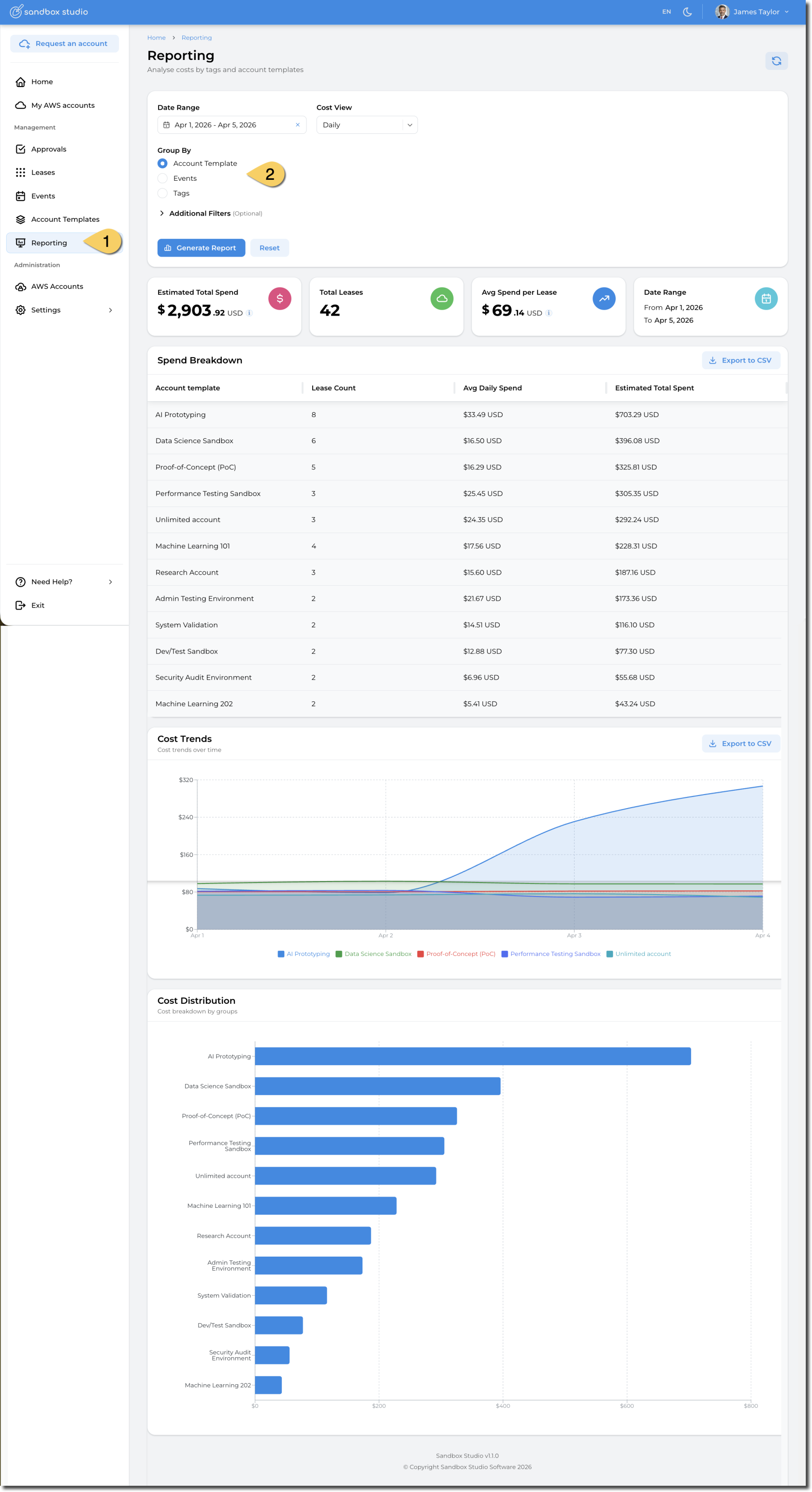
- Detailed **reporting (1)** is available from the left hand menu. You can filter by date, but also by **Account Template, Event** or **Tags** (2). This enables reporting per department or cost code.
[](https://docs.sandboxstudiosoftware.com/uploads/images/gallery/2026-04/xswimage.png)
Note: Administrators with access to the organisation’s management account can access the AWS Cost Explorer console for full data on spending in their organisation. Cost Explorer refreshes your cost data at least once every 24 hours. For more information, refer to the Analysing your costs and usage with AWS Cost Explorer page.