# Account template creation - Duration
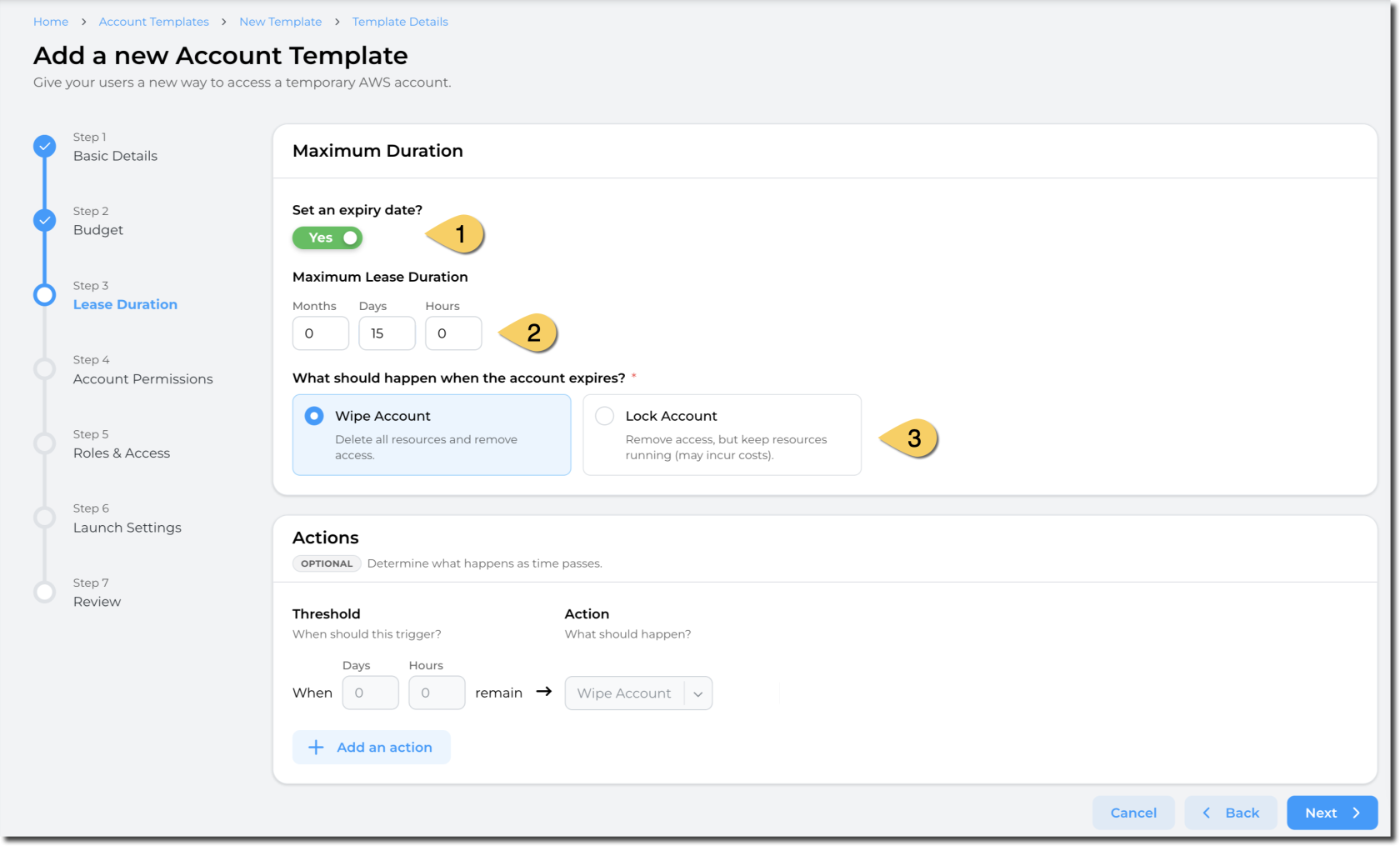
This step defines the maximum duration for leases using this template.
[](https://docs.sandboxstudiosoftware.com/uploads/images/gallery/2026-04/uoTimage.png)
1. Define if you want a **maximum duration to be enforced** for the leases.
2. If you select **Set an expiry date**, enter a value in **Maximum Lease Duration (in Months, Days or Hours)**. The duration configuration determines how long the account is available once leased to a user.
3. Define the **action when the lease expires.** You can either:
- **Wipe the account**: This delete all resources and remove access to the users.
- **Pros**: Stop incurring cost
- **Cons**: Some data may be lost as the resources will be deleted.
- **Lock account**: Remove access to end users but keep the resources and data
1. **Pros**: Data and resources remain. Administrators and managers can access the account.
2. **Cons**: Resources still incur cost in the AWS account.
4. Define the actions to take based on the thresholds you define.
The countdown for a lease starts when the lease is created.
##### Actions:
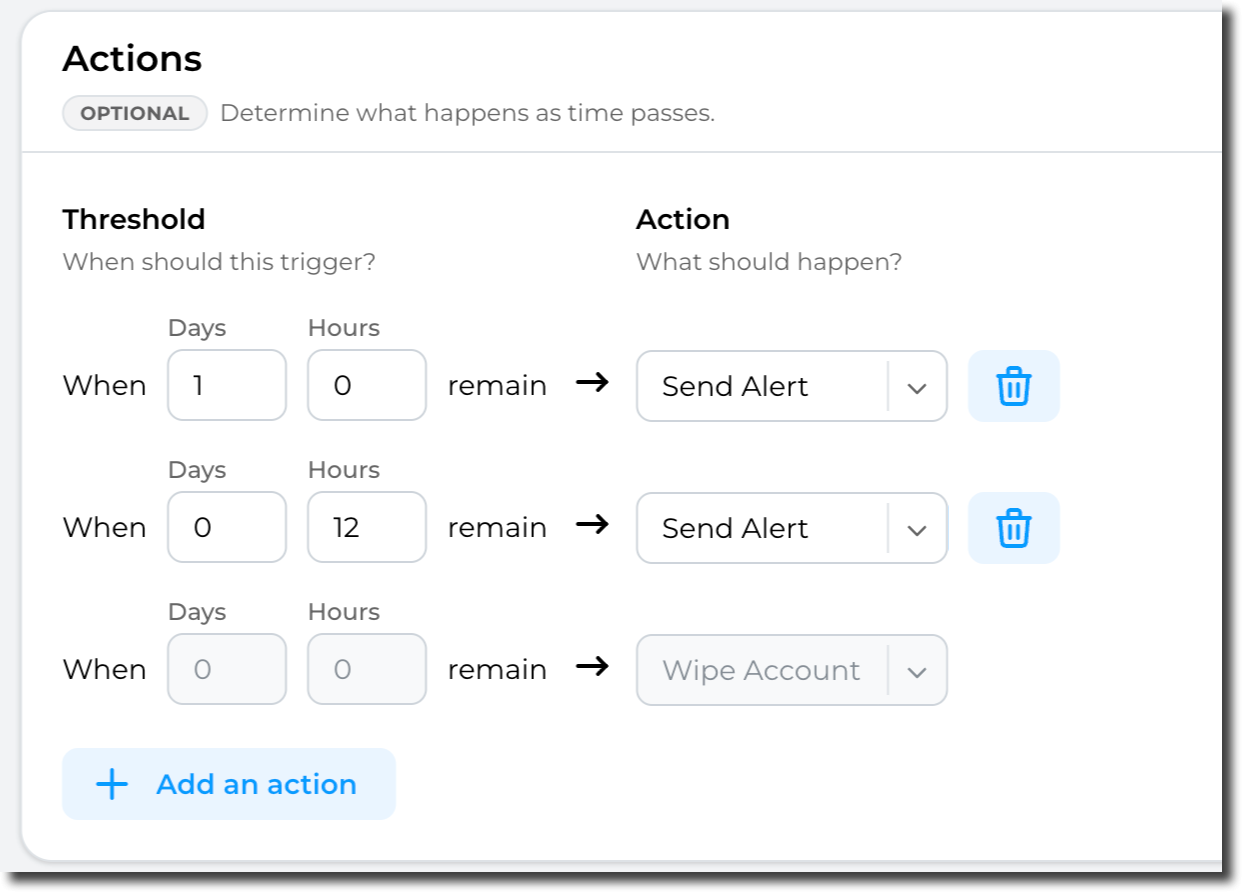
Sandbox Studio can perform automatic actions if some thresholds are met. You can define those thresholds and actions in the "Actions" section:
[](https://docs.sandboxstudiosoftware.com/uploads/images/gallery/2026-04/2sIimage.png)
Important: The threshold’s actions are effectively a **count down** - and only trigger when a certain amount of time is left. e.g. 5 Days left, or 24 Hours to go or in the case of "Wipe" when the account has expired.
Having completed all the fields on the **Duration** page as needed, click on **Next** to [Account template creation - Permissions](https://docs.sandboxstudiosoftware.com/books/manager-guide/page/account-template-creation-permissions "Account template creation - Permissions")