System Settings
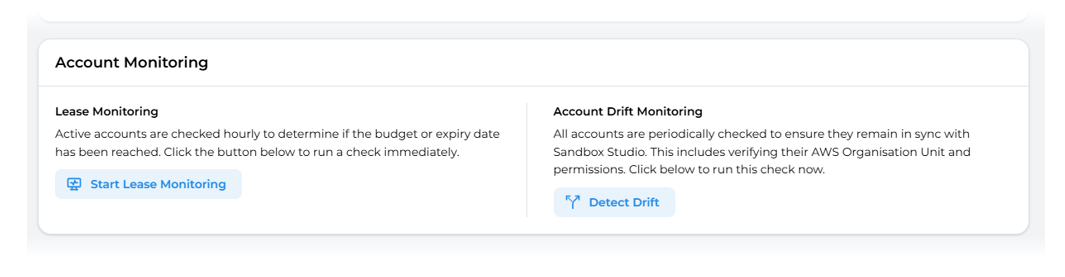
The Administrator has access to a wide range of advanced settings from the System Settings (1) menu on the left hand menu. This page will detail each of the following sections:
- General Settings
- Lease Settings
- Terms of Service
- Advanced > Authentication Settings
- Advanced > Account Monitoring
General Settings
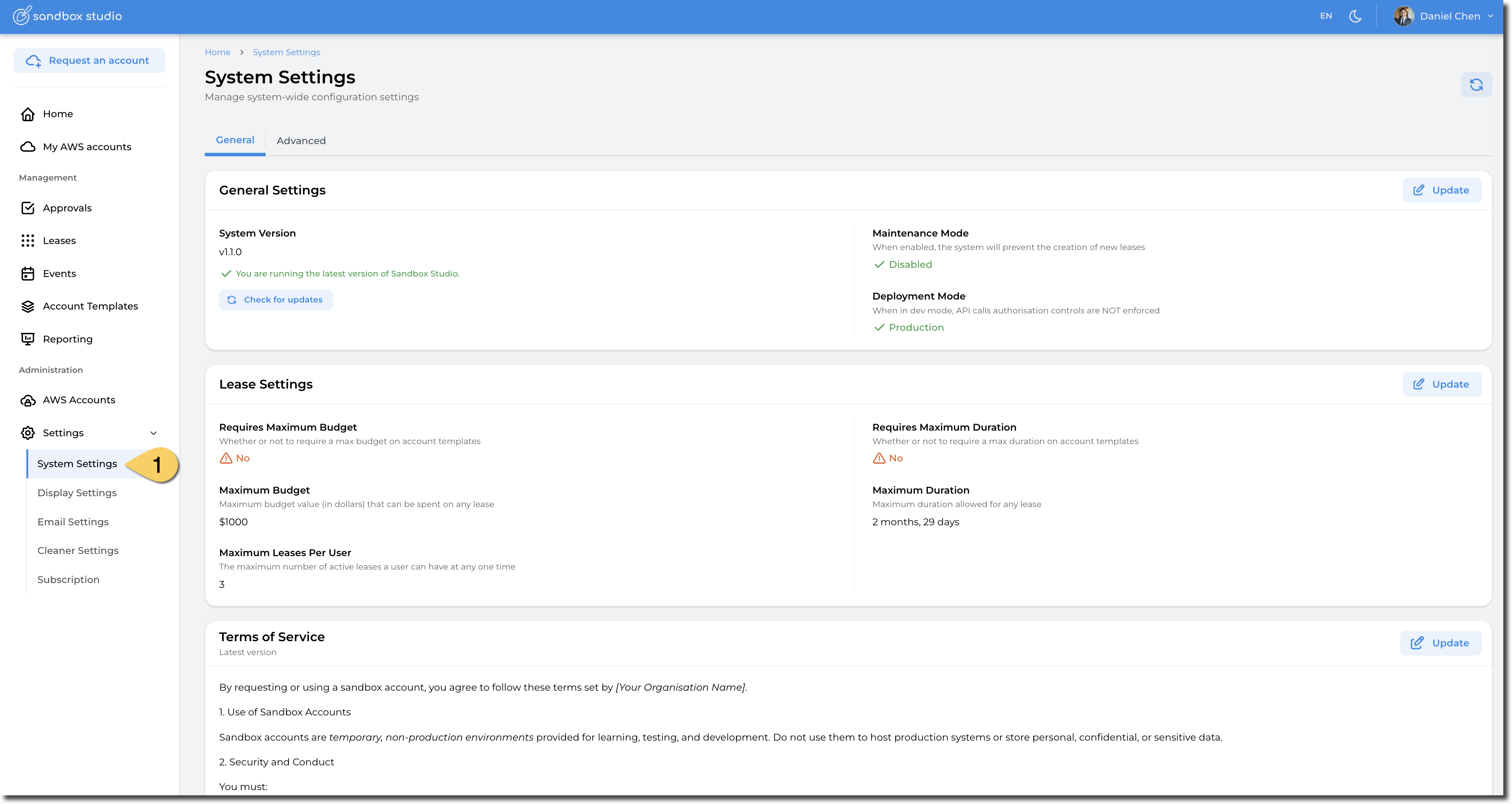
In the General Settings section, the Administrator can make the following configuration changes by clicking on the Update (1) button :
- System Version: Check if the Version of Sandbox Studio they are running is the latest by clicking on the Check for Updates. More details here: Monitor for updates
- Maintenance Mode: Set the application into Maintenance Mode. In maintenance mode, users cannot create leases. This is particularly interesting when you need to update Sandbox Studio for example.
- Deployment Mode: Development or Production. When in development, authorisation on API calls is not enforced.
Unless requested by the Sandox Studio team for support purpose, please avoid changing this value.
Lease Settings
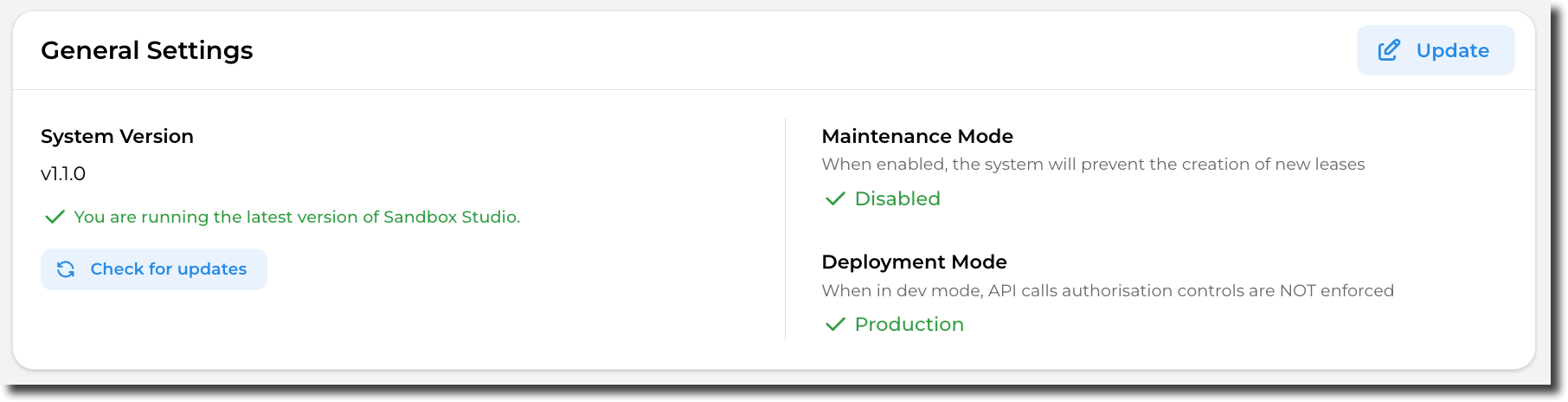
In the Lease Settings section, the Administrator can make the following configuration changes by clicking on the Update (1) button:
- Requires Maximum Budget: If set to Yes, managers or administrators creating an account templates will have to set a maximum budget. In other words, this makes sure manager set a maximum budget when creating an account template.
- Maximum Budget: The maximum budget that an account template can have. Account templates won't be able to have budget higher than this value.
- Maximum Leases Per User: This setting limits the number of active leases a user can have at any point in time.
- Requires Maximum Duration: If set to Yes, managers or administrators creating an account templates will have to set a maximum duration. In other words, this makes sure manager set a maximum duration when creating an account template.
- Maximum Duration: The maximum duration that an account template can have. Account templates won't be able to have duration longer than this value.
Terms of Service
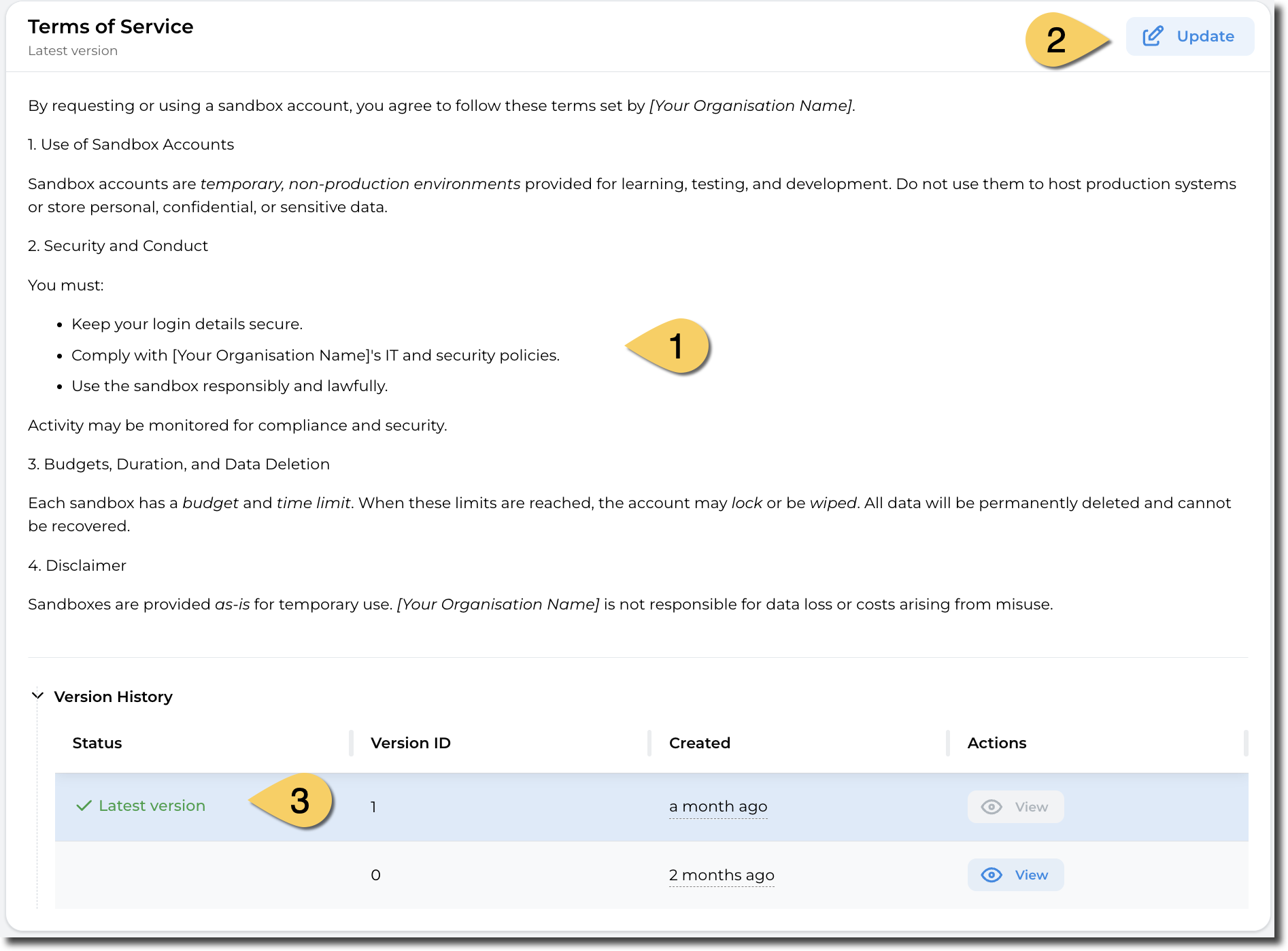
An Administrator may wish to get the users of their sandbox accounts to agree to certain Terms of Service before they access their sandbox environments. An Administrator is able to edit these Terms of Service and also keep a record of previous versions that users agreed too.
Within the Terms of Service page, the Administrator is able to view (1) the existing terms of service, Edit (2) the terms of service and view the version history (3) of previous versions of Terms of Service.
Authentication Settings
In the Authentication Settings section, the Administrator can make the following configuration changes by clicking on the Update button :
- Web App URL: The URL of the application (defaults to Cloud Front Distribution URL or custom domain)
- AWS Access Portal URL: The AWS Access Portal URL for IAM Identity Center SSO
- Session Duration: The duration of the session in minutes
- IDP Sign In URL: The IDP Sign In URL for IAM Identity Center SSO
- IDP Sign Out URL: The IDP Sign Out URL for IAM Identity Center SSO
- IDP Audience: The IDP Audience Identifier for IAM Identity Center SSO
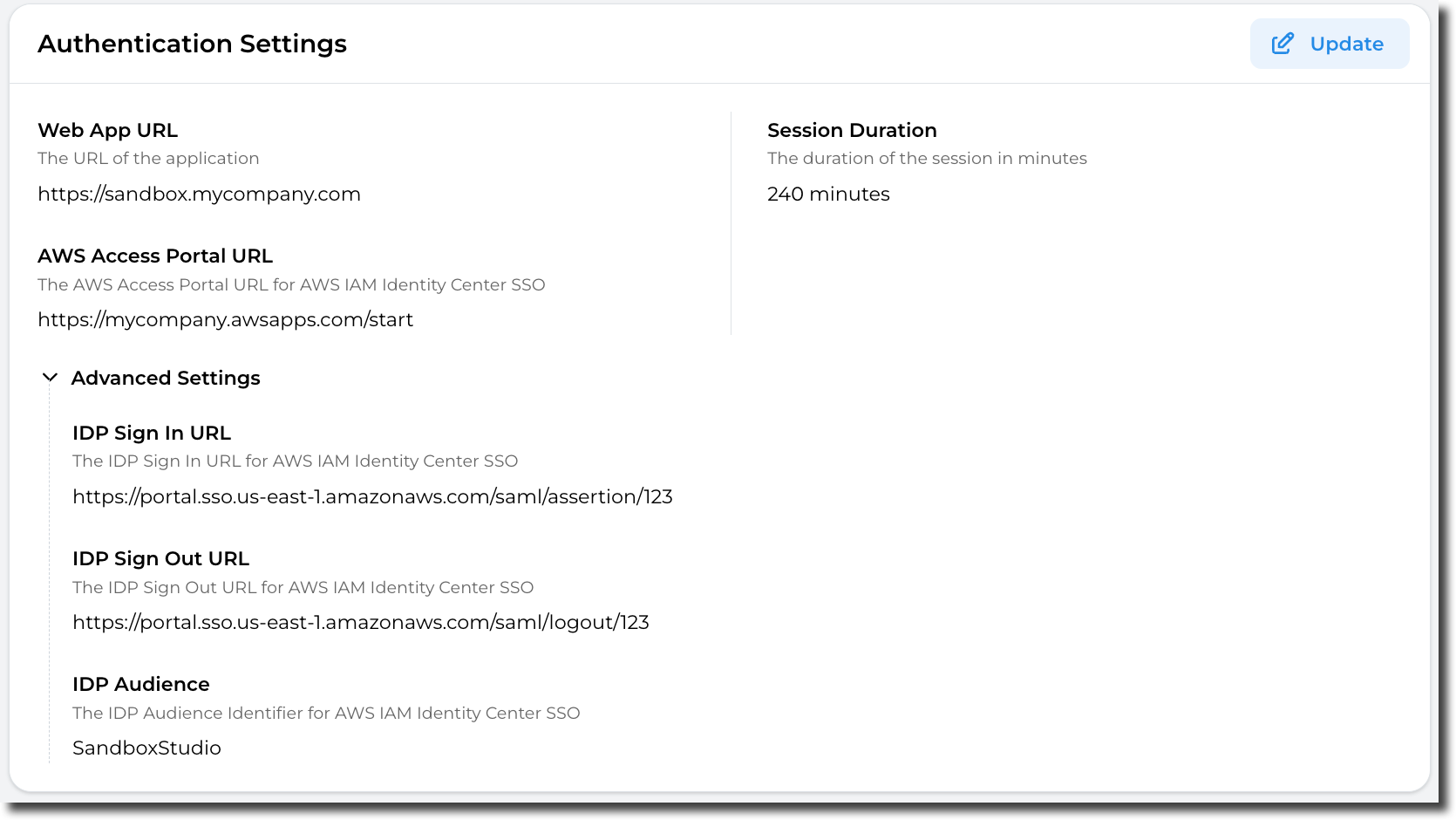
Changing those settings may break your Sandbox Studio installation, please update carefully!
Account Monitoring
In the Account Monitoring section, the Administrator can trigger the following checks manually:
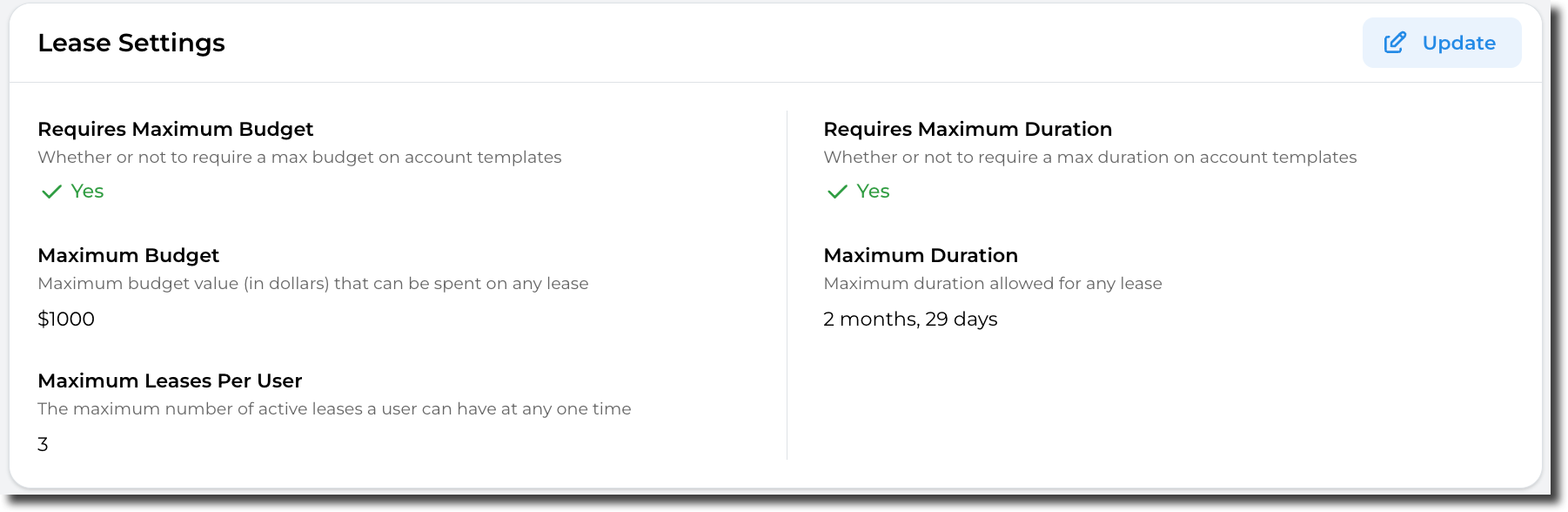
- Lease Monitoring: Active accounts i.e. accounts associated with a lease are checked hourly to determine if the budget or expiry date has been reached. However if you wish to check the current status - you can press the Start Lease Monitoring buttons to run a check immediately.
- Account Drift Monitoring: All AWS accounts are periodically checked to ensure they remain in sync with Sandbox Studio. This includes verifying their AWS Organisation Unit and permissions. Click on the Detect Drift to run this check immediately.