# Home Page
After logging into the Sandbox Studio UI, as an Administrator, you will land on your Administrator's Home page.
As a Sandbox Studio Administrator, you have the capability of requesting and **accessing AWS Accounts** yourself, **overseeing the end user accounts** as a manager would, as well as the **global overview** of your entire AWS Sandbox environment.
Therefore the Administrator's homepage is divided into three sections, both on the main page and the left menu:
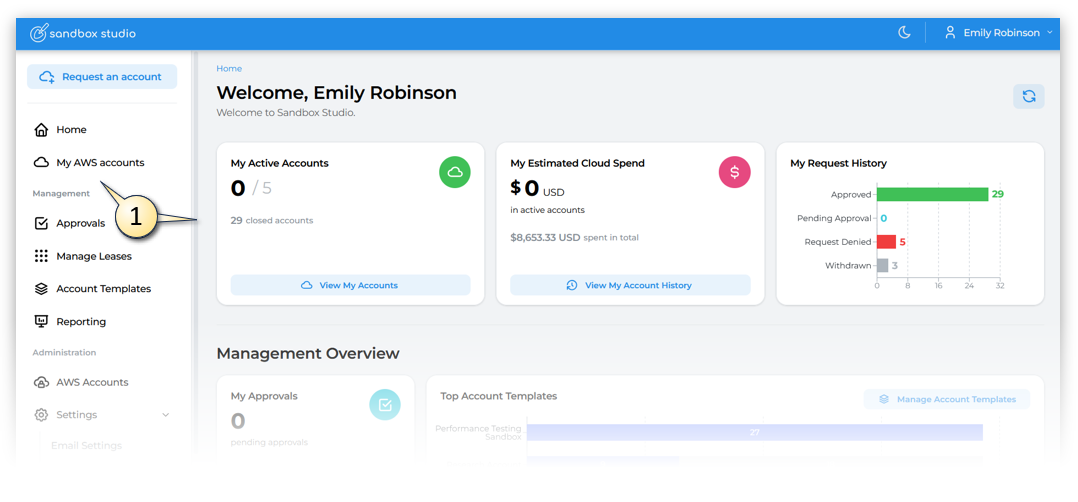
- one providing insights of your personal **My AWS accounts** (1). As the functionality of accessing your own accounts is identical to how End Users would experience it, if you want to know more about how to access and manage your own AWS Accounts, see the [User Guide](https://docs.sandboxstudiosoftware.com/books/user-guide).
[](https://docs.sandboxstudiosoftware.com/uploads/images/gallery/2025-07/Gj8image.png)
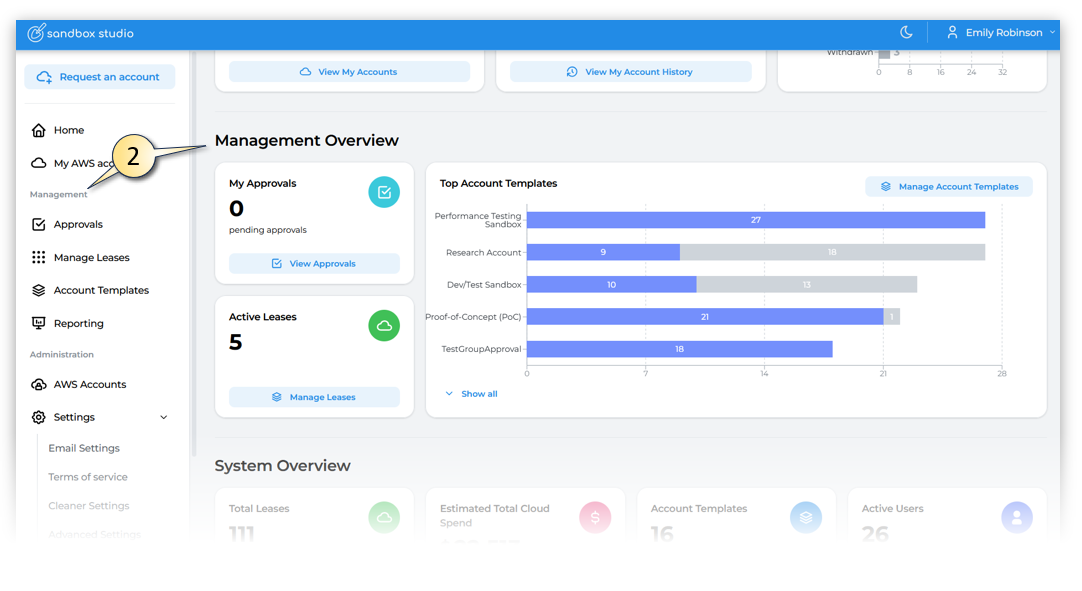
- and the second offering a **Management Overview** summarizing the usage status of all your end users **& Management functions** from the left menu (2). As the functionality of managing users is identical to how Managers would experience it, if you want to know more about how to manage users, see the [Managers Guide](https://docs.sandboxstudiosoftware.com/books/manager-guide).
[](https://docs.sandboxstudiosoftware.com/uploads/images/gallery/2025-07/PPMimage.png)
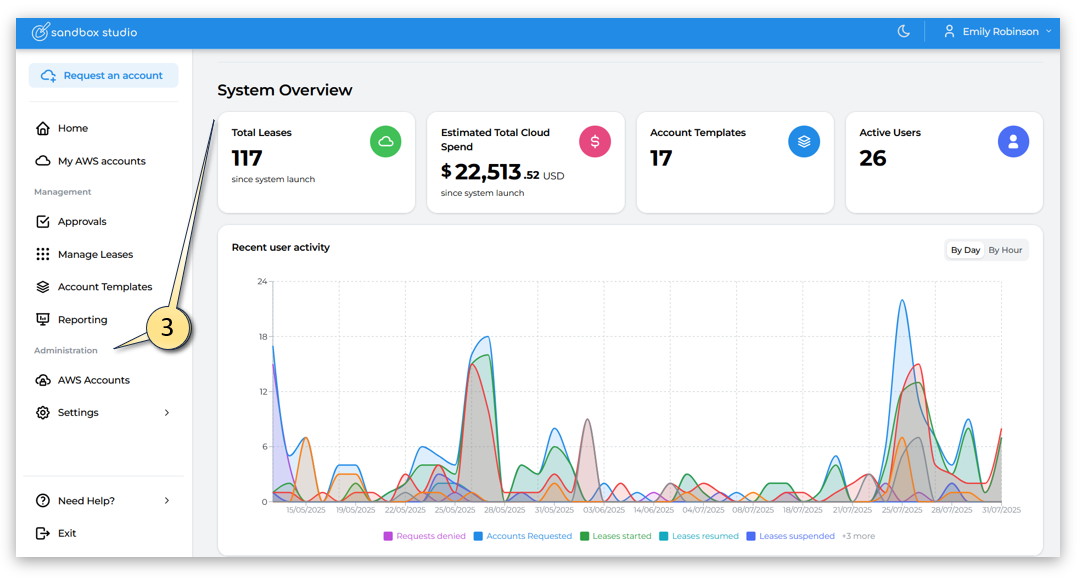
- and the last section providing insights on your entire **Sandbox environment** and **Administration functions** from the left menu. (3)
[](https://docs.sandboxstudiosoftware.com/uploads/images/gallery/2025-07/GnPimage.png)
The rest of this Administrators Guide, will focus on features specific to Administrators.
It is really important to monitor the **duration and budget** on all of your own and your users accounts. If they reach their thresholds , the accounts will (depending how your Sandbox Studio environment is setup) **terminate and delete everything** in that account. So if what you or your users are working on is important, closely monitor the thresholds and/or move the account out of the sandbox environment into a production environment. Users can [request an account extension](https://docs.sandboxstudiosoftware.com/books/user-guide/page/requesting-an-account-extension) from their manager or administrator.