AWS Accounts
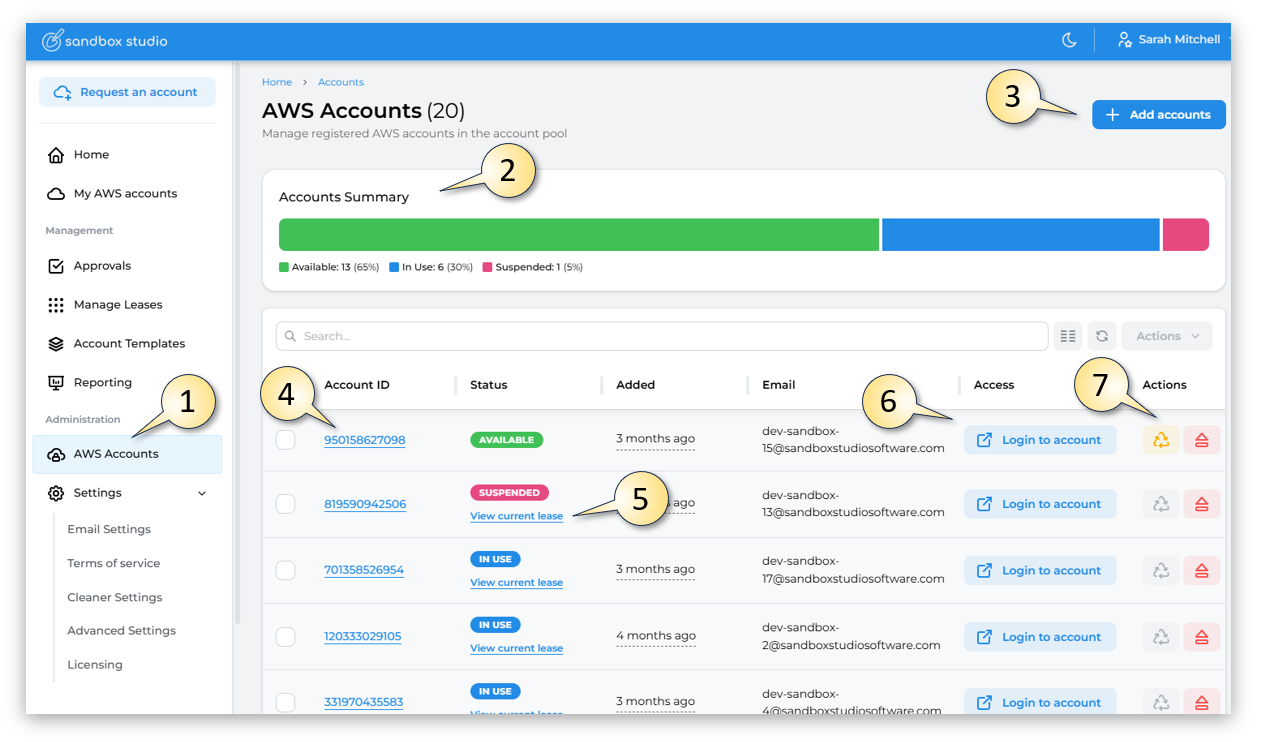
As an Administrator, by clicking on the AWS Accounts (1) link in the Administrator section of the left menu, the Administrator can access the Accounts Summary page.
- On this page the Administrator can see an Accounts Summary (2) of how many accounts are in the accounts pool and how many of those accounts are in use.
- The Administrator can add accounts to the Account pool (3)
- Can drill into the account details, by clicking on the Account ID (4)
- Can view the leased currently associated with the Account - by clicking on the View current lease (5) link
- Can log into the AWS account, by clicking on the Login to account (6) button
- Can change the status of the account by forcing it into Clean up or Eject the account (7)
 Account Sumary
Let's look at some of these in more detail.
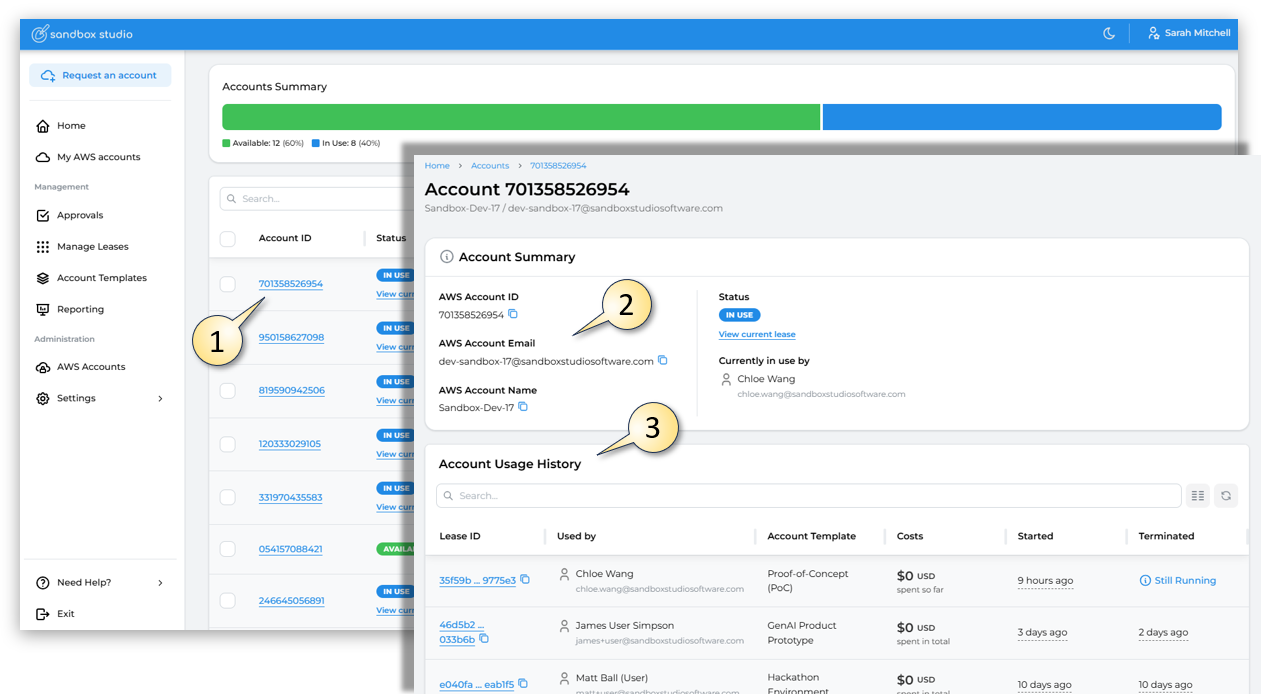
By clicking on the Account ID (1), this provides more details on the AWS Account itself, including the account email and account name (2) as well as the Account Usage History (3) of which user / account template was associated with this AWS Account in the past.
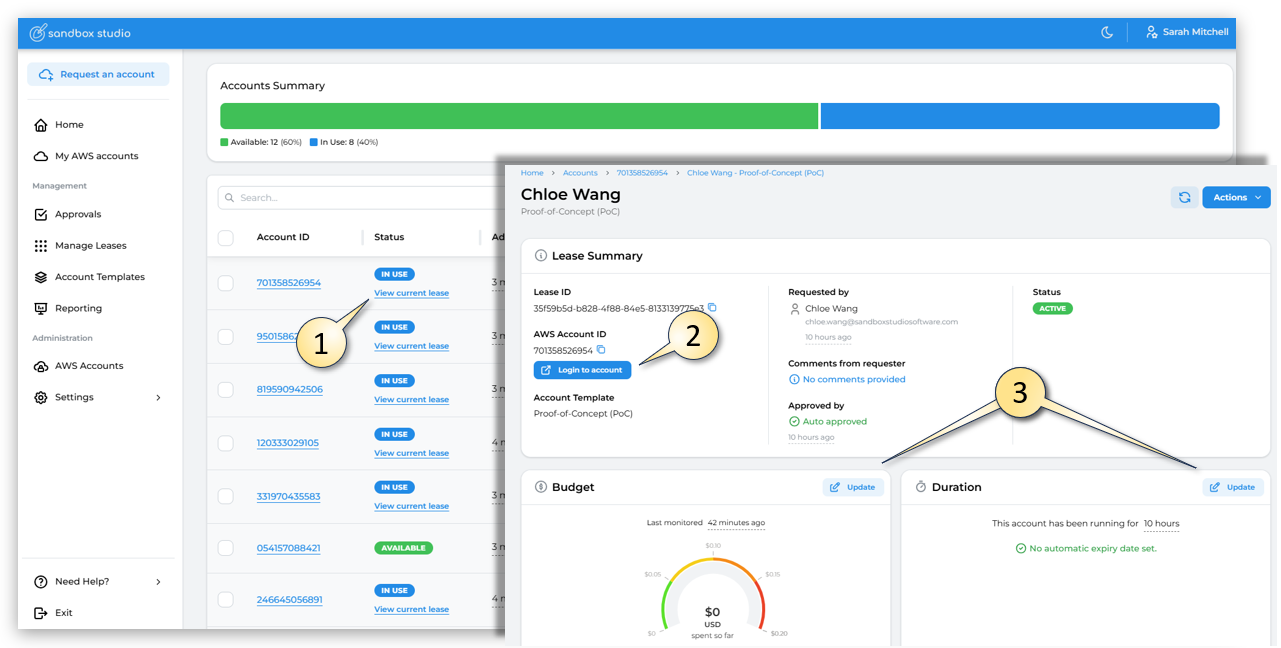
By clicking on the View current lease (1), link, this provides more details on the Lease associated with the AWS Account. From this page, the Administrator can do various things including Login to the account (2) and Update (3) (change) the Budget or Duration of the lease.